Table of Contents
TIP: Use the bullet (•) in the search for
headings.
• Acknowledgements
• Welcome Letter from the President of HMUG
Section I — • About HMUG
I.a. • Organization
I.b. • Officers and Volunteers
I.c. • HMUG Publications
I.d. • Meetings
I.e. • Library
I.f. • The Hotline
I.g. • Telecommunications
I.h. • Activities
I.i. • Special Interest Groups
I.j. • Tutorials
Section II - • Bits and Slices
II.a. • By-Laws of the Huntsville Macintosh User’s Group
II.b. • Tips and Shortcuts
II.c. • Newsletter Advertising Rates
II.d. • Access to Services
II.e. • A Brief Communications Tutorial
II.f. • The Macintosh Family
II.g. • Virus Management on the Macintosh
II.h. • Glossary of Terms
• Acknowledgements
Putting
together a handbook which provides information on a variety of subjects
requires the input and skills of many people. The membership of the Huntsville
Macintosh Users Group is a talented group of people. Everyone did their part by
creating products, researching, typing, lending support when required, and even
editing.
I
will not try to mention all the names here; however, I salute all the dedicated
members who have provided input to this manual. I especially would like to
thank the Washington Apple Pi, Ltd.,
for their electronic files which provided the basis for some of this handbook.
Welcome Letter from
the President of HMUG
Dear New Member:
Welcome!
Over the years, HMUG has helped many computer users to get more from their
equipment. Yet an important objective has always been the individual. You
matter. I think you will find when you reach out to try some of HMUG’s
services that help is there for you. Our members are quite varied. They range
from the very young to retired. They include ‘hackers’ and business
people, men and women. Our members are blue collar, white collar and T-shirted.
We like to think of ourselves as a family organization, offering many things to
our diverse membership.
HMUG
can help you in numerous ways, many of which are discussed in this Handbook.
Among the most important are our: reference library, monthly formal and
informal meetings (with question and answer sessions and interesting,
informative speakers), monthly Newsletter filled with how-to articles and
product reviews, volunteer experts in a host of areas, and an extensive Public
Domain Software Library. Plus, we have an affiliated electronic Bulletin Board.
Any or all of these may help you get more from your computer.
HMUG
is dedicated to the distribution of information about the Macintosh. Our
meetings are organized to provide members a forum to exchange information and
ideas and to promote better use, understanding and interest in Macintosh
computer arts and science. The exchange of information among HMUG members is
normally conducted in an informal forum. Presentations or demonstrations on
subjects of interest or new products are included in every meeting agenda. To
this end, our club has established several programs to enhance the exchange of
information.
As
you may know, we are basically a volunteer organization dedicated to helping
one another and our community to learn about personal computers. While there
are some activities that require technical skills, other simply require a
little time and patience. If you want to help, call another member. If you give
a little of your time, you will probably get more out of being a member.
Regardless of whether you become a very active member or simply enjoy reading
the Newsletter every month, welcome. We are glad to have you!
The
main activity of HMUG is biweekly meetings on the second and fourth Saturday of
each month. Our formal business meeting is held at the Huntsville Public
Library on the second Saturday. The informal meeting is held at BDM
International Inc., 950 Explorer Boulevard, Cummings Research Park (West),
Huntsville. Meetings are scheduled from 10 to 12 noon.
To
gain the most from the club, members and guests are encouraged to express
freely their concerns and ideas on observations, experiences, or problems which
may impact on their use of the Macintosh. Comments are also solicited on club
program and events. Like anything, to get the most out of it you must get
personally involved and make your requirements and desires known. The club is
always looking for ways to improve our programs. If you have an area of special
interest you would like to share with the Group, please feel free to bring it
to our attention and get on the agenda to present it to the club. HMUG is
dedicated to serve you the
member, and this can only be accomplished if you actively participate in your
club.
Most Sincerely,
George Leach, President
I. • About HMUG
This Handbook has been produced to familiarize
new members of the Huntsville Macintosh Users Group (HMUG) with the many
activities that go on within the organization. Services, meeting dates and
locations, procedures, etc., may have changed since the printing of this guide.
Please watch your monthly Newsletter for updated information. If you ever have
questions about how a service works, who is doing what, or when it’s
being done, please call one of the officers for more details.
Interested Macintosh users are encouraged to
come to our HMUG meetings to see how our club operates and participate in our
program before joining. We know once you have seen what we can offer, you will
be hooked like the rest of us.
How to join HMUG: People can join or renew their membership in the
Huntsville Macintosh User’s Group by coming to one of our meetings and
paying directly, or by sending a check to the treasurer. See the other
bulletins for information on meeting times and places.
To Join the Huntsville MUG by mail - send $20
($22 for family membership) to:
Amy
Shelton
103
Scarlet Oak Circle
Harvest,
AL 35749
Include your name, address, and anything else
that you think will help us serve you, such as machine type, level of
expertise, and whether you’d be interested in helping out. This last item
is important as the User’s Group consists solely of volunteers helping
others, and we can always use another volunteer.
You can also leave a message on the
‘General’ message base of the <TBD> BBS (select
‘M’ from the Main Menu, ‘G’ from the Public Message
Area Menu, and ‘E’ from the Message Menu respectively). If you’d
like more information on the <TBD> BBS operation or log-on procedures,
see Section I.g, Telecommunications.
I.a. •
Organization
HMUG is a non-profit, educational, and social
organization for computer enthusiasts. This guide describes HMUG services,
activities and organization. Success of the club depends on the volunteer
efforts of its members in serving on committees, chairing Special Interest
Groups, and helping out with club events.
HMUG offers many different ways for you to
improve your understanding of how microcomputers work and how you can get the
most out of your particular model. This section will briefly cover each of the
services and activities HMUG presently offers. These services are now available
to you, our fellow member. If you are in need of a service that is not listed
here, or you believe that our membership services should be expanded, check
with an officer of the club, the service may have started since this was
written, or you may be able to assist in getting it going. We are always
interested in the expanding needs of our members, and all of our activities
depend on volunteers. If you would like to get a project started, or would like
to lend a hand with an existing service, call us and get involved.
HMUG business is conducted according to the
approved By-Laws which are periodically reviewed and updated. The HMUG Bylaws
are included at the end of this guide.
Staff and Volunteers: All of the services
offered to the members of HMUG are made possible by the committed efforts of
many volunteers. For example:
• The Disk
Librarian, along with many volunteer
helpers, is responsible for collecting, categorizing, cataloging and
duplication of Public Domain and Shareware software programs.
• The Editor with the assistance of several others is responsible
for monitoring all aspects of the Newsletter.
• The � Ambassador
is our interface with Apple ® and
the Macintosh User Group community and their many services and publications.
I.b. • Officers
and Volunteers
The HMUG Executive Committee consists of five
elected officers: President, Vice-President, Secretary, Treasurer, and
Programs, supported by appointed volunteers. The current officers and principal
volunteers are:
Elected Officers
President:................ George
Leach
Vice President:......... Bob
Doehrman
Secretary:................ Lee
Jones
Treasurer:................ Amy
Shelton
Programs:................ John
Celestian
............................... Jackie
Dannenberg
Appointed Officers
Membership:............ Amy
Shelton
Librarians:............... Lipmon
Moy
............................... Bob
Doehrman
............................... George
Leach
Newsletter:............... Ann
Houser
Publisher:................ (
Vacant )
Publicity:................. Gloria
Guay
Apple Ambassador:.. Frank
Baird
Election of officers is by secret
ballot from a slate presented by a Nominating Committee and/or nominations from
the floor by the general membership. Per the Huntsville Macintosh User’s
Group Bylaws, elections are held in February. Nominees must be willing to serve
in the capacity or the name is withdrawn.
Duties of the Officers
The president appoints all committees and is an ex-officio member of all committees.
The vice-president performs in the absence or disability of the
president, and when so acting shall have all the powers of, and be subject to
the restrictions on, the president.
The secretary keeps minutes of all membership and executive officer
meetings. He maintains a file of all official correspondence of the HMUG,
conducts official correspondence of the Group and performs such other duties as
may be designated by the Executive Committee.
The treasurer is responsible for financial records and accounts of
HMUG. The treasurer keeps and maintains adequate and correct books of account
showing the receipts and disbursements of HMUG with such depositories as are
designated by the Executive Committee.
The programs officer
is responsible for arranging for programs for the monthly formal meeting and
announcing the planned program in the monthly newsletter.
Appointed Officers or
Volunteers
The President appoints such volunteers as deemed
necessary to support the normal functions and special activities of the Group.
These appointed officers serve at the discretion of the Executive Committee for
the term of their office or until completion of the activity. These appointed
positions are:
• Membership
Chairman
• Librarian
(Software and Book Libraries)
• Newsletter
• Publisher
• Publicity
• Apple Ambassador
I.c. • HMUG
Publications
The HMUG Newsletter
Who gets the Newsletter? All HMUG members receive the Newsletter. Copies of the Newsletter are available for interested non-members, if
requested.
What is in the Newsletter?
• roster of elected
and volunteer officers
• minutes from the
last formal meeting
• advertisement
rates
• vendor
advertisements
• for sale items
• Apple
Ambassador’s Report
• <TBD>BBS
Report
• President’s
Report
• articles from
other Macintosh newsletter
• time, date, location of future meetings
When is the Newsletter published?
Monthly.
Where is it distributed? The Newsletter is available for pick up at the formal or
informal meeting closest to its print date. If members cannot attend the
meeting, it is mailed to them.
Why is there a newsletter?
The Newsletter
is our primary means of distributing information to all HMUG members. It also
serves as a hard copy record of the formal minutes of our meetings.
How is it produced? Input:
Articles, ads, etc., must be submitted to the editor according to the schedule
shown. Information can be delivered electronically (<TBD>BBS), by
diskette, or by hard copy. The Newsletter is produced using PageMaker on a Macintosh SE.
Output: The diskette containing the completed newsletter is given to the
publisher who produces a laser hard copy. The “master” is used for
reproduction.
How can I become involved in the newsletter?
Contributions to the Newsletter are encouraged. All members are invited to
submit articles. In other words, ANYONE can contribute!
The most popular service HMUG members enjoy is
the monthly Newsletter.
Each issue, which is provided to all members as a benefit of membership,
contains pages devoted to a wide range of computer subjects.
Submitting Items for Publication: The editor solicits articles on any subject
relating to computers: problems solved and those in need of solutions, reviews
of hardware and software you have purchased and think others should buy or
avoid and why, humorous articles, and articles on interesting applications you
have discovered. You do not need to be an expert to write an article. Many of
the best articles are written by novices who are sharing their frustrations and
triumphs in getting the darned things to work in the first place.
Submitting an article for publication is very
simple. The first step is to write one. Then submit the article on paper or on
disk. Alternatively, you may be able to send your article to the Editor via the
<TBD> bulletin board, or directly via modem. The Editor appreciates all
articles in any format and encourages everyone to write something, no matter
how short.
Classified Advertising: The Newsletter also contains a section where members can place
classified advertisements.
Display Advertising: The Newsletter also publishes commercial advertising. Many
advertisers offer special discounts or deals for HMUG members — read
their ads carefully. When you patronize those businesses, be sure you let them
know you saw their ad in the HMUG
Newsletter. If you
would like to run a display advertisement in the Newsletter, contact the Editor for more information.
Newsletter Distribution: The editors attempt to make distribution during
a club meeting to help defray some postage costs.
Back Issues of the Newsletter: Limited
numbers of back issues of the Newsletter are available from the Editor.
Other Publications
Member Handbook-
HMUG offers a few other publications to serve its members. One of these is the
Handbook, which you are now reading.
Membership Directory - HMUG also publishes a Membership Directory to
help you stay in touch with each other. It lists the names, telephone numbers
and cities (but not street addresses) of our members who have given permission
to have this information published in the directory. The Directory is listed
two ways, one is arranged alphabetically and the other is by zip code. We ask
our members not to distribute this list to non-members or use it for commercial
solicitations.
Macintosh Catalog Disk - At least once a year we publish a Macintosh
Catalog Disk listing all the software available in our Macintosh disk library.
The disk usually sells for around $1.00 (or you can copy it to your own disk)
and includes an alphabetical list of all files, as well as descriptions of most
of the files.
Special Interest Groups (SIGs) are set up, as needed, to cover specific
topics, some are machine specific, some are program specific, and still others
are industry specific. There is no additional charge to participate in a SIG,
and you are welcome to attend as many SIG meetings as you would like. See the
SIG Chairman for details on meeting times and more details.
I.d. • Meetings
The Huntsville Macintosh Users Group (HMUG) was
formed to assist its members in getting the most out of their Mac. We do that
by exchanging information and arranging demonstrations of new hardware and
software at regularly scheduled meetings, and managing a large library of
public domain software. These meetings also provide a channel for novice users
to get their questions answered by more experienced MacUsers.
When HMUG Meets: The HMUG holds two scheduled meetings each
month. The meeting on the 2nd Saturday (10 AM) is a formal business meeting,
including a program, etc., while the 4th Saturday meeting is informal,
consisting of swapping MacTips, exchanging public domain software (really! No
commercial stuff!), and of course a program or demonstration. Often tutorials
are presented at the meetings. Send a message to Frank Baird, George Leach, or
Lee Jones if you’d like more information.
Where HMUG Meets: The HMUG meets on the 2nd Saturday of each month
at 10 AM to 12 AM at the Huntsville public library. The informal meeting, held
at BDM in West Research Park, also runs from 10 AM to 12 AM.
Second
Saturday of the Month
Huntsville
Public Library
915 Monroe St.
Fourth
Saturday of the Month
BDM
Cummings
Research Park West
To get to the informal meeting held at BDM, head
west on Bradford Drive until it ends, then turn left (South) onto Explorer
Blvd. Then take the first left into the BDM driveway. Bradford Drive is the new
interchange on Rideout (South of University & North of Madison Pike). Many
of you will want to get on Rideout to get to Bradford.
General Meeting: The largest of HMUG’s monthly meetings is
the General Meeting, usually held on the second Saturday of each month. The
focus of most General Meetings is a program that consists of a speaker or a
panel discussion, then a free-form Questions and Answer session. For many
members, the highlight of these meetings is the Q&A session. This session
provides an opportunity to ask questions and exchange comments and ideas with a
large cross section of users as well as professionals in the industry.
Most General Meetings follow this agenda:
Disk Sales
9:45 a.m. - 12:00 p.m.
Business Meeting
10:00 a.m. - 10:45 a.m.
Flashes
10:45 a.m. - 11:00 a.m.
Macintosh Q&A Session
11:00 a.m. - 11:15 a.m.
Scheduled Demonstration Program(s)
11:15 a.m. - 12:00 p.m.
Occasionally, we alter the agenda of these
meetings to accommodate a special presentation, such as when significant new
products are introduced, when topics (such as music or games) are not
computer-specific, or when nationally recognized figures come to speak.
The HMUG sponsors many different programs
designed to serve the general and specific interests of the micro-computing
community. Our program schedule is planned to coincide with the Club
Officer’s term of office. Here was our proposed schedule for 1990, the
actual schedule was adjusted to meet the needs of the guest speakers or special
club activities. Both the formal and informal programs are shown.
July 14,1990 — Program
Developers’ Workshop
July 28, 1990 — Games
Demonstrations
July 28, 1990 — Flight
Simulator Demonstration
August 11, 90 — Print
Spoolers
August 25, 1990 — PostScript
- What is it and why?
August 25, 1990 — QuickDraw
- What is it and why?
August 25, 1990 — Type Align
September 8, 1990 — Import
Data from IBM Clone
September 22, 1990 — Swap
Shop
September 22, 1990 — Oracle
Video
October 13, 1990 — Explanation
of a Simple HyperCard Program
October 27, 1990 — Training
Session
November 10, 1990 — Watch
the Newsletter Go Together in PageMaker
November 24, 1990 — FileMaker
File from MacDraw and Exel Data
December 8, 1990 — Graphics
Tutorial and Demonstration
December 22, 1990 — No
Meeting
January 12, 1991 — Preparations
for IEEE Fair
January 26, 1991 — System
7.0 Features
February 23, 1991 — MIDI
Demonstration
March 9, 1991 — My
Favorite Desk Accessories
March 9, 1991 — HMUG
Elections
March 23, 1991 — Voyager
Demo
TBD — WINGZ Demonstration
If you’re like most new HMUG members, we
can predict two things:
You’re going to be
amazed at the amount of expertise that people in the club have about personal
computers, and . . .
. . . yet it seems at times
that those people speak an incomprehensible language not meant to be understood
by ordinary humans.
The Question and Answer sessions at monthly HMUG
meetings represent one of the most useful services members provide to each
other. Some of the most knowledgeable computer users in the area —
indeed, in the country—field questions from the audience on any
computer-related subject. Occasionally even these experts are stumped, but
there will often be someone in the audience who knows the answer to the
questions or can direct you to someone who can answer it.
Coping with
Techno-Speak
Welcome to Techno-speak. Every field has its own
jargon; computers are one of the worst. We have included a glossary of computer
terms in this Handbook, which we hope will help.
But just as a French phrase book is of little
use in the middle of a Parisian traffic jam, a glossary of computer terms can
be of only limited assistance when someone is trying to explain at a Mac
Q&A session how the stack sniffer ROM keeps the application heap from
colliding with the stack during a segment load.
There is an overwhelming tendency when faced
with a difficult question to which one knows the answer—just to answer
the question. This leads sometimes to forgetting to explain the answer in more
comprehensible language.
This creates some difficulties for those not
fluent in Techno-speak. There is another tendency many of us have, particularly
when we are new to something—to be shy about asking a question. This is
particularly so when we think that everyone around us knows the answer to the
question. From periodic surveys of people who attend HMUG meetings, we know
that roughly one-fourth of the people at the meeting have never attended more
than two meetings before. Most of them are novices like yourself.
Accordingly, I ask this of you: If someone asks
a question to which you would like to know the answer, and the answer sounds as
if it was given Linear B, do not hesitate to ask the person answering to
explain things in simpler terms. The odds are great that many others in the
room would also like to have the answer explained.
I will hazard another prediction. The odds are
that you will discover, more quickly than you may today imagine, that you are
gradually picking up Techno-speak. Soon, you will be bandying about terms like
CPU, Head Crash, Pseudo-Random Numbers and XMODEM. It will not be long after
that before you move into advanced Techno-speak, using terms not even in our
Glossary. At that point, you can come to the front of the auditorium and give
us a hand!
I.e. • Library
The Huntsville Macintosh Users Group (HMUG) maintains a disk and book library for the use and benefit of the membership. The primary purposes of the library are to promote interest in Macintosh computer use, provide members means of trying new free-ware and shareware, and expanding knowledge and use of the Macintosh computer. Members are encouraged to check-out material or copy any disk at the meetings subject to the policies and procedures below.
Library Policy
Check-out of Disk Library, Books, Publications
and Videos:
Eligibility
Current Membership
Location
Pickup and Return at HMUG
Meetings
Period
Two Week Interval Between
Meetings
Extensions
Approved If No One Is Waiting
Items Available in the
Book Library
Books and Publications: These may not always be the latest edition and
may not apply to the newer series Macintosh systems.
• Macintosh Complete (1984) by Merl Miller & Mary Myers —
Introduction to the Macintosh and its capabilities - 119 pages
• Supermac (1985) by Danny Goodman — How to manage and use
your MAC - 282 pages
• Macintosh Revealed (1985) by Stephen Chernikoff — Volume 1 -
Unlocking the Toolbox - 516 pages — Volume 2 - Programming with the
Toolbox - 625 pages
• Online (1984) by Steve Lambert — Discussion and
examples of modem communications - 319 pages
• The Power
User’s Manual (1986) by Randel
Kottwitz — Hints, tips and shortcuts with extensive index - 162 pages
• 68000 Assembly
Language Programming (1981) by Gary Kane — Programming and architecture
of the MC68000 - 563 pages
• The Little Mac Book (1990) by Robin Williams — Informal guide for
new Mac users - 104 pages
Information Catalogs and Product
Directories: These are
maintained for one year or until the new edition is published.
• ADAPlog
— Information catalog for programmers and developers.
• DEVELOP
with CD ROM Disk — Technical
journal for programmers and developers.
• Macintosh
Development Tools and Languages Guidebook — Summary of available development programs and applications.
• Apple
Guide to Desktop Publishing — A
summary of Apple products and third party hardware and software.
• Apple
Guide to Networking and Communications Products — Discussion on protocols, environments,
products and tools.
• Apple
Vertical Market Product Directory
— A catalog of third party programs and applications.
• Quick
Connect — Apple newsletter for
User Groups.
• Disk Library Catalog with STUFFIT Users Guide v1.5 — Includes an explanation of STUFFIT options.
Technical Support
Publications
• Macintosh Technical Notes
• Sound Manager Notes
• Human Interface Notes
• Script Manager Notes
• Macintosh Sample Code Notes
• Tech Tidbits
Video Material
User Group Connection video tapes are available to any
club member for review or copy. Tapes will be maintained for one year unless it
covers special material of interest to the membership.
Personal Books and
Publications
Club members have extensive libraries of personal books and publications which they may be willing to comment on or loan out for review. Members who have an area of special interest and would like to review selected publications to determine if they meet their needs can often find a member who has purchased the publication. These interests should be discussed at the club meetings for comments or availability to review before purchase.
Software Libraries
HMUG maintains an extensive collection of
software available for members to copy or purchase at minimum expense. This
provides members with a source to obtain inexpensive shareware and public
domain applications and other files useful with your computer. This software
includes a wide variety of utility programs, games and entertainment software,
system software, demo programs and applications for review, educational
programs and - most important of all - programs that members have written to
serve their own needs but which often support the needs of others as well.
The Macintosh disks are organized by functional
categories of programs including Utilities, Desk Accessories, Games, Clip Art,
INITs & Cdevs, Miscellaneous, Sounds, and HyperCard Stackware. The majority
of Macintosh programs are on 3.5" double sided 800K disks.
You can obtain copies of these disks by
purchasing prerecorded disks or by copying to them to your own disk at the
meetings. You can buy disks from the Treasurer.
A catalog is available which describes the
programs available on disk and provides an alphabetized list of all files. The
lists also include information such as file size and date. The catalogs are
updated as time permits and new disks are added to the library.
Our software collection has grown to its present
size by the continuing contributions of our members, and we welcome your
donations. Prepare a disk with any programs that you wish to share with other
members. Have you written a program to keep track of your kitchen recipes? We
want it! Have you computerized your jogging logbook? We need it! We will also
welcome programs typed from magazines, provided that the programs can be
distributed without restriction. If you did not write the entire program
yourself, please let us know its source. It is also helpful if you include a
text file with documentation on the program’s use. You can submit your
disks at the General Meeting to the Treasurer or Disk Librarian. You need not
“fill up” a disk before you contribute it.
If you receive a defective disk, you may
exchange it at no cost at the General Meetings. Defective disks are those which
cannot be read by your computer or that do not contain the material described
in the disk catalog. However, if you damage a disk due to carelessness (my dog
ate it), we are not in a position to exchange it.
You may occasionally find some programs on our
disks that do not work on your computer. This may be due to the configuration
of your particular machine, the system software on your machine or due to an
error that the software author has made. Apple published guidelines for
software authors but they are not always followed and sometimes the guidelines
are changed or added to in ways neither the author or Apple could have
foreseen. In any event, the result may be a program that works on one
configuration of machine or operating system and not others. We ask your
forbearance as we can neither guarantee that programs will work or keep up with
all the variations of configurations that exist. If you get a program that
doesn’t seem to work, try running it with versions of the system software
that are have a date similar to the date on the program.
Although every programmer attempts to write
perfect programs, bugs tend to turn up when the public uses a program in ways
that its author did not test. HMUG cannot guarantee the quality of its
programs. We would appreciate reports of errors and any known fixes. Debugging
someone else’s program is a great way to learn new programming
techniques! We will try to contact the program’s author.
All User Groups are plagued by the problem of
frequent updates to popular software. Sometimes you will see the same file name
on several disks, but this is because we would rather err on the side of making
sure you get the latest version. If you find that one version of an application
does not work your Mac, try an earlier or later incarnation. (Having said that,
we also caution you not to throw out old versions until you’re sure that
the new version works to your satisfaction.)
Safe Computing: Don’t initially run
untested programs from your hard disk; first boot from a floppy disk, unmount
the hard disk and then run the new program. Check any and all new acquisitions
with a current Anti-Virus utility prior to using them. Only when you are
satisfied that the program does what it is supposed to and is well behaved,
should you run it from your hard disk.
A final note: Always keep a backup copy of your
application and data files since your files may be inadvertently damaged at any
time; usually when you least expect it and usually involving your most
important files. This is true using programs on public domain, shareware, or
commercial disks Remember there are only two types of computer users;
“those who have already lost data and those who will lose data.”
Shareware and Public Domain Programs: Programs on our disks are usually one of three
types: public domain, copyrighted with restriction or “shareware.”
Public domain software has been placed in the public domain — that is for
use without any restriction —by the author. Users may freely copy the
whole or any part without reservation. Software that is copyrighted with
restriction may be free, but the author owns the program and reserves specific
legal rights to the code and to the distribution. Shareware is a relatively new
marketing device that permits you to try out software at your convenience for a
reasonable period of time. At the end of the tryout period you are honor bound
to pay the author the fee he or she requests—usually a nominal
amount—if you are going to keep the product.
Shareware is not free! At the end of the trial
period if you decide not to use the product (and not to pay anything), you are
asked to destroy your copy of it or give it to someone else, making sure that
the other person knows the shareware nature of the product. Shareware is a
great alternative to high-priced commercial programs that you usually have to
read about or test in a retail store for only a few minutes before you decide
whether or not to purchase the product. HMUG supports the concept of shareware,
and reminds you our obligation to “pay up if you keep it” after the
stated trial period. All computer users have a vested interest in supporting
developers who produce good shareware. This can only be done by sending your
money to the person(s) who took the time and effort to produce a product that
you find useful. Shareware deserves your support!
Copy Protected Software: Copy protected software is designed and
distributed in a manner that prevents the software from being copied using
standard means, such as Filer in ProDOS or Finder on the Macintosh. Software
publishers use copy-protection to prevent unscrupulous users from giving copies
to their friends. Unfortunately, copy protection also prevents legitimate users
from storing the program on a hard disk, on RAM disks or makes it impossible to
make legitimate copies for back-up purposes.
Probably the most effective deterrent to copying
is the printed material and documentation that comes with each program. At
times, some people will copy a program and then impose upon Hotline Volunteers
to answer questions, the answers to which would be apparent from reading the
documentation. Such deceptions are easily spotted. Hotline Volunteers will
respond only to questions from legitimate owners. Please call our Hotline
Volunteers only after consulting your documentation and if you are truly
stumped.
In general, experienced users avoid using the
original copy of any software. The original is too easily damaged, erased or
accidentally destroyed. Under federal copyright law, a user may make a back-up
or “archival” copy of software he or she owns. Virtually all
publishers attempt to defeat this legal right to some extent by
“licensing” the software to the purchaser instead of selling it.
They package a license agreement in the shrink-wrapping of the package, and
argue that tearing off the shrink-wrap (or using the program) constitutes
acceptance of the terms of the license, whatever they might be. Some
jurisdictions passed laws to make such shrink-wrap licenses binding on buyers,
but at least one court has held that such laws are invalid.
Software Piracy: HMUG opposes software piracy. Software piracy is
not only illegal, it is also self-defeating in the long run. Piracy encourages
publishers to use cumbersome copy protection schemes that hurt legitimate
users. Piracy also discourages future software development, to everyone’s
loss.
One reason some people are tempted to copy
software is to “try it out before buying it.” To address this need,
HMUG has asked publishers to donate software to its Commercial Software
Library. This software is then made available to our members for a test-drive.
As noted above, the lawful copying of software is, by definition, lawful, even if the software is copy-protected. A number of highly effective programs are available for copying copy-protected software on the Mac. For example, Copy II Mac will copy most Mac software. These products come with extensive instructions and product support. Supercopy is a shareware program that will also copy Mac software. Again, we note that the purpose of these programs is to make lawful copies of software that you own and not to permit you or anyone else to distribute copies to non-owners.
I.f. • The
Hotline
One of the most important services HMUG offers
is the Hotline. This is a list of volunteers who are available to help you with
your problems and questions. If you need help with a specific program, a piece
of hardware, a programming language or many other computer related problems,
these kind souls have volunteered to try to help you out. The list of Hotline
volunteers appears in your Newsletter each month. Phone numbers are generally home
phones. Please observe any conditions listed by the name of each volunteer.
Because of the number of inquiries they receive, Hotline volunteers may decline to answer questions from non-members. Please identify yourself as an HMUG member when you call. Also, please do not call with questions about problems with a commercial product unless you have purchased that product. However, Hotline volunteers will gladly entertain reasonable questions about whether a product will do something to meet your needs even if you don’t own it. Many of the volunteers are constant and very enthusiastic users of the products about which they answer questions!
Using the Hotline:
It’s easy! Find the current list of
Hotline Volunteers in the Sign-in Book at the club meetings. To use, simply
locate the topic of the program or problem you are having. Then call the person
listed under that heading.
If you would like to help your fellow members by answering questions on the Hotline, please volunteer by calling a club officer or entering your name in the Sign-in Book.
I.g. •
Telecommunications
The <TBD> BBS is independent from the
Huntsville Macintosh User’s Group (HMUG), and provides HMUG members a
valuable service as outlined below at a reduced price. However, BBS users are
not required to join the HMUG.
The BBS is now running Second Sight 2.1b10, which now has Zmodem support for downloads. Second Sight is the new name for Red Ryder Host (because of licensing problems) so users will not notice any significant changes other than the logoff message and the Zmodem option.
1 - File Transfers
One of the major reasons for a BBS, and by far
the most used aspect of the system, is the capability to exchange software
(S/W) over the phone. What do you, the BBS user, need to accomplish this feat?
This bulletin will answer that question!
First, some background on file types and
transfer methods: The BBS S/W supports four types of files: Macintosh
applications, Mac documents, other applications and documents, and plain text
files. So far this particular BBS has not included the third category, which it
would if we supported an Apple II section. The first two categories can, for
the purposes of file transfer, can be lumped together as ‘Mac
files’ and will be discussed later.
This leaves text files. These files can be
downloaded (DL’ed) in three ways: Xmodem CRC, Xmodem Checksum, and
ASCII. Text files are the ONLY
kind of file that can be DL’ed with a straight ASCII transfer. This means
that the text characters are simply shipped across the telephone line as they
occur within the file. If a noise burst changes one of the characters (like
th{s) there is no way that your computer can detect it and either correct it or
request a retransmission. However, you can both detect it (because
‘th{s’ is not an English word), and correct it (because
‘this’ is what you would expect in an English sentence with that
context).
Before we get too far afield, any computer using
a terminal emulator can save text to a file, which almost all decent emulators
can do. (An emulator is a program that ‘transforms’ your computer
into a terminal, by routing keystrokes from your keyboard to the modem, and by
displaying characters from the modem on your display.) Applications and
non-text documents (e.g., pictures) are much harder to transfer, because they
are binary files. This means that each byte (the unit of information that is
transferred over the phone line) can be any value from 0 to 255. Most of these
bytes aren’t displayable and some mean special things to the communication
protocol. All the bytes in a text file will be printable characters or
<carriage return> or <line feed>, (i.e., values ranging from 32 to
127, and 13 and 10). Also, errors are more critical. If you DL a program and a
noise burst changes a ‘65’ to an ‘85’, the program
probably won’t work and you will be hard pressed to dig through a dump
and figure out which value has changed.
For these reasons, the Xmodem protocol was
developed (by Ward Christiansen). Each file is divided into 128-byte blocks
which are sent one at a time, each with a checksum which is used to determine
if errors occur during transmission. If errors occur, the receiver can request
retransmission until the block is received correctly. There are also standards
within the protocol that specify what to do if there is no transmission within
a time limit, etc. Red Ryder Host (this BBS!) supports both Checksum and CRC.
Xmodems: Checksum is the ‘original’ and is more widely
supported, whereas CRC has significantly better error detection capabilities.
Use Xmodem/CRC if you can.
Most terminal emulators support one or both
versions of Xmodem. Why then are people having trouble downloading files? Well,
files on most computers are just streams of data associated with a name (a
slight simplification). Mac files often include two data streams, the data
‘fork’ and the resource ‘fork’, as well as the file
information such a Creator and File Type. The problem of transmitting Mac files
and preserving this information was solved with the MacBinary protocol, which
defines the data WITHIN the 128-byte blocks of Xmodem.
All Mac file transfers on this system are based
in the MacBinary protocol, thus making file transfers over phone lines almost
as simple as disk-to-disk transfers (though slower). To use download Mac files
from this system, your terminal emulator must support MacBinary! Although older
versions of some software do not, virtually all of the current versions do
support it! This includes Red Ryder 8.0-10.3, MacTerminal 2.0, SmartCom II 2.2,
and Microphone 1.0, (i.e., all of the ‘common’ terminal emulators.)
FreeTerm is a *free* terminal emulator that supports MacBinary, though it
won’t provide all the goodies that these others will. Do NOT buy a
package that doesn’t support MacBinary, unless it has some special
capabilities that you can’t live without (such as Tektronix graphics
emulation).
To summarize: virtually any computer with a decent emulator can do text (ASCII) file captures, while only emulators supporting MacBinary and Xmodem can download Mac files correctly. There are several good reasons that this board will not use alternative protocols, so it is up to the user to get software that supports the standard.
2 - File Uploads
In order to keep duplicates off the BBS and to
aid in the maintenance of the system, uploaders should try to follow the
following guidelines:
Never upload commercial software.
Try to use StuffIt or an equivalent program to
compress the files. This saves both disk space and DL time for everyone who DLs
the file. One exception to this rule is GIF files, which are already compressed
and don’t get significantly smaller after stuffing.
The actual file name (as seen at the Finder
level) of the to-be-uploaded file should include the version. This greatly
assists the SysOp in keeping track of what’s recent and what’s
obsolete.
The BBS allows only 12 characters for the BBS
file name. Use it wisely. An ‘.S’ can be used as shorthand for
‘.SIT’. I sometimes put the .Sit in the Version field.
Before uploading, use the G and S commands (in
the Uploads menu) to search the All_Files and Uploads sections for duplicates.
The name used for the upload may not be exactly the same, so use an uncommon
fragment of the name. Using ‘BBS’ as a search key would list all
files with ‘BBS’ in the name, including ‘HyperBBS’,
‘BBS Report’, ‘Huntsville BBSs’, and so on. For
example, if you were about to UL Sound Master 1.5, you could search for Master,
Sound, Snd, Mstr, etc. If you do find a possible match, check the version of
the existing file. Don’t upload your file if the same version is already
online. (If there are special circumstances, contact the SysOp and explain them
after uploading.)
If your upload supersedes an older version that
is online, send Email to the SysOp or leave a message in the
‘Files’ message base to indicate the old version should be deleted.
(I try to catch these cases, but it helps to have reminders.)
Do not upload pornographic material. The
standards here are roughly the same as commercial services such as GEnie, which
means that R-Rated material is allowed and X-rated isn’t. Nudity is
allowed, but sexual acts or anything extremely suggestive are not.
Unless you are well-known to the SysOp, any ULed
files will not be available for DL immediately until I take a look at them,
which may be a day or two. Feel free to send me a reminder but don’t get
upset if you don’t see it immediately.
All files are uploaded to a special section. I will move the file to the proper section after it is checked. Users may DL from this section, but be aware that the files may be viral, obscene, or just a waste of time. Therefore, do so at your own risk!
3 - File Downloads
The TBD BBS has numerous file sections, which is
a collection of files. The ‘primary’ file sections are organized by
type of file, such as applications, utilities, Mac II files, communications
files, DAs, and so on. The exact categories may change over time as the BBS
evolves, but the basic concept stays the same. There are intrinsic problems in
deciding where a given file should go. For example, should a HyperCard-based
adventure game go into the HyperCard section or the Games section? Does a
terminal emulator DA belong in the DAs or the Communications section? In short,
you may have to try a couple of different locations. Only BBS members (i.e., those
that support the BBS financially) have DL access to these files.
All of the files within the
‘primary’ sections are collected into a single ‘All
Files’ section. When using the Search command to look for a file, this is
the place to go, since files in any of the primary sections can be located. Again,
only BBS members have DL access, but all BBS users can browse.
The ‘Going’ section contains files
that are being purged, usually because they’ve been on-line a long time
and the space is needed for newer files. All BBS users have DL access to these
files.
Apple System and Developers files are on-line as
well, but are NOT included in the All Files section, for legal/licensing
reasons. All users have access after agreeing to Apple’s license.
Some of the Apple files may be a tad large to DL
in the allowable time. BBS members have from 75-95 minutes, but other validated
users only have 45. You can use the ‘More Time’ option between
midnight and 3 AM to get up to 180 minutes of connect time.
All BBS user may upload a file to the HMUG
newsletter by using the ‘N’ command at the top file menu. Only BBS
members may DL from this section.
The ‘L - New-files since Library
Update’ command is not really meaningful due to poor coordination between
the HMUG library and the BBS. The intent was to list all files that are not yet
in the HMUG library.
The ‘Uploads’ section is a holding
area for new uploads.Use at your own risk.
The Private file section is an area for users to
send files to each other. Details are included in a help file under that menu,
but the process will entail an UL followed by a message to the recipient giving
the name of the file. Only users who are told the name will be able to DL. All
files will be deleted in 10 days.
Finally, there is a special section for RRHost Utils support. Eventually current versions of my utilities will be there, and users may UL problem files if they think they’ve found a bug.
4 - StuffIt (.sit) and
Packit (.pit)
Many files here have suffixes of either
‘.pit’ (Packit) or ‘.sit’ (StuffIt). To transform these
files into something usable, you will need to unpack or unstuff the file. Both
Unstuffit (free) or StuffIt (shareware, and worth every dime) will do the job
on everything but encrypted Packed files.
Both programs are used to pack several files
into a single file, and to compress the files into a denser package. This saves
storage space for infrequently used files, and, more important, reduces the
time required to transfer the file across phone lines. By combining several
files into a single entity, uploaders can ensure that anyone who downloads a
file will get all the necessary parts. For example, an application might be
packed with documentation and one or more examples.
Packit was first on the scene and quickly became
essential to anyone who downloaded Mac files, as most were
‘Packit’ed. StuffIt is a more recent arrival, but has superseded
Packit because it is faster, provided random access to the files contained
within a Stuffed archive, and provides better compression resulting in smaller
output files. I have actually compressed a 340K+ file down to 47K. StuffIt also
provides the capability to unpack ‘PackIt’ files.
StuffIt is shareware and may be used to Stuff files. UnstuffIt is free but can only unstuff files that you have downloaded from another system. Both files are available on the <TBD> BBS or the HMUG Disk Library.
5 -
New User Message
Most services on this system are free, but only
BBS members may download (DL) most files. Other users are free to ask
questions, give answers, argue about the topics of the day. They may browse the
file sections to get an idea as to whether BBS membership is worth it. All
users also have access to Apple System and Developer Software after agreeing to
Apple’s License. All users have access to the ‘Going’
section, which contains files that are in the process of being removed from the
BBS.
One point in the last paragraph needs to be
emphasized because some people miss it: download privileges cost money. See the
bulletins for details. Validation: All users should validate immediately. This
system does not show menu options that you don’t have privilege to use.
Unvalidated users won’t even see 80% of the BBS. Validation consists of
leaving your name, address, and phone number, which may be verified at my
option. Leaving false information is grounds for removal of all privileges. All
users should read the bulletins, which are accessed by entering a
‘B’ at the main menu. The bulletins cover all sorts of items,
including how the file system is organized, general BBS tips, how to join the
HMUG, and so on.
After browsing for a session or two, you may
decide that it’s worth joining the BBS in order to get more time per call
and the ability to download files. To join, you’ll need to send in $9 if
you’re a HMUG member or $18 if you’re not. Details are listed in
the bulletins.
6 -
BBS Standards:
The normal restrictions of all BBS’s apply
here:
All messages should be free of profanity and
character slurs, and all messages should meet basic standards of taste.
No illegal or immoral activity will be allowed,
with the SysOp being the judge of what’s immoral or illegal. In keeping
with this policy, the SysOp reserves the right to read all private mail.
However, your privacy will be respected.
If in doubt, keep silent or ask the System
Operator.
7 - Feedback:
Suggestions, complaints, and questions may be
sent to the SysOp in several ways. If other users may be able to help (and this
is often true), then send the question as public mail to the System Operator.
If it is something that only I can answer, such as ‘Did you get my
check?,’ send the question as either private mail (Email) or use the
‘Private Message to SysOp’ option. Entering a ‘C’ at
the Main Menu will take you to the SysCom menu with both these options. In
extremely rare and urgent situations, you may request to Chat with the SysOp
from this menu, but don’t do it unless you have a really good reason.
Also, if you’re having troubles getting connected, it’s OK to call
me (Tom Konantz) at 881-6483 after 6:00 P.M. and before 11:00 P.M., or drop by
the Mac Users Group meetings.
Generally, messages stay up at least 60 days
before they’re flushed. Do not delete public messages, even if addressed
to you, if the message would be of interest to others.
8 -
Validation
This system is based on a priority structure in
which different users can do different things based on their level. Each level
has all capabilities of lower levels. All new users start at level 10.
All users should use the V command to validate
so that the system operator will have correct names and addresses. This is
necessary to protect me and us from legal problems. All users get more access
time and privileges upon validation.
If you are a member of the Huntsville Macintosh
User’s Group, you should have your membership number and expiration date
ready. This number is shown on your HMUG Newsletter address label. Spot checks
are made to ensure the validity of the information.
Levels:
010 — Read Messages and
File Directory; Leave Comments to SysOp
030 — Enter Messages and
Mail
070 — Validated User Level
080 — Upload and Download
Files
090 — Access to HMUG
business Message base
100 — HMUG member with
access to file sections.
110 — Access to HMUG Exec
Msg base. (requires the Executive’s Pass Word)
120 — HMUG executive with
access to file system.
Time Limits:
15 minutes — Unvalidated
Users
45 minutes — Validated
Users
60 minutes — HMUG
Members/BBS Subscribers/Other Privileged Users
75 minutes — BBS Members
90 minutes — HMUG
‘Executives’
As you can see, it is worth the time to
validate.
9 -
How to Use the BBS - Tips
All menus use a ‘Q’ to get to the ‘parent’ menu,
which is usually the previous menu. You can always return to the Main Menu if
you hit ‘Q’ enough times.
Hitting Control-C will usually abort the current operation. This
is especially useful if you want to stop a long text file read or want to stop
a continuous sequence of message reads. It can also be used in public message
bases to skip the remainder of a message. Different terminal emulators generate
this character in different ways, but it will usually be either command-C or
option-C. There is one exception: hitting control-C while reading a private
message will take you back to the beginning of the message, unlike the behavior
during public message reads. You do not have to wait for a menu to be
completely displayed before entering a command. For example, if, at the Main
Menu, you enter ‘M’, ‘A’, ‘R’,
‘N’ as fast as you
can type, then you will start to read the latest messages on the system. The
example presumes that ‘Hot Menus’ is on, which means you
don’t have to hit <return> after each command. I assume that a
similar sequence will work even if this option was turned off.
The Bulletin, “List Of Menus,” shows a list of all the menus in the
system as well as their hierarchy. Users may want to capture a listing of this
file to become more familiar with the services of the BBS. All of the file
sections are also listed, as well as which Menus reference which file section.
Within the ‘Terminal Parameters’ option,
in the Utilities Menu (off Main Menu), there is an option to select the method
of screen clear (either a Form Feed or 24 <returns>) or to turn screen
clear off altogether. The BBS is easier to use if you turn this off completely,
especially if you have your terminal emulator remembering (scrolling but
saving) past screens. You have less white space to look at. It’s
especially helpful to be able to list recent files and be able to see the list
as you enter the filename to be downloaded. I often Copy the name into the
clipboard, then Paste it directly after the FileName prompt, thus saving any
typing and avoiding any chance of misspelling. If you want to try this, answer
the ‘Hello World’ question with an ‘X’.
10 -
BBS Rates
The <TBD> BBS is now independent from the
Huntsville Macintosh User’s Group (HMUG). It does not mean that we will
be severing all ties with the HMUG, but, in practical terms, that BBS users can
support the BBS in dollar terms without joining the HMUG.
There will be several levels of BBS membership,
each providing more privileges than lower levels, and lasting for 1 year.
Base
Time
Cost Limit Privileges
$0................ 30 minutes —
Message base access
$9................ 75 minutes — Full
Access (HMUG Member)
$18 per Year * 75 minutes — Full
access. No
limit
to file access.
* This category will be offered at a 50%
discount to Huntsville HMUG members. See HMUG/BBS Agreement Bulletin.
“Isn’t $1.50 per month still pretty
expensive?”- Remember this doesn’t include time spent logging in,
communicating with the SysOp, reading messages, etc. The cost is much cheaper
than getting the same file off a national information service, and the BBS
needs cash to continue to stay online without being a personal sacrifice to the
SysOp.
“What BBS rules are in effect for
‘official,’ paid-up, users?”- All rules regarding BBS conduct
apply to everyone. The time limits reflect the maximum time that a caller may
stay on PER DAY during normal hours. (Time limits are extended for early
morning callers.) This allows others to get a chance to use the system.
Users are encouraged to invest in high speed
modems, as it speeds file transfers, and allows the BBS to be used by more
people.
11 -
This System
This BBS is running on a Mac Plus (originally
purchased as a 128K Mac, now upgrade to a 4 megabyte machine) with a DataFrame
20 megabyte and a Jasmine Direct Drive 80 megabyte drive. The modem is usually
a Practical Peripherals PM2400SA 2400 baud modem (when available) or a FHR 1200
Intelligent Modem (from Jade Computer).
The system is connected via EasyNet connectors
to both an AppleTalk ImageWriter II printer and a Mac II (40 megabyte HD,
Color, 5 megabyte RAM). A MagicTape 150 tape drive is connected to the Mac II
and is used to do backups.
During periods of intense BBS maintenance the
DD-80 is connected to the Mac II and the BBS runs on the Plus via TOPS (a
distributed file server). During these periods, BBS performance will be slower
and may drop to nothing during intensive disk activity on the Mac II.
The BBS uses Second Sight (formerly Red Ryder
Host) 2.1b10 software by Scott Watson, author of the Red Ryder/White Knight
communications package (an entirely different program). Several RRHost
utilities are also used: The Message Manager, Host File Editor, Guest Editor,
FSP, TSX, ListMenus, and AnalyzeCL, the last 4 of which were written by the
SysOp and are distributed as shareware to other RRHost systems..
12 -
Main Menu Help File:
B - Used to reach a Bulletin selection menu. All new
users should read
M - Used to enter Message Subsystem. Another menu
listing the different message bases will appear. Selecting one of the bases
will put you into a menu which allows you to read, scan, browse (scan with
option to read), kill, and enter messages.
E - Used to enter Private Mail subsystem. Private mail
may be read by the System Operator at his discretion.
F - Enter the file transfer system. This option may not
exist if your priority level is too low.
U - Used to enter subsystem containing various and
sundry options, including chat with SysOp, change terminal preferences, and
change password.
R - Gets the Red Ryder Utility Support.
C - Comment to SysOp: Use to request raises in priority
level and to make suggestions. Requests must be accompanied with real name,
address, and phone number. If you are a member of the Huntsville Mac Users
Group, include your membership number and expiration date. This will get you
all generally available options on the BBS. If you are interested in Mac
development, say so and you will have access to the MacDev message base.
X - Toggle Expert Mode; Try it and see! When in expert
mode, hitting ‘return’ without a command will list the complete
menu.
G - Good-bye: Logoff... This is done immediately, with
no ‘Are you sure?’ message, so be careful.
13 -
? - Help:
The <TBD> BBS file system is divided into
several different subsystems.
The ‘A’ command will take you to the All Files
section which is an aggregate containing all files in any of the ‘By
Type’ sections. This includes most of the files available for download,
but does not include Newsletter files, files waiting in the Uploads section, or
private files. Off-line files are also excluded.
The ‘T’ command will take to the Files by Type
submenu. Users can specify one of the several different categories, such as
Utilities, CDEV/INITs, Art, Sounds, and Demos. Users are invited to browse for
a current list. Some of the categories, such as Art, Hypercard, and DA’s
(Desk Accessories) are divided into subcategories.
Files from the Communications and AntiViral
sections are available to all BBS users, including non-BBS members (i.e., those
who have not paid a yearly fee).
The ‘O’ command will take you to the
‘Off-line’ section. Off-line files includes a list of files which
are not resident on the BBS but are on backup media and may be retrieved on
request. This service is available only to BBS members. See the help command
within that menu for more details.
‘G’ will take you to the Going section. This is a list of files
that are about to be taken off the system. All users (including non-BBS-members)
can download these files. Files within this section may disappear at any time.
The ‘S’ command will take either take you to the
Apple System SW menu, or to a survey so that you can read and agree to the
Apple license (if you haven’t already). Apple Developer’s Software
(including the latest ResEdit) is available indirectly through this section.
The ‘N’ command will take you to the HMUG
Newsletter file section. All users can UL files for eventual inclusion in the
newsletter. HMUG members can also download from this section.
The ‘P’ command will take you to the
‘Private’ file section, which is intended to provide a means for
BBS users to exchange files without making them available to everyone. See the
Help (‘?’) command within this section for details.
I.h.
• Activities
HMUG “Work” Parties: Despite the awesome title that conjures up
images of drudges shackled to their Mac’s doing penance for unspeakable
crimes against humanity, HMUG “Work” Parties are enjoyable events.
From time to time it is worthwhile to gather a group of HMUG volunteers at a
convenient location to tackle a project of common interest. On other occasions,
a single individual will tackle a chore of common interest and benefit to the
group. Examples include:
a. HMUG Software Library cataloging
session - Our public
domain/freeware/shareware collection of Mac software grows constantly.
Unfortunately, the new programs do not come nicely sorted into collections of
desk accessories, collections of clip art, games, HyperCard collections, etc.
Periodically HMUG members have gathered to sort disks to group software
logically for our library.
b. HMUG Software Library descriptions - What’s on this disk? Our Software
Librarian is in no position to describe the contents of every disk in our
software library. One member, as an individual effort, has reviewed and
prepared short summaries of the content of the Library disks.
c. HMUG Handbook - HMUG members responded to a member’s
leadership in preparing individual sections of this Handbook.
d. IEEE Computer Fair Preparations and
Participation - Annually
(February or March) the Institute of Electrical and Electronic Engineers hosts
a Computer Fair in the Von Braun Civic Center. This is a gathering of most of
the major computer manufacturers, local computer dealers, and local computer
user groups. The Huntsville Macintosh Users Group participates each year in
this activity. Such participation does not come without some planning and
preparations. It is an excellent opportunity for the HMUG to enhance public
awareness of the capabilities of the Macintosh and the benefits of joining the
HMUG. This is usually the single most important event in terms of boosting
membership. We depend heavily on member participation to make this activity
successful. Please volunteer when it is discussed at member meetings.
e. Tutorial Sessions - As interest supports the effort, HMUG
organizes tutorial sessions in major popular Mac commercial software topics.
These sessions are targeted for the new users and do demand considerable “Work”
Party participation.
f. Other Possibilities - You name it, we’ll consider it. Help
the Huntsville Public Library with our software collection? Help a youth group
with computer utilization?
I.i.
• Special Interest Groups (SIGs)
HMUG’s membership is remarkable in its
diversity. Our group can
accommodate a wide range of our members’ interests. The club can form any number of Special
Interest Groups (which can be affectionately refer to as SIGs) if members
express a need and willingness to support them. The assortment of SIGs can reflect the diversity of areas
which can be explored with your computer.
By spending a moment to review your needs, you can define the SIGs which
best match your interests. Then
bring it up at a club meeting and take the lead in forming the SIG. Remember, as you set off to explore
unchartered continents in the Apple world, a SIG can help to guide you on your
explorations. Also, remember that
SIGs come and go depending on the interest of the members. As this publication goes to press,
there are no organized SIG activities.
Special
Interest Groups:
Desktop Publishing SIG: If you have an interest in keeping up with the latest developments
in this rapidly changing field, see the newsletter for the time and place of
the next meeting.
Potential
Special Interest Groups:
Art and Video SIG: Members,
both professional and amateur, can join together to explore graphics and fine
arts, video animation, or just explore existing and upcoming software and
hardware for their particular interests.
Education SIG: An Education
SIG (ED SIG) is another area where a special interest group could be formed to
look at all aspects of using microcomputers for education. Above all, ED SIG is
a place where people involved in the educational use of microcomputers could
exchange experiences and solutions to problems.
Game SIG: Games are
always of interest to a large number of our members. A SIG which demonstrates the latest games and entertainment
programs and provides hints for new game users is another area which can be
explored if you take the lead.
HyperCard SIG: While there
is little current interest in HyperCard among our members, this area can also
be developed. We have a need for
someone to demonstrate the latest stacks and discuss HyperTalk Programming
techniques to expand our involvement in this interesting and challenging area.
Macintosh Programmers’ SIG: Macintosh programmers include not only amateur and professional
programmers, but also non-programmers with an interest in the technical side of
the Mac. Dan Richard has
demonstrated his own projects and conducted classes on the latest programming
tools, and reports on developer conferences.
Programmers’ Interface SIG: A Programmers’ Interface SIG can be oriented toward writing
assembly language routines which would hook into Applesoft programs, DOS,
ProDOS, and Pascal.
All it takes to activate a SIG is your interest
and a willingness to take the lead.
I.j.
• Tutorials
-
To be published later.
II. • Bits and
Slices
This section contains a myriad of information,
from the HMUG By-Laws to helpful hints and definitions that can help you to be
a happy computer.
II.a • By-Laws
of the Huntsville Macintosh User’s Group
Article I
The name of this organization shall be
Huntsville Macintosh Users Group hereinafter referred to as the
“Group”. Further, all references to “he” hereinafter
shall be construed to mean “he or she.”
Article II
The purposes for which this organization is
formed are:
Section 1 — Specific and Primary Purposes.
The specific and primary purposes of this
organization are to promote and encourage educational interest in Macintosh
computer arts and sciences with particular emphasis upon defining, enlarging
upon and applying the computer to education and to the social, scientific and
environmental problems of society. To this end, the Group, with the consent of
a majority of the Executive Committee, may cooperate with, and, if appropriate,
provide services to persons, other groups, any local, state or federal
governmental body or agency, or to any school, college or university.
Section 2 — General Purposes and Powers.
A. To exchange and disseminate information
among the Group members concerning Macintosh computer arts and sciences.
B. To provide technical assistance to other
members of the Group in those computer projects which are not undertaken for
pecuniary gain or profit including, but not limited to, hardware, software and
computer programming.
C. To publish books, newsletters, magazines
and other periodicals for the educational benefit of the Group members and the
general public.
D. To conduct and sponsor seminars,
lectures and courses relating to the Macintosh computer arts and sciences.
E. To maintain a Group library consisting
of books, films, catalogues, disks, tapes, programs, journals or other
materials relating to the Macintosh computer arts and sciences.
F. To develop and maintain computer and
laboratory workshops for the members of the Group and the general public,
including provisions for time-sharing operations. Subject to the provisions of
article II, Section 1, the computer centers and their capabilities would be
available to the Group members, governmental agencies, educational institutions
and those members of the general public whose use is non-profit in nature as defined
and enumerated in these By-laws.
G. It shall be the policy of the Group to
actively discourage the unauthorized copying of software, except for that which
is classified as within the Public Domain, also known as “Freeware”
and “Shareware”. Such unauthorized copying shall under no
circumstances be conducted under the auspices of the Group.
H. To engage in any activity not
inconsistent with the provisions of these By-laws.
Section 3 — Non-Profit status.
The Group is not organized, nor shall it be
operated for, pecuniary gain or profit, and it does not contemplate the
distribution of gains, profits or dividends to its members, and is organized
solely for non-profit purposes. The property, assets, profits and net income of
the Group are irrevocably dedicated to scientific, educational and community
services, and no part of the profit and net income shall inure to the benefit
of any officer, member or individual. Should the Group ever be dissolved or
cease to exist, its assets remaining after payment of all debts and liabilities
shall be distributed to a non-profit fund, foundation, corporation or
governmental body that is organized and operated exclusively for scientific,
educational or community service purposes and has established its tax exempt
status under the Internal Revenue Code and the Revenue and Taxation code.
Section 4 — Additional Purposes.
A. To buy, lease, rent or otherwise
acquire, hold or use, own, enjoy, sell, exchange, lease as lessor, mortgage,
deed in trust, pledge, encumber, transfer or trust or otherwise dispose of any
and all kinds of property, whether real, personal or mixed, and to receive
property by gift, bequest or devise.
B. To enter into,
make, perform and carry out contracts of every kind for any lawful purpose with
any person, firm, corporation or governmental agency.
C. To solicit,
receive funds and property by gift, will or otherwise, from individuals,
trusts, corporations, associations, societies, institutions or other
organizations or authorities desirous of contributing to the purposes for which
this group is formed.
D. Notwithstanding any of the above statements of purposes and powers, this Group shall not engage in activities that in themselves are not in furtherance of the purposes set forth Section 1 of this Article II, and nothing contained in the foregoing statement of purposes shall be construed to authorize the Group to carry on any activity for the profit of its members, or to distribute any property, gains or profits to any of its members.
Article III
The county in the State of Alabama which is the
principal office for the transaction of the business of the Group is Madison
County.
Article IV
Membership in the Group shall be open to all
persons without regard to age, race, religion, sex, creed or national origin
and shall be governed by the following:
Section 1 — Members.
There shall be two classes of member of the
Group which shall be termed regular member, and additional family member(s). A
regular member’s membership entitles him to all privileges of the Group
including receipt of the periodic newsletter. An additional family membership
entitles him to all privileges of the Group except that only one newsletter
shall be distributed to each family. One vote shall be allowed for each regular
membership, and each additional family membership above the age of thirteen.
Section 2 — Group Membership
The members of the Group shall consist of those
persons who, upon the date of the adoption of these By-laws, shall have paid
current dues to the Group for a regular membership or an additional family
membership(s). Thereafter, members shall be those persons who pay such dues and
assessments as are determined by the Executive Committee and approved by a
two-thirds (2/3) majority of the voting members present. Regular membership in
the Group without the payment of dues may be granted by the Executive Committee
in those cases of financial hardship. If dues are waived, no additional family
membership will be allowed. Memberships are not transferable.
Section 3 — Admission to Membership
No person shall be excluded from membership
because of age, race, religion, sex, color or creed. The only qualification for
membership shall be payment of such dues or subscription fee, or waiver of dues
when determined by the majority vote of the Executive Committee. No membership
may be terminated for any reason other than the non-payment of dues or
assessments or a violation of these By-laws. Termination of membership for a
violation of these By-laws must be by a three-fourths (3/4) vote of the voting
members present.
Section 4 — Meetings of the Members.
The General Membership meeting of the members of
the Group shall be held at a time determined by the executive committee and by
a two-thirds (2/3) vote of the group. Other meetings shall be called and held
at a time and place to be designated by the Executive Committee. The General
Membership Meeting shall be conducted in accordance with Robert’s Rules
of Order. A quorum, which shall be 10% of the membership, shall be required for
the conduct of official business. In the eventuality that a quorum is not
obtained at a monthly membership meeting, the quorum requirements will be
reduced by 25% at each succeeding meeting until such time as a quorum is
obtained. The quorum requirements will then revert to the 10% figure.
Section 5 — Voting
All regular members, and additional family members over the age of thirteen shall have equal voting rights and each such membership shall be entitled to one (1) vote.
Article V
Section 1 — Executive Committee
The Executive Committee is the governing body of
the Group shall be composed of the elected officers of the Group, president,
vice president, treasurer, secretary and programs.
Section 2 — Meetings.
Executive Committee Meetings shall be conducted
in accordance with Robert’s Rules of Order. Fifty (50%) percent of the
executive officers holding office shall constitute a quorum for the transaction
of business. In case of a tie vote, the president shall cast the deciding vote.
Meetings of the Executive Committee shall be
held as required to conduct the business of the Group, at a time and place as
determined by the majority of the committee. Special meetings of the Executive
Committee shall be held at such times and places as directed by the president.
Section 3 — Powers of the Executive Committee.
Subject to the limitations of these By-laws, the
business and affairs of the Group shall be controlled by the Executive
Committee including, but not limited to, the following:
A. To conduct,
manage and control the affairs and business of the Group.
B. To receive on
behalf of the Group, gifts, bequests and devices in the form of property or
moneys.
C. To formulate
policies and programs which will be presented to the general membership for
vote.
Article VI
Section 1
— Officers
The officers of the Group
shall be a President, a Vice-President, a Secretary , a Treasurer and a
Programs officer who shall constitute the Executive Committee.
Section 2 — Election.
The Executive Committee
shall appoint a Nominating Committee of not less than 3 members and announce
the committee at the November general membership meeting. The Nominating
Committee will insure that all persons whom they nominate for office will
accept the position if elected. The Nominating Committee will present a
recommended slate of officers at the December general membership meeting.
Nominations from the general membership on the floor will also be accepted at
the December meeting and then nominations will be closed. Any person nominated
from the floor at the general membership meeting will announce his willingness
to accept the office, if elected, prior to the close of nominations. The
election of officers shall be by secret ballot at the March formal meeting.
Ballots from members not attending the meeting must be signed and delivered to
an officer or member of the Nominating Committee before the March formal
meeting. Ballots will be published in the January and February newsletters. The
person receiving the highest number of votes for an office shall hold the
office for the ensuing term. Incumbents may be reelected without restriction.
Section 3 — Term of Office.
Officers shall be elected
at each March formal
meeting of regular members, or at any special meeting of the members held in
lieu of the meeting. All officers shall hold office until their respective
successors take office, except in the case of resignation, death, disability,
or removal of an officer. New officers will take office in April at the formal meeting, one month after the election, at which time the
previous officers’ terms shall expire.
Section 4 — Removal and Resignation.
An officer may resign or
may be removed from office by a majority vote of the members. The Executive
Committee shall appoint a person to complete the remaining terms of vacant
offices with the appointee having all of the rights and responsibilities of the
office.
Section 5 — Duties.
A. President. The president shall be the executive officer of the
Group and shall have general supervision of the affairs of the Group. He shall
preside at all meetings of the Executive Committee and General Membership. At
the April formal meeting of
each year, the outgoing president shall make a report of the general business
of the Group during the previous year. At the same meeting, the incoming
president will then assume office and present a proposed budget for the ensuing
year. The proposed budget must be accepted by a majority of the regular members
present, or must be amended so as to be acceptable. The president shall appoint
all committees and shall be an ex-officio member of all committees.
B. Vice-President. The vice-president shall, in the absence or
disability of the president, perform all the duties of the president, and when
so acting shall have all the powers of, and be subject to the restrictions on,
the president. The vice-president shall perform such other duties as may be
designated by the president.
C. Secretary. The secretary shall keep the minutes of all
membership and executive officers meetings. In his absence, another club
officer will be designated to take the minutes. The secretary shall maintain a
file of all minutes and official correspondence of the Group, conduct the
official correspondence of the Group and shall perform such other duties as may
be designated by the Executive Committee. Files will be retired with the
approval of the Executive Committee.
D. Treasurer. The treasurer shall be responsible for the financial
records and accounts of the Group and shall keep and maintain adequate and
correct books of account showing the receipts and disbursements of the Group
with such depositories as are designated by the Executive Committee. He shall
render to the president or the Executive Committee, on request, statements of
the financial condition of the Group. He shall insure the timely payment of all
bills, submittal of all taxes and other financial papers. The treasurer shall
be responsible for maintaining current records of the membership. He shall
provide membership information to authorized persons, when required, to support
the Group’s activities. He shall maintain a membership file containing
the name and address, and other such information as may be required, of each
member of the Group.
E. Programs. The Programs officer shall be responsible for
recommending club programs, and with approval of the Executive Committee
arranging for programs for the monthly formal and informal meetings. He shall
prepare and update the planned program schedule, and prepare the announcements
for the monthly newsletter.
Section 6 — Appointed Officers/Volunteers.
The President with the concurrence of the Executive Committee shall appoint such volunteers as deemed necessary to support the normal functions and special activities of the Group. These appointed officers shall serve at the discretion of the President for his term of office or until completion of the activity.
Article VII
Section 1 — Execution of Documents.
The Executive Committee may authorize any
officer or agent to enter into any contract or execute any instrument in the
name of and on behalf of the Group, and this authority may be general or
confined to specific instances; and, unless so authorized by the Executive
Committee, no officer or agent or other person shall have any power or
authority to bind the Group by any contract or engagement or to pledge its
credit or to render it liable for any purpose or amount.
Section 2 — Fiscal Year.
The fiscal year of the Group shall begin on the
first day of April
and end on the last day of March of each year.
Section 3 — Budget.
Acceptance of the budget constitutes authority
for disbursement of funds up to the extent of the authorized expenditures.
Section 4 — Inspection of By-laws.
The Group shall keep in its principal office the original or a copy of these By-laws, as amended or otherwise altered to date, certified by the secretary, which shall be open to inspection by the members at all reasonable times.
Article VIII
These By-Laws may be amended only in the
following manner:
A. The Executive Committee, whenever
two-thirds (2/3) of the officers shall consider it necessary, shall propose
amendments to these by-laws, or,
B. Ten percent (10%) or five (5) of the
regular members (whichever is less) may petition the Committee to amend the
By-laws. The petition shall clearly set forth the ARTICLES and Sections to be amended,
and thereafter the Executive Committee must propose said amendments to the
general membership within forty-five days.
C. Any proposed amendment shall be
submitted to the regular members in written form no less than five (5) and no
more than forty-five (45) days before a vote shall be taken.
D. Any amendment shall be valid to all
intents and purposes, as part of these By-Laws, when ratified by the vote of
two-thirds (2/3) vote of the regular members present at a meeting called for
that purpose. Notice of such meeting shall be given to all regular members no
less than five (5) days prior to such meeting.
Adopted this 10th day of November, 1990 by a
majority vote of the members present.
Certified:
Lee W. Jones - Secretary
24 November 1990
II.b. • Tips and
Shortcuts
This sub-section is divided into two parts. The first part is tips or shortcuts selected for people who are new to the Macintosh, or new to HMUG. The second part is a brief review of books and other materials which contain tips, shortcuts or items of interest to all users.
Part 1: Tips for new
users.

Compressed Files: Nearly all of the HMUG shareware library has
been compressed (to save disk space) by using StuffIt ® If you want to use the HMUG library you will
need to know how to use StuffIt or
Unstuffit (a freeware
version used only to unstuff StuffIt files) StuffIt and
Unstuffit are on HMUG disk
#NS100. Stuffit Deluxe ($63)
is an enhanced commercial
version. There is also a new version 1.6 of Stuffit Classic and UnStuffIt
Deluxe in the HMUG library.
You can open Stuffit like any application (program) by either double
clicking on the application or a Stuffit file. A Stuffit file
can usually be recognized because the file name ends with .sit (NAME.sit)
Select the file(s) that you want to unstuff and click on “extract”
at the bottom of the dialog box. (see Figure II-1):
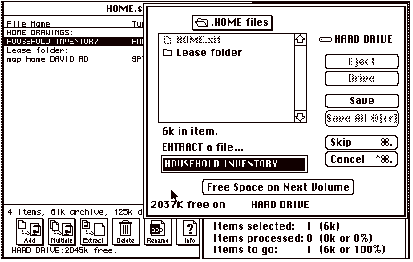
After you click on “extract” a
second dialog box will appear (Right hand side of Figure). This box is for
choosing a name for the unstuffed file. One will be suggested and highlighted
by the program. (Household Inventory in our example) If you want another name
just type it in. This box is also where you choose where the unstuffed file
will be placed. In our example it will be placed on the disk “HARD
DRIVE” and in the folder HOME. If you want to put the file somewhere
else, just change the disk and/or folder as you would in any other dialog box.
Once
you have completed your changes, click on ‘Save’ (or ‘Save
all’ if you began by selecting more than one item in the first box) The
program will now run and display a new box with several items in it. All you
need to do is sit back and watch. When it is finished, the program beeps at you
to let you know it’s done, and only the first box remains on your screen.
Stuffit
has a 30+ page manual that is on the
HMUG disk with very detailed information, but these notes are hopefully enough
to get you started.
SPECIAL
NOTE: Stuffit is like cooking rice. A little bit swells up to fill a
large pot when you cook it. In our example above, the four items in the first
box are 61K, but after it “cooks” it will swell up to 125K. Look
above the “extract” box to see the before and after sizes. Make
sure that the disk has enough open space to accept the unstuffed file.
Shareware
Documents: You’ve just gotten a
copy of “SuperDuper DA” and you want to find out what it is and how
to use it. The title could mean anything (or nothing), so what do you do now?
Go back to the disk and look for a shareware document (file) that will answer
your questions. Frequently the document will share the item’s name, i.e.,
“SuperDuper doc” or be in the same folder and be a “Teach
Text” or a “Read Me.”
Now
that you have located the document, open it and read it. Unfortunately for
people new to Mac, that can be one of the hardest things to do. If you look in
front of the document name you will see an icon. If it looks like an
application icon ( SuperDuper
doc.) you’re in luck, by double clicking on it, it should open itself as
an application and you will be able to read and/or print it. Mission
accomplished.
SuperDuper
doc.) you’re in luck, by double clicking on it, it should open itself as
an application and you will be able to read and/or print it. Mission
accomplished.
However
if the icon is a document (file) icon ( SuperDuper
doc.) more work is involved. You will have to have to find a word processor
application (program) that can read the document. Most of the shareware
documents that I have seen were written with either MacWrite or Word. If
you have either of these applications installed on your hard drive (see note on
hard drives below) you should be able to double click on the document and open
it. If, like myself, you do not have these applications you will have to try to
import the document into your word processing application. Now the fun begins.
SuperDuper
doc.) more work is involved. You will have to have to find a word processor
application (program) that can read the document. Most of the shareware
documents that I have seen were written with either MacWrite or Word. If
you have either of these applications installed on your hard drive (see note on
hard drives below) you should be able to double click on the document and open
it. If, like myself, you do not have these applications you will have to try to
import the document into your word processing application. Now the fun begins.
Open
your word processing application. Go to the FILE menu and select OPEN. A
dialogue box will appear for you to select the disk, folder and document that
you want to open. Do not be surprised if the document you want does not appear
where it should be. This means that the document was written with another word
processor, and your application can not “see” this document. It
will have to change the document to a form that it can “see.” (see Figure II-2)
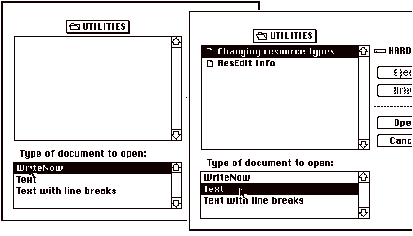
Look
at the dialog box. There should be one (or more) selection or button that are
labeled like “IMPORT,” “TEXT” or “TEXT WITH LINE
BREAKS.” (on the right hand side of Figure II-2) By selecting this item
you are telling your application to attempt to import a document (file). If
your program can import the document its name will now appear in the selection
box (  SuperDuper doc.) and you can open it
like a regular document. If the document name still does not appear, your
application is not able to import the document. If you have another word
processor application you can try the same procedures with it. If that also
fails you have run into a dead end. Come to the next meeting and ask someone to
open the document with their program.
SuperDuper doc.) and you can open it
like a regular document. If the document name still does not appear, your
application is not able to import the document. If you have another word
processor application you can try the same procedures with it. If that also
fails you have run into a dead end. Come to the next meeting and ask someone to
open the document with their program.
Some
additional notes on opening mystery documents. Works v2.00a has been able to import and open most documents. WriteNow
v2.0 has been able to open about half
of the documents that I’ve tried. There are now programs such as Can
Opener ($65+) that claims to be able
to open any file regardless of
what program was used to write the file.
Hard
Drives — WARNING!! — If you do not have a hard drive

with your system, Do not use another system that has a hard drive. Once you
have used a hard drive and know how much easier and quicker all your work is
with a hard drive, you will become so frustrated without one that you will
gladly sell two of your kids and the dog in order to get a hard drive. (Please
note: HMUG does not approve of
this, however the price for hard drives has been coming down recently, so you
may not have to sell the dog)
Keyboard Commands
Shift-Clicking:
One way to select a number of
different objects is with the selection rectangle (which is used by holding
down the mouse button as you drag around your selection). Shift-clicking is
another essential technique. Normally when you click on something to select it,
the item you selected last is automatically deselected. If you hold down the
shift key, previously selected items stay selected. You can see how useful this
would be. Let’s say you’re working with the Font/DA Mover and want
to copy fifteen fonts into the System file. Instead of having to select one,
click on the Copy button, select another, hit the Copy button, and so on; you
must select all fifteen by shift-clicking on each one, hit the Copy button once
and let the copying take place.
Shift-Clicking Text: Shift-clicking also can be used to select large
portions of continuous material like text. Let’s say you want to select
the whole MacWrite document. You’d click in front of the first character
in the document, then use the scroll bar to move to the end of the document,
position the I-beam after the last character, hold the shift key down, and
click again. This causes everything between the two clicks - the whole document
in this case - to be selected. Shift-clicking works in a similar manner in
spreadsheets: if you click in one cell, then shift-click in another, a
rectangle of cells will be selected, with those two cells in the corners.
Rebuilding the desktop file: If a disk bombs when inserted, you may still be
able to recover the information it contains by rebuilding the desktop file on
the disk. This file contains special information which tells your Macintosh
where to find your files on the surface of the disk. Occasionally, this file
may become damaged and will need to be reconstructed by the Macintosh before
the disk can be used. To do this, hold down the option key while inserting the
disk and keep it held down. A message will appear asking if you want to rebuild
the desktop. Click on Yes. If the recovery succeeds, the desktop will appear
after a minute or two (how long it takes depends on the number of files in the
disk).
Recovering trashed disks: If you can’t, or don’t need to,
recover the data from a trashed disk, here’s a way to at least try to
recycle it, so you can use it for new data. Hold down the option key while
inserting the trashed disk. You’ll get the standard dialog box asking you
if you want to initialize the disk. Click on the selection you prefer. The
trashed disk should now initialize with no further problems. If this
doesn’t work, your disk is really trashed and you should recycle it as a
high-tech coaster for drinks.
Closing multiple windows: You can create a real mess on your desktop if
you open several folders to look for a specific file. Instead of clicking the
close box on each window, you can tell the Macintosh to close them all at once.
Just hold down the option key when you click on the first window’s close
box and like magic all the rest will automatically close; you’ll be
returned to an empty desktop - with no open windows - in much less time than it
would otherwise take.
Dragging unselected windows: It can be annoying always to have to select a
window before moving it. To move a window that’s not active on the
desktop, just hold down the command key (  ) while dragging it. The window will
stay unselected even after it is moved.
) while dragging it. The window will
stay unselected even after it is moved.
Dialog box shortcuts: If you do not want to take your hands off the
keyboard when an Open dialog box appears, you can use these keyboard shortcuts.
Instead of using the mouse to select a file, use the up and down arrows to move
through the list of files or folders, to move to the end of the list, to move up
through a hierarchy of folders. Option down arrow to move down through a
hierarchy of folder is the same as clicking on the Open button.
Alphabetizing files with “View by
name”: Here is a way to
organize all the icons in a window alphabetically. Create a new folder on the
desktop, open it, and select View by Name from the View menu. Then open the
folder you want to organize and choose Select All from the Edit menu (or
press-A key), and drag all the icons out of the folder and into the new folder.
Go to the closed old folder and then to the View menu and select View by Icon.
Open the new folder on the desktop. Choose Select All from the Edit menu and
drag the icons back to the old folder. Throw away the new folder you created.
Go back to your old folder and your files and folders will now be arranged
alphabetically from left to right.
Easy way to put away files: If you have a file out on the desktop that you
want to put away, you don’t have to drag it back to its original folder
(which can be quite a task if it’s nested several folders deep). Just
select the file icon, then choose Put Away from the File menu. The file will
scurry back to wherever it came from.
Duplicating a file between folders: The Macintosh only duplicates a file if you move
it from one disk to another (leaving a copy on the source disk as well as on
the destination disk); when you drag it from one folder to another on the same
disk, the file actually moves (that is, it disappears from the source folder).
Sometimes that is what you want, but you do have a choice: if you hold down the
option key when dragging the icon, the Macintosh will leave a copy of the file
in the source folder as well as in the destination folder.
Locking documents with “Get
info”: The File
menu’s Get Info option tells you many things about a file including its
size, creation date, type and the amount of space it uses on the disk, and if
the file is locked. You can also lock a file with the Get Info window. To lock
a file simply click on the box marked Locked in the window. To unlock the
document simply choose Get Info again and click on the Locked box. The X in the
box will disappear and you’ll be able to modify the document and save it
under its own name. You can lock and unlock documents as often as you like.
Overriding file locking: If you want to throw away a file which is
locked, without going through the process of unlocking the file with the Get
Info box, there is a shortcut. Hold down the option key while you select the
file, then continue to hold down as you drag the file to the Trash. This will
suppress the file locking while the file is deleted from your disk. Note: If
you do this while you throw away an application, it will also suppress the
standard “Are you really sure you want to throw this away?” dialog
box.
Switch launching MultiFinder: You can temporarily switch from using the Finder
to using MultiFinder without restarting your Macintosh. Just open your System
Folder and hold down option key while you double-click on the MultiFinder icon.
MultiFinder will launch and become active for the remainder of your session,
but will not be active the next time you boot your Macintosh.
Temporarily disabling MultiFinder: If you normally use MultiFinder, and for some
reason you want to disable it temporarily, hold down the command key as the
Macintosh starts up (keep holding it down until the desktop comes up on the
screen). This forces the Finder to take over, but leaves MultiFinder still set
for start-up the next time.
Defragmenting disks: Hard disks write data wherever there’s
room on the disk and this results in files being fragmented - that is, parts of
the same file are written in different places on the surface of the disk. When
this happens often enough, the access speed of the disk slows way down. Then
it’s time to defragment. This involves rewriting all the files to your
disk so they occupy contiguous portions of the disk. There are a couple of
programs that do that - DiskExpress™ and PowerUP™ are two of the
more popular ones DiskExpress™ has been around longer and costs less, but
PowerUP™ seems to work faster.
Ejecting floppy disks: There are several ways to eject floppy disks.
The most common method is to drag the disk’s icon to the Trash. You can
also choose Eject from the File menu, or hit the Eject button in the Save As or
Open dialog box. Or you can use the following keyboard commands to eject any
disk, including the start-up disk, regardless of whether you’re on the
desktop or in an application. CONTROL-E ejects a selected disk(s),
CONTROL-SHIFT-1 ejects the disk in the internal drive (or right side drive on a
Mac II), and CONTROL-SHIFT-2 ejects the disk in the external drive (or left
side drive on a Macintosh II). When you use these keyboard commands from the
Finder, a dimmed version of the disk’s icon remains on the desktop. When
you throw the disk’s icon in the trash, all trace of it disappears from
the desktop.
No colons in filenames: You can use just about any character or symbol you want in the name of a Macintosh file, except for the colon If you try to put it in, the Macintosh will automatically turn it into a hyphen This is because the colon is used as a special character internally by the Macintosh to maintain the list of file names in the desktop file.
Part 2: Sources of
Additional Tips and Shortcuts.
The Macintosh Bible, 2nd edition -1988-89. This is one of the best
books of tips and shortcuts for the Macintosh. The authors have released not
only a second edition, but also two updates in an effort to keep this fine book
useful.
MacUser and MacWorld are
monthly magazines which have sections devoted to tips and shortcuts.
Owners manuals. When all else fails, re-read the manuals.
Re-reading the manuals after you have used your applications for some time can
be especially helpful, because items that you missed, or did not understand
clearly, may now jump out at you.
The Fully Powered Mac - 1988. This book deals not so much with
“tips and shortcuts“ as the Bible, but more with ways to organize and personalize
your Mac. Topics range from basic file and disk organization, to step by step
procedures using Resedit to modify your System.
Huntsville-Madison Public Library - Main Branch: The library has two Macs which can be reserved and used (at the library) by any adult who has a library card (which is free). One of the Macs has a CD reader(Compact Disk). These CDs are an external disk drive and work like a floppy disk, except instead of 400K or 800K they have up to 600 Meg (about 250,000 typed pages) of information on a READ ONLY disk. The library has several disk (Educorp. PB MUG, Whole Earth Catalogue etc.) with a amazing amount of information and/or shareware on them. There are two problems with CDs. One is that they are slow. The second problem is that after a couple of hours your mind suffers from information overload, melts and oozes out of your ears.
II.c. •
Newsletter Advertising Rates
( as of November 12, 1991 )
Full page (7.5"x10")
1 issue = $21.50 3
issues = $43.00
6 issues = $80.00 12
issues = $150.00
Half page (7.5"x5")
1 issue = $16.00 3
issues = $32.00
6 issues = $60.00 12
issues = $105.00
Quarter page (3.75"x5")
1 issue = $12.00 3
issues = $24.00
6 issues = $40.00 12
issues = $75.00
Eighth of a page (3.75"x2.5")
1 issue = $8.00 3
issues = $16.00
6 issues = $30.00 12
issues = $55.00
Business Card Size (2.5"x1.5")
1 issue = $4.00 3
issues = $8.00
6 issues = $15.00 12
issues = $25.00
For addition information call George Leach
837-4212.
• Ads submitted must be, perferably, a file acceptable
to PageMaker or camera ready art.
• Multiple insertions must be consecutive to obtain the
reduced rate.
• Add 10% for guaranteed position except for the Label Page. No ads can be placed on the front page.
II.d.
• Access to Services
Don’t you wish you had a scanner, tape
backup unit, compact disk reader, photo slide maker, color laser printer,
optical character reader, and all those other expensive goodies as the big boys
have? Don’t despair. Many of these devices are available to you as
services. If you don’t need these services every day and if you can schedule
your needs, you may find it cheaper to rent or borrow the service.
Compact Disks and Readers for the Macintosh - The Huntsville Public Library has some
Macintosh Computers that are available for public use at the Library. The
Library has a good collection of Compact Disks with Macintosh usable files on
them just for the asking. Bring lots of floppy diskettes if you are thinking
about copying individual files for your own use - each compact diskette will
hold up to about 600 megabytes of Mac files.
Tape Backup Services - HMUG Member Tom Konantz, Systems Operator of
the <TBD> Bulletin Board System (see Telecommunications) has purchased a
tape backup unit for maintaining the <TBD> BBS Hard Disk(s) with their
many public domain files. On occasion Tom has brought that tape backup system
to HMUG meetings for demonstration. Tom has indicated a willingness to provide
tape backup services for your hard drive for a reasonable service fee. You need
to contact Tom to make any arrangements for such services.
Scanning Services - Take a look in the Yellow Pages of the phone
book under Printers. Several provide scanning services, e. g. Desk Top
Printing, @ 539-6776, Third Wave Technologies @ 880-1622, and probably more as
time goes on.
Optical Character Recognition - Printing/Desk Top Publishing services
offering scanning services often have optical character recognition (scanning a
printed page of text and out-putting to a diskette an ASCII file that can be
read into your word processor). Typically this may cost about $7.50 per page
for scanning and converting (without any editing). Again, take a look in the
Yellow Pages of the phone book under Printers.
Desk Top Publishing - Again, take a look in the Yellow Pages of the
phone book under Printers. Several specifically advertise these services.
Laser Printing - Once more to the Yellow pages, e.g.,
Kinko’s has two Macintoshes with most popular software hooked up to a
Laser printer. They charge by the hour for self-service at the Macintoshes and
by the page for the Laser Printers.
Laser Printer Cartridge Refills - Refill cartridges for Laser printers are
expensive. Many people have had very satisfactory results in having the
cartridges refilled at about half the cost of new cartridges. You can even get
color toner put into the cartridges. Remember to include the felt cover roller
cleaner pad (with the green handle) when you turn in your old cartridge. Check
your Yellow Pages under Computers for these services.
Apple ImageWriter I and II Ribbon
Rejuvenation - You won’t
find this one in the Yellow Pages, but you can gently open the case of your
ribbon cartridge to find many folds of ribbon semi-neatly stowed inside. Watch
that the roller in the little window doesn’t jump out of position when
you open the case. Spray WD-40 liberally over the exposed ribbon, close the
case, and store the ribbon cartridge in a sandwich baggie for a few days while
the WD-40 acts as a solvent for the ink, redistributing the ink onto those two
tracks that have dried out from repeated impact/ink transfers by the print
head. You can get several reuses from a printer ribbon this way with no ill
effects to your print head.
Slides, Overheads, Color Hard Copies - Check the classified section of MacWeek and
of the Macintosh magazines. Several advertisers list 24 hour turnaround on
these services.
Other Places to Look - One good place to look for limited access to
some of these services is right in your own Huntsville Macintosh Users Group.
Perhaps someone else in the group has, on his own or through his place of
employment on a non-interference basis, limited access to some of these
services. Check your employer, too. If you are not working on classified
projects, your company or the government agency with whom you are associated
may have equipment available for “demonstration” access. MSFC has a
Computer Technical Center with much equipment and most of the latest software
for demonstration or on site occasional use.
Group Purchases - Organized as required. The club receives
special discount offers throughout the year.
II.e.
• A Brief Communications Tutorial
(published by permission of the
Washington Apple Pi, Ltd., Users Group.)
Communication between computers is one of the most powerful and useful things you can do with your computer. It is also one of the most difficult, particularly for novices, because it requires that the user master a series of steps: connecting the computer with a modem, learning how to use telecommunications software, calling into a telecommunications service, and, finally, getting something useful from that service. The following tutorial was written by George Kinal of the Washington Apple Pi.
1. Introduction: Forms
of Computer Communications.
Most communication between personal computers
uses ordinary telephone lines, and that is what we will primarily deal with
here. The device that allows the computer to do this is called a
“modem,” short for “modulator- demodulator.” The modem
modulates digital signals from the computer into sounds that can be transmitted
over ordinary telephone lines. At the other end another modem demodulates those
sounds into the digital electronic signals the computer is accustomed to using.
Many of the same techniques, however, apply to connecting two computers right
next to each other (called “direct-connect”), as well as to communications
over radio (usually amateur radio) frequencies.
Computers communicate with each other using
several established sets of “rules of the road,” called
“protocols.” One of the most fundamental rules of these protocols
is whether data transmissions occur at times determined by a clock or timing
signal, or whether they can occur whenever one of the computers has something
to send. The former protocol is called “synchronous.” Most
communication with large mainframe computers, especially those made by IBM, is
synchronous. (You will also hear the terms: bi-sync, SNA, SDLC, 3270 or 3780 in
this connection.) If you have a need to make your Apple communicate with such a
system, it is possible but expensive. The remainder of this tutorial will not
have any relevance to synchronous communications, because it is seldom used by
personal computers.
Most computer communications, particularly
personal computer communications, are “asynchronous.” Asynchronous
communications are not synchronized to a clock or timing signal (hence the
name). Knowing that your computer uses “async” is, however, only
part of the story. There are a number of other things you need to know before
you can start to connect with other systems.
The first is the speed at which your computer
(or your modem) transmits data. The most common speed today is 2400 bits per
second (bps), sometimes (but erroneously) called 1200 “baud.”
(“Baud” actually refers to the number of discrete signal state
changes per second. Sometimes baud and bps are identical—300 baud is
indeed 300 bps, however, 1200 bps is actually 600 baud).
In order to communicate over telephone lines,
the modems at each end have to use an agreed-upon set of tones. These
“agreements” are also governed by protocols. Virtually all 1200 bps
modems in the United States today use Bell 212A protocol. (There is also
something called 202 protocol, which is discussed below in connection with the
Novation Apple-Cat modem, one of the few modems that uses it.)
Other common speeds now in use are 300 bps (using
Bell 103J protocol) and 1200 bps. Speeds of 4800 and 9600 using direct
connections are now quite common (you use 9600 bps to communicate with the
ImageWriter printer, for example), but to send signals over telephone lines at
these speeds requires modems that, at present, are very expensive.
Another aspect of computer communications is
something called “duplex.” Unfortunately, duplex has two meanings.
Its most technical meaning refers to whether both parties can transmit and
receive at the same time. A system that permits this is referred to as
“full duplex.” Telephones are examples of full duplex systems,
since both you and the person on the other end can be speaking at the same
time. (Understanding each other under such circumstances is however, a separate
matter.) Citizens’ band radio is “half duplex,” in that only
one party can send at a time. There has to be a convention for when one party
is through sending and is ready to receive for a time. In CB radio this is done
by saying “over.” Virtually all computer communications are full
duplex, as the term is used in this context.
The other meaning of “duplex” refers
to whether the sending computer displays the characters it sends on its own
monitor, or whether it expects the other computer to echo the characters back.
The former is called “half duplex,” and the latter is called
“full duplex.” When your system has the responsibility of echoing
the other computer’s characters back to it, your system is using
“echoplex.” Most bulletin board systems and on-line services use
echoplex, which means that when you call them you should use full duplex. Half
duplex is generally used only when you are communicating directly with a
friend’s personal computer. This depends on the communications software
that each of you is using. If you use half duplex on a system that is using
echoplex, every character will appear twice (lliikkee tthhiiss), once because
the character is put on the screen by your computer and once because the
character is sent back to you by the host computer.
Thus far we have not addressed how characters
themselves are actually sent. Each character, regardless of speed or duplex
setting, can be formatted in a number of ways. One of the most basic is the
number of data bits. Each character consists of a number of data bits, usually
eight (the number of bits in a byte, the basic unit of computing) but sometimes
seven.
Some computer systems use a “parity”
bit to give the receiving computer a quick way of checking to see if data were
lost or garbled in transmission. For example, a system transmitting using
“even” parity would count the number of “1” bits during
transmission of a character and, if necessary, transmit a parity bit of
“1” to make the number of “1” bits come out even. If
the character already had an even number of “1” bits, the
transmitting computer would send a parity bit of “0.” The receiving
computer could look at the character as received and determine whether a bit
had been changed in transmission. A moment’s thought will reveal the
weakness in such a scheme, which is why more powerful error-checking protocols,
discussed below, were developed. Because parity checking is so primitive, most
computer systems today do not transmit a parity bit. This is called “no
parity.”
A final formatting option is the number of stop
bits that are transmitted with each character. One of the requirements of
asynchronous transmission is that there has to be a “start bit,”
which is a signal that tells the receiving computer that something is coming.
But there also has to be a “stop bit” to say that the character has
been transmitted. Some systems use two stop bits at the end of each character,
but by far the most common is one stop bit.
The number of data bits, parity, and the number
of stop bits are usually referred to in one breath by an abbreviation such as
“8-N-1,” which means eight data bits, no parity and one stop bit.
8-N-1 is, incidentally, virtually universal today. If you do not know the
character format of a computer system you are calling for the first time, try
8-N-1. Occasionally one comes across systems that are “7-E-1”,
seven data bits, even parity, and one stop bit. 7-E-1 does not work, however,
with some of the popular error-checking protocols.
As a consequence of 8-N-1, each character
transmitted over a modem has ten bits: one start bit, eight data bits and one
stop bit. Thus, transmission speed in bits per second is effectively ten times
the transmission speed in characters per second: 1200 bps is 120 characters per
second; 300 bps is 30 characters per second.
Characters themselves are sent using a standard
called “ASCII” (pronounced ASK-ee), short for “American
Standard Code for Information Interchange.” ASCII uses numerical values
from 0 and 127 to represent all letters (“A” is 65, “a”
is 97), numbers (“0” is 48, “1” is 49), other
characters (the “space” character is 32) and command symbols (the
“return” is 13). The numerical values from 128 to 255 are also sometimes
used for non-standard characters. For example, the Macintosh uses values
greater than 127 to represent international characters.
To confuse matters, some computers transmit (or
want to receive) ASCII characters using 128-255 rather than 0-127. If your
transmission comes across as nonsense characters, and if you are sure that you
are using the correct speed, number of data bits, parity and number of stop
bits, see if this could be the problem.
When you call up a bulletin board or CompuServe
or America On-Line, you are operating in what might be called
“free-wheeling” ASCII. This is sometimes referred to as
“TTY” mode, short for teletype, an early computer communications
device. These services can be called using nothing more than a portable
“dumb terminal” such as the Texas Instruments Silent 700. You type
a character on the keyboard and it gets printed on your monitor or paper.
Since computers can usually transmit data faster
than you can read it, or faster than your printer can print it, most systems
recognize a protocol called “X-On/X-Off.” You may be aware of how
Control-S stops the listing of a BASIC program. In most systems, the Control-S
is the so-called “X-Off” character, which tells the transmitting
computer to stop sending. The counterpart command to resume sending is
Control-Q, called “X-On.”
Using X-On/X-Off as a means of flow control is
one way of transmitting data, but it does not have any way of correcting for
errors in transmission caused by noisy telephone lines or other problems. To
get around this limitation, there is a class of protocols that perform verified
file transfers. By “file transfer” we mean the sending of a file
from one computer to the other computer, usually to a disk on that computer.
“Verified” means that as each block of data is received, its
accuracy is checked. If the data is not received correctly, the block is sent
again. Verified transfer is not essential for most ordinary text transmission,
but is important when sending “binary” files including computer
applications and formatted files.
The most popular error-correcting protocol for
computers today is properly called the Christensen protocol, after its
developer Ward Christensen, but it is more commonly know as
“XMODEM,” after one of the CP/M programs that first used it. It is
commonly used to download files from bulletin boards and information services
such as CompuServe and GEnie.
There are commercial communications programs on the market that use other verified transfer protocols. Some of them are better (in some respects) than Christensen’s but they are all incompatible with one another. One public-domain protocol that is popular is KERMIT. It is rarely used between two microcomputers, but can be useful for downloading from large computers.
2. What Do I Need
Your Apple does not come equipped with a
built-in modem equipped with its own telephone cord and plug, unlike some
computers on the market. In order to turn it into a communications device, you
usually need three things:
• A Modem
• Communications Software (program)
• An Interface Card (depends on your
computer)
Incidentally, you should be careful about
compatibility among these three elements. As with most computer-oriented
applications, it is generally good advice to choose the software first. Then,
be sure that the interface and the modem you choose can be accommodated by that
software.
The biggest problem with giving specific
examples or recommendations is that whatever is written can be obsolete within
a year. The Apple Super Serial Card and the Macintosh have had a big influence
on the overall picture of Apple-oriented communications.
Modems: As noted above, the modem converts the digital signals from the
computer into audio tones that can be sent over a telephone line (and it also
converts audio tones back into digital signals). At one time virtually all
microcomputer modems operated at 300-bps. The market for 300-bps modems is
virtually non-existent; most new modem buyers get a modem capable of using
triple speed (300/1200/2400-bps). Modems of interest to Apple owners fall into
three categories:
Single-Board Interfaces/Modems: A single-board modem plugs into one of the
Apple’s slots, usually slot 2. D.C. Hayes invented this kind of modem,
though its MicroModem II no longer dominates the Apple communications scene as
it did in the early 1980’s. The Hayes MicroModem is a 300-bps modem with
the usual “smart” features such as autodialing (in which the modem
dials the bulletin board or on-line service), and is usually sold with the
Hayes Smartcom software package.
The Novation Apple-Cat is functionally very
similar to the Micromodem. All sorts of optional accessories, such as a printer
port, tone decoder, BSR controller, telephone handset, etc., are available.
This modem operates at 300 bps, as well as at 1200-bps using a half-duplex
“202” protocol. (Warning—this mode is only useful for communicating
with other Apple-Cats and those now-extremely-rare computer centers that
support 202-mode.) The Apple-Cat also can be used for “Deafnet”
communications to connect with the so-called Weitbrecht modem used by the
hearing-impaired. The Apple-Cat comes with a very competent software package
called Com-Ware. Novation offers an upgrade module for this modem that adds
1200-bps full duplex capability (using the standard 212A protocol), but it is
usually cheaper now to buy an external 300/1200/2400 modem than to add the
Novation 212 upgrade.
The Prometheus 1200A is an internal modem for
the II and IIe that operates at both 300 and 1200-bps. Electrically (and as far
as any software is concerned), it behaves just as an Apple Super Serial card
connected to an external Prometheus 1200 modem, but without the clock that the
later has.
Dumb Modems: No manufacturer actually calls its modems
“dumb,” but it’s a good distinction to make relative to
so-called “smart” modems. Dumb modems are external modems that
connect to the computer’s serial port. (The serial port uses a
communications protocol called RS-232C.) You can still find at garage sales and
surplus outlets 300-bps acoustically-coupled modems—the kind that you
place your telephone handset into when connection has been made. Many
criticisms have been leveled against acoustic couplers, but unless you work in
a high noise area, couplers work pretty well. Some of them, in fact, were
designed and built for commercial use, and have excellent circuit designs.
Then there are what might be called the
“commercial grade” modems built by Racal-Vadic, Anderson-Jacobson,
UDS, Rixon, GDC, CODEX and AT&T. You probably wouldn’t want to buy
one of these for home use, but for some business applications they are better
suited than the “consumer grade” modems, since they tend to be
designed for 24-hour use, and have more sophisticated circuit designs.
Smart Modems: Most modems in use on personal computers today
are so called “smart” modems. Most people associate this type of
modem with D.C. Hayes, although who invented the smart modem is a matter of
some dispute. A company called Bizcomp holds a patent on some of the smart
modem technology. Still, “Smartmodem” is a Hayes trade name.
Smart modems (used in the generic sense) have
built-in microprocessors that interpret sequences of characters sent to them,
and act accordingly. Thus, they can be commanded to dial a phone number, to
answer a call, to hang up, and so on. Many manufacturers now make modems that
are “Hayes compatible,” meaning they respond to the exact same
commands as the Hayes products. Many software programs today are designed to
work with “Hayes compatible” modems, and because of this, many
people may want to make sure that any modem they buy is Hayes compatible.
Interface Cards: (Only Apple II and IIe owners need to read this.
For Apple IIc and IIGS owners the choice has been made for you—your
serial interface is essentially the same as the Apple Super Serial card.
Likewise for Macintosh owners the serial port is built in.)
For a long time, the demand for serial interface
cards was pretty small. Most printers used parallel interfaces, and virtually
all Apple owners who wanted to communicate used the Micro-modem. That situation
changed dramatically in 1983 with the new series of Apple printers, which used
serial interfaces and with lower-cost 1200-bps modems.
The Apple Super Serial Card (SSC) took the place
of two older Apple products, the Apple Serial card (meant for printers, not
modems), and the Apple Communications card. The SSC is a good product, and has
been “cloned” by other manufacturers. For example, the Seri-All and
the CCS 7711 are electrically equivalent to the Super Serial Card in most, but
not all, respects, and they sell for less than the SSC.
At garage sales, etc., you may still run across
older interface cards at very low cost. The CCS 7710 and the SSM ASIO, AIO, and
AIO-II were all popular enough that most software can be configured for them.
Be careful: some of the newest software assumes you have the SSC or an
equivalent. You would be best off to choose and check software first!
Most serial cards contain built-ion firmware
that supports a very rudimentary terminal program. This allows you to
communicate with other computers, but you cannot send or receive files unless
you have communications software.
Software: Without question the most popular advanced
communications software package for the Apple II family is ASCII Express-the
Professional (AE-Pro), supplied by United Software Industries. There is very
little this communications program cannot do. It supports the Christensen
protocol, and has a built-in editor. AE-Pro can be purchased in DOS 3.3 or
ProDOS versions.
If you have CP/M on your Apple, you really
should get the MODEM7/XMODEM programs. The latest version, MODEM 7/40, is
available through WAP’s public-domain software collection is several
versions. MODEM 7/40 will do many of the same things as AE-Pro, and, being
public-domain, is available at an unbeatable price. This software will also
allow you to download programs from the various RCPM (remote CP-M) systems.
Some WAP members have a library of hundreds of public domain programs acquired
in this way.
If your Apple is used commercially, and your
communications involve both other (non-Apple) microcomputers and long-distance
transfer, you might want to look at BLAST from Comm. Research Group, Baton
Rouge. The protocol this program uses is not Christensen, but is more efficient
and allows simultaneous transfers in both directions.
COMM-TERM is a very simple communications
package. It’s enough to get you started, and does a bit more than the
firmware on an interface card. For example, it will receive data and write it
out to disk, or it will send out a DOS 3.3 text file.
Many communications programs are available for
the Mac, for example, Hayes’ SmartCom II for the Mac. But probably the
most popular program is the “shareware” product Red Ryder. Use it,
and if you decide to, keep it.
The consensus is that Apple’s own communications products, such as Apple Access II and Mac Terminal, are not up to the quality or value of the independent brand products.
3. What is It All Good
For
I list, “for the record,” five major
categories of uses for computer communications:
1. Calling computer bulletin boards, This
is a great way to have questions answered (“Help!”), to keep up on
the latest Apple developments, to buy or sell hardware and software, and to
download software, text, graphics, and so on.
2. Calling commercial on-line services such
as The Source, CompuServe, DIALOG, Dow-Jones Information Service, or GEnie.
It’s impossible to even begin to list all the things you can do on these
systems.
3. Communications with other Apples, other
microcomputers (including portable “laptops”), word processors,
typesetting services, or to exchange programs or text.
4. Dialing in to specific mainframe
computers such as your employer or university uses. Using computer
communications allows you to work at home.
5. Electronic mail - you can use services
such as MCI Mail, Western Union’s Easy-Link and others to send messages,
including international telexes. The networks such as Telenet, Tymnet, UNINET,
and GE also provide a variety of electronic mail services, as do CompuServe and
the The Source.
REFERENCES: The best selling general reference on microcomputer communications is, The Complete Handbook of Personal Computer Communications by A. Glossbrenner, published by St. Martin’s Press. Another good book for prospective AE-Pro users is Joy of Telecommunication by Washington Apple Pi’s own Bill Cook (Dell Trade #54412). If you need to understand the RS-232 interface, consult The RS-232 Solution by Joe Campbell, SYBEX Books, 1984.
II.f. • The
Macintosh Family
Lisa — In
1983 Apple introduced a revolutionary $10,000 computer built around the
Motorola 68000 microprocessor running at 4 MHz and containing 512K of RAM.
Taking some cues from the Xerox Star, it offered an icon-based interface and
integrated software. Unfortunately, the high price, non-standard disk-drives,
and relatively slow software hindered sales. However, the choice of the 68000
chip (as distinct from the 8088 line upon which subsequent MS-DOS machines were
to be built) was to direct the Macintosh family into the future.
Macintosh (128K) — In January of 1984, Apple introduced the
Macintosh, a much less expensive and only slightly less powerful version of the
Lisa. Originally sporting only 128K of RAM, it was one of the first
mass-distributed computers to offer the now-standard 3.5-inch disk drives.
However, only one side of each disk was used, so each disk could store only
400K of data. For Lisa owners, Apple offered “MacWorks” to allow
Mac software to run on that machine as well. Like the Lisa, the Mac used the
68000 microprocessor but ran somewhat faster, 8MHz. It included a 64K ROM which
contained Apple’s famous ToolBox firmware. This novel software gave the
Mac its strength and forced upon program developers the uniformity in program
appearance and operation that has been the cause for the Mac’s success.
The Macintosh XL (ex-Lisa) was the new name assigned to the Lisa
after refitting it with 3.5 inch drives. Apple offered a conversion kit to
permit the Lisa to display the Mac’s square screen pixels instead of the
original Lisa’s rectangular pixels.
The Macintosh 512, offered first in 1985 quadrupled the RAM on
the earliest Macintoshes, which made the machine able to run more complex
programs.
The Macintosh 512E was a new version of the Mac 512 with a
built-in double-sided disk drive and expanded 128K ROM. A major detriment to
the Macintosh’s development was the lack of a hard disk. The 512E offered
only a serial interface. Apple began marketing a sluggish serial 20 megabyte
hard disk which it made obsolete within six months of introduction!
The Macintosh Plus appeared in 1986. It featured a full megabyte
(1024K) of RAM, expandable to four megabytes, and the 128K ROMS found in the
512E. It came with a SCSI (Small Computer System Interface) connector which
enabled the Plus to communicate with up to seven external devices, including
the fastest hard disks available, scanners, tape back-up systems and CD Roms.
The Mac Plus “legitimized” the Macintosh in the eyes of many people
who viewed Apple’s graphics interface as somehow less
“serious” than that used on other computers.
Introduced in March 1987, the Macintosh SE featured a megabyte of RAM, expandable to four
megabytes. The ROM grew to 256K. The SE used a IIGS-style keyboard and the
Apple Desktop Bus. It was the first modular-style Mac to offer a built-in hard
disk drive (20 MB). It was also the first modular style Mac to be expandable
(hence its name System Expandable) due to its single expansion slot.
The Macintosh II was the first member of Apple’s next
generation Macintosh. It used a 15.7-megahertz Motorola 68020 processor with a
68881 math co-processor. It featured 256K of ROM and 1024K of RAM theoretically
expandable to two gigabytes
using the 8 single in-line memory module (SIMM) RAM slots. It had six Nubus
slots and was the first Macintosh to support color, which it does in dazzling
style and many different shades of gray. The sound capabilities of the Mac II
exceed even those of the IIGS. The Mac II could be equipped with an internal
hard disk drive. By adding a 68851 Paged Memory Management Unit (PMMU) chip,
you can use virtual memory to your Mac under System 7.
The Macintosh IIx is a somewhat more powerful version of the Mac
II. It was the first Mac based on the 68030 microprocessor which includes a
built-in Memory Management Unit (MMU), and both instruction and data caches.
The MMU is required to run A/UX, Apple’s version of the UNIX operating
system. It included the 68882 floating-point unit (FPU) for math coprocessing.
The Macintosh IIcx appeared in early 1989. It is a trimmed down
version of the II machines containing only three slots. It has a desktop foot
print little bigger than the Plus/SE machines. It comes with a 68030
microprocessor and 68882 FPU, also running at 16 MHz.
At the same time, Apple upgraded its SE line
with the Macintosh SE/30, a
16-MHz 68030 based version of the SE family. Unlike the SE or Plus which have
only 4 SIMM slots, the SE/30 has 8, enabling it to use up to 8 MB of RAM. It
contains one processor direct slot for additional expansion. The Mac SE/30 has
been the only modular Mac to be the fastest Mac since the introduction of the
II family. It was a bit faster than the IIcx since it did not have to watch any
NuBus slots.
The Macintosh SE/30 and IIci were the first Macintoshes to feature the the 1.44MB SuperDrive,
now standard on all Macintosh systems, which allows users to easily exchange
data files between Macintosh, OS/2, MS-DOS, and Apple II ProDOS systems.
Hitting the market in late 1989, the Macintosh
IIci runs at a brisk 25 MHz,
and has the same foot print and 68030 and 68882 chips that its baby brother,
the IIcx, includes. The Mac IIci was the first Mac to offer a built-in color
video interface and a slot for a cache card. The built-in video interface frees
up one of its three NuBus slots from this burden.
At the same time that the IIci was introduced,
Apple brought the Macintosh Portable to the marketplace. The Mac Portable uses a
fast 68000 running at 16 MHz, making it about twice as fast as a Plus/SE and
half as fast as a II or IIcx. The portable could be operated from long-life
rechargable lead-acid batteries. The active-matrix liquid crystal display was
unusually crisp for a portable. It included a track ball as well as a mouse. It
also featured a modem slot, a RAM slot which used expensive low-power static
RAM, a ROM slot, and a processor direct slot. The Portable came with 1 MB of
RAM, expandable to 9 MB. It also had the innovative Power Manager software
which put the Portable to sleep or disabled certain functions after a time to
conserve power. The Mac Portable disappointed many uses by having an overly large
footprint and weighing too much, causing it to be nicknamed the
“Luggable.” Later in its life, the Portable was upgraded to include
a backlit screen.
The Macintosh IIfx was for quite some time Apple’s fastest
machine by a long shot. It had 40-MHz 68030 and 68882 processors as well as
several peripheral processors to off-load the main processor. It included two
20-MHz I/O processors, a SCSI direct memory access (DMA) chip to speed hard
disk transfers, and six NuBus slots. Unfortunately, the system software never
took advantage of the DMA. The IIfx was probably the last of Apple’s
large footprint, six-slotted machines.
None of the above machines are currently
manufactured. The current Macintosh family consists of those machines described
below.
On October 15, 1990, Apple announced the Macintosh Classic, Macintosh
II LC, and Macintosh
IIsi. The goal of the new
systems was to offer an affordable family of computers. These three systems
were the first to have sound input/output, allowing users to play back voice messages
and sounds. The sound I/O feature includes a microphone that allows users to
record and store their voice in Macintosh documents in much the same way
handwritten notes are added to printed documents. Stereo jacks are also
included.
The Macintosh Classic features improved performance (30 percent faster) over the
Macintosh Plus. It uses an 8-megahertz (MHz) Motorola 68000 microprocessor. It
has 1 MB of RAM soldered to the motherboard, and with a RAM expansion card, is
expandable up to 4 MB of RAM. However, it has no additional expansion
capability. The Classic was basically introduced to provide a low-cost computer
for Apple to offer to the consumer electronics market. It is essentially a Plus
with low manufacturing costs.
The Macintosh II LC computer comes with 2MB of RAM (expandable up
to 10MB) and built-in support for a choice of monitors (Macintosh 12-inch RGB
Display, (up to 256 colors), Macintosh 12-inch Monochrome Display (up to 16
shades of gray), and AppleColor High-Resolution RGB Monitor (up to 16 colors).
It uses a 16-MHz 68020 microprocessor. The Mac II LC was the first Macintosh to
use a high-end 68000-family microprocessor but not include the 6888X math
coprocessor, much to the consternation of Mac developers. A processor direct
slot (PDS) gives users the ability to customize their system with additional
capabilities such as an accelerator, math coprocessor, networking, cache card,
and other options.
The Macintosh IIsi uses the Motorola 68030 microprocessor which
runs at 20-megahertz (MHz). The Motorola 68882 FPU is optional on the IIsi. It
also contains only one expansion slot for an industry standard NuBus card or an
030 Direct Slot card. Either of these adapter card includes a 68882 math
co-processor. Like other Macintosh II computers, the IIsi can support more than
one monitor at a time through an optional video expansion card.
On October 21, 1991, Apple introduced the
largest number of computers at any single time. These were the Macintosh
Classic II, the Macintosh
Quadra 700 and 900, and the Macintosh PowerBook 100, 140, and 170.
The Macintosh Classic II is essentially a low-cost Mac II in a
modular-style case. It has a 16-MHz 68030 processor, but with only a 16-bit bus
as opposed to the SE/30’s 32-bit bus, it has a performance roughly
equivalent to the 68020-based Mac II LC. It has limited expansion capabilities
with its only expansion slot accommodating only an optional math coprocessor or
a ROM card. It has 2 MB of RAM soldered to the motherboard, and is expandable
up to 10 MB of RAM.
The Macintosh Quadra 700 and 900 are the first Macintoshes to feature the Motorola 68040 processor.
The 68040 runs at 25 MHz, making it roughly twice as fast as a Mac IIfx. The
68040 has a built-in PMMU, FPU, and copyback caching. Copyback caching writes
the contents to RAM only when needed to make room in the cache or when the
system software forces it, whereas the writethrough caching used by the 68030
copies the cache’s contents to RAM immediately. This caching schem gives
the 68040 higher speed than the 68030 but has presented some compatibility
problems. The Quadras are also the first Mac to use the NuBus 90 SCSI bus which
runs at 20 MHz, twice as fast as the NuBus slots in previous Macs. The Quadras
are also the first Macs to offer built-in Ethernet for much faster networking.
They also have separate video RAM so that video accesses can never conflict
with regular accesses, thereby improving perfomance. Both machines have 32-bit
video on the motherboard with up to 2 MB of video RAM. They both come with a
minimum of 4 MB of RAM.
The Macintosh Quadra 700 fits in a IIci size box. It has only two NuBus
slots and is expandable to 20 MB. The Macintosh Quadra 900 is the first Mac to be intended for standing
operation, and as such is the first “tower” Mac. It has five NuBus
slots and has 16 SIMM slots. Thus it is currently expandable to 64 MB, but its
ROMs should allow expansion up to 256 MB. The Quadra 900 is intended to be
usaable as a dedicated server. As such it is the first Mac to have a key
switch. It can also accomodate up to four internal storage devices, such as
hard drives, CD drives, and tape drives.
The Macintosh PowerBook 100, 140, and 170 are
Apple’s newest line of portables. The major improvement is size and
weight. These portable are truly portable. All three PowerBooks have backlit
screens, but only the 170 has an active-matrix LCD screen. The 100 and 140 have
a supertwist LCD scrren, sacrificing clarity for cost. All the PowerBooks come
with AppleTalk Remote Access which allows users to dial into their machine and
access its files. A 2400 data/9600 fax-send internal modem is available for all
the portables. They also use pseudostatic RAM, which is much cheaper than the
static RAM used in the original Portable. All come standard with 2 MB of RAM, expandable
to 8 MB, but at least 4 MB is needed for easy use.
The Macintosh PowerBook 100 is the cheapest PowerBook, having only a 16-MHz
68000 processor and no internal floppy drive. An external drive is optional.
The internal hard drive is only 20 MB in size. Its lead-acid battery lasts 2-4
hours. The Macintosh PowerBook 140
is the middle model, sporting a much more powerful 16-MHz 68030 processor, but
no FPU. It comes with either a 20 MB or 40 MB hard drive and an internal floppy
drive. It has a NiCad battery which lasts about 2-3 hours. The Macintosh
PowerBook 170 is the most
powerful of the Powerbooks, featuring a 25-MHz 68030 with FPU, internal floppy
drive, 40 MB hard drive, backlit active-matrix display, a NiCad battery, and
the internal modem standard.
II.g. • Virus
Management on the Macintosh
by Dan Richard
This section covers:
• What is a Computer Virus and a
Computer Worm?
• How to detect a virus.
• How to determine when and where a
virus first appeared.
• How to get rid of a virus.
• How to protect your Macintosh from
a virus.
• Where to get more information on virus and Macintosh?
What is a Computer
VIRUS and a Computer WORM
Computer VIRUS — A routine or code that
surreptitiously (made, done or acquired by stealth) copies itself into another
program.
Computer WORM: A program that copies itself to
other systems via a network. Mac is currently immune to WORMs. A WORM requires:
1) a multi-tasking system, 2) a network connection and, 3) a means of remote
login.
How is this possible?
• In today’s computers,
executable code (programs), can be manipulated like data.
• In modem operating systems, like
VAX/VMS, PS/2 and Macintosh, the Operating Systems (OS) may be modified during
start up or boot time. This allows for updates to the OS, i.e., new device
drivers or new features. This modification is the primary path for a VIRUS to
attack an operating system. Once the operating system is attacked, no user
application is safe.
• UNIX, NOS and VM, are almost immune from a system virus, but not WORMs.
HOW to Detect a VIRUS
You should suspect you have a VIRUS when:
• You lose files without reason.
• Programs that previously worked,
fail.
• Normal system functions stop
working.
• Applications sizes are larger than
normal and/or were modified in the last few days.
You know you have a VIRUS when:
• You run Virus RX (detection
program) from a write protected disk and it lists infected files.
• You run N.O.M.A.D. from a write
protected disk and it says you have to reinstall the system.
• You run ResEdit and find in an
application the resources “nVIR”, “MEV#”,
“ANTI”, “Hpat”, or other resources named after the
infecting virus.
NOTE: Every application you run on an infected system also becomes
infected, unless it is run from a write protected disk. Always run from a
backup disk!
How to Determine when
a Virus First Appeared
Once you have determined you are infected, you
should find out where the infection came from. To help determine this you need
to know just when the earliest infection appeared. The following steps will
assist you in determining the earliest time and possible origin of the VIRUS.
1. Examine Finder’s last modification
date. This date tells when the Finder was infected. The date the Finder was
infected dates the introduction of the infection into your system.
2. Next look for an infected file that has
an earlier modification date then the Finder. This will tell you the
application which infected your system. If their is no infected file on your hard drive dated prior to the
finder modification date, then you were infected from an application introduced
from a floppy!
3. Try and remember which disks were in
your system and which applications were executed or copied from that disk. Run
a Virus Rx program (residing on a write protected disk) on all the disks that
have been mounted without write protection since the infection.
4. Once you have found the source and removed its infection, you can then work on removing the infection from your hard drive and other disks, or system disk.
How to Get Rid of a
Virus
To remove a virus you may:
• Delete all infected applications.
This is the preferred method. The original disk “last modified
date” is available for verification it was not modified by the infection.
Apple’s Virus Rx identifies infected files. Any infected data files could
be a new virus!
• Run a virus removal program such as
N.O.M.A.D. for “nVIR”; SAM Virus Clinic, Disinfectant or Virex for
all know viruses. This operation also updates the “last modified”
date.
• Once the infected applications have
been repaired or removed, the System and Finder will have to be deleted and
rebuilt.
To rebuild your hard drive or system floppy and
any application disks, you should:
1. Reboot the machine from a write
protected system installation disk.
2. Remove the System and Finder files from
your hard drive.
3. Reinstall the System which will also
reinstall the Finder.
4. Reboot using the machine with the
rebuilt system.
5. Run your Virus detection program again
to insure you have a clean system.
6. Reinstall all deleted applications from
locked master disks.
7. Run your Virus detection program again.
8. Backup your clean system and application
disk.
9. Remain vigilant against reinfection! Install a virus intercept program!
How to Protect your Macintosh from a Virus
Listed below are some basic rules for
“safe computing” practices:
• Run Virus Rx on your hard drive or
system floppy, on a regular basis and when ever other people have used your
system.
• Run Virus Rx or equivalent program
on all floppy disk before using any applications from those disk.
• Write protect all floppy disk that
contain original programs. This protects the disk from infection, but not your
system.
• Backup your hard drive or system
floppy and application disks on a regular basis. The best time to backup your
files is after you have run Virus Rx and gotten a clean bill of health.
• Install Vaccine or another Virus
intercept application. These INITs will detect and prevent a virus from
attaching itself to your programs. If you do software development, Vaccine and
other intercept programs can be annoying.
• Use Virex or another repair program
to detect and repair infected files (suggest you replace infected applications
from a master disk). Virex is $99.95 but comes highly recommended. Other
programs are available which range from $15 to $65. Don’t forget to look
at the upgrade costs before you select a program for your own use.
• On file servers, put applications
in folders in which Make Changes is enabled for only the system administrator.
Allow only the system manager to install new applications.
Remember: A locked disk is like a condom. Vaccine is like AZT. Neither one is a cure, only by knowing and testing your applications can you be safe.
Additional References
About Computer Virus
Stefanac, Suzanne; Mad Macs, MacWorld, November 1988, pages 93 to 101. This article introduces
the three main families of Macintosh virus. It covers the SCORES, nVIR and
“peace virus”.
Communications of the ACM, June 1989, Volume 32, number 6. This issue has
a special section of five articles on the Internet Worm.
Scanlin, Mike; A Vaccine for the
‘nVIR’ Virus,
MacTutor, Volume 4, Number 5 May 1989, pages 46 to 51. This article describes
how to remove the ‘nVIR’ both manually and also by using a C
program included in the article. This article is recommended for Mac
programmers.
Lundell, Allan; VIRUS!, Contemporary Books, 1989. This book covers the
history, science, science-fiction, lore, mind set, and culture that has grown
up about computer virus. This book captures some of the “Silicon
Valley” culture about computers and software. The book is both
fascinating and frightening.
Apple Computer, Technical Introduction to the Macintosh Family, Addison Wesley, 1987. This is an excellent, light technical introduction to the Macintosh. This book is excellent for anyone who wants more information than is in the user manuals but not so much as may be needed to program the Mac. This book covers the MacPlus, SE and Mac II (information on the SE 30, IIcx and IIx has not been published in book form yet).
II.h. • Glossary
of Terms
by
Vernon McMillan
This
glossary is ordered, as you might expect, in alphabetical order, numbers first.
Each entry is shown in boldface,
with cross-references in italics. Some
extremely obvious terms have not been defined, e.g., “Macintosh,”
and “printer.” If you can think of terms that should be included in
this glossary but are not, please provide them to us. Similarly, if you have a
better or more clear definition for any of the terms, please provide it for incorporation
in future updates.
All definitions in this glossary have been
copied from the references listed at the end of the Glossary.
6551: A version of Asynchronous
Communications Interface Adapter (ACIA) used in the Apple Super Serial Card and
other popular serial cards. The 6551 has largely supplanted the 6850 ACIA.
(Ref. 13)
6850: A version of ACIA used on
early serial cards. Most serial cards made in the last few years use the 6551
ACIA. (Ref. 13)
68000: The microprocessor used in the
Macintosh family of computers. (Ref. 13)
68020: The microprocessor used in the
Macintosh II computer and in the LaserWriter printer. (Ref. 13)
68881: A special-purpose chip that
performs calculations using floating-point numbers at speeds greater than those
calculations can be carried out using a more conventional microprocessor. The
68881 belongs to a type of chip usually called “math
co-processors.” (Ref. 13)
abnormal behavior: Any unusual or unexpected
Macintosh behavior, such as the cursor freezing or icons not staying in the
Trash, that lets you know that there is a problem. (Ref. 6)
accessory card: A hardware board (card), on
which electronic circuitry has been printed, that adds features to a computer.
See also expansion card and expansion slot. (Ref. 7)
access time: The measurement of how quickly
the read/write heads of a hard disk can retrieve data from storage.
(Ref. 9)
ACIA: An acronym for Asynchronous Communication Interface Adapter. An integrated circuit that
converts data from parallel to serial form and vice versa. See 6551 and 6850. (Ref. 13)
ACK: A control character (^ F)
issued by the computer’s transfer protocol subroutine to acknowledge that
a block of data has been properly received. (Ref. 29)
acoustic coupler, acoustic modem: A modem with cups that fit
snugly around the earpiece and mouthpiece of a standard telephone handset and
contains a small speaker and microphone to convert a computer’s digital
signals into sound and back again. Acoustic couplers are not common today; most
modems use standard modular connectors to connect with jacks in the wall, as
regular telephones do. See also direct-connect modem. (Refs. 7 and 13)
acronym: A term formed by generally
combining the first letter of every word in a popular expression. “What
you see, is what you get” becomes WYSIWYG. (Ref. 10)
active text: The paragraph that contains
the insertion point or the current selection. (Ref. 28)
active window: The frontmost window on the
desktop; the window where the next action can take place. Its title bar is
highlighted and its scrolling and sizing controls are visible. (Ref. 28)
ADB: An acronym for Apple Desktop Bus. A simple local area network
circuit designed to handle a keyboard, mouse, and other low-speed input
devices. (Ref. 7)
address: The number that identifies a
device on the SCSI bus or a location in the computer’s memory.
(Ref. 9) A specific location in memory. (Ref. 12) Addresses can be
expressed as decimal (base 10) integers (such as 255) or as hexadecimal (base
16) numbers; the equivalent of 255 (in decimal notation) is $FF (in hexadecimal
notation). (Ref. 13)
alarm Clock: A desk accessory that displays
the current date and time, and lets you set an alarm. (Ref. 1)
alert box: A box that contains a warning
that you’re asking the Macintosh to do something it can’t do, or
that you’re about to destroy some information. The warning is accompanied
by a beep; usually you must respond before you can proceed. (Refs. 1 and
7)
algorithm: A step-by-step procedure for
solving a problem or computing a result; specifically, the computer program
code that does this. (Ref. 7) In FM sound synthesis, one particular
combination of a synthesizer’s operators used to create a patch. (Ref. 24)
allocate: To reserve memory space for a
particular purpose, usually from the heap. (Ref. 12)
alphanumeric: The set of characters that are
either Arabic numerals (0-9), letters of the alphabet (a-z and A-Z) or
international characters (such as å, ñ, é, or ç).
(Ref. 29)
alpha testing: Early debugging of a product
within the company developing it. It’s followed by beta testing.
(Ref. 22)
American Standard Code for
Information Interchange: See ASCII.
analog signal: A signal that carries
information represented by continuously varying quantities of voltage,
frequency, or amplitude. Compare with digital signal. (Ref. 29)
analog-to-digital converter: An electronic circuit that
changes continuous analog signals into discrete digital signals (bits);
abbreviated A/D. (Ref. 7)
anomaly: An event or activity that is
not consistent with normal Macintosh practices. (Ref. 14)
ANSI: An acronym for American National Standards Institute. The U.S. branch of the
International Standards Organization. ANSI is responsible for establishing
various standards for the U.S. computer industry, such as data transmission
protocols, programming languages, computer terminal definitions and magnetic
storage media standards. (Ref. 29)
Apple DeskTop Bus:
See ADB.
apple key: See Command key.
apple Menu: The menu on the far left side
of the menu bar, under the Apple symbol. Items available from this menu may
include information about the current application, a list of other applications
running under MultiFinder and the desk accessories installed in the system.
(Ref. 29)
Applesoft BASIC: An extended version of the
BASIC programming language used with the Apple II family of computers.
(Ref. 4)
AppleShare: A dedicated file server.
(Ref. 14)
AppleTalk: A local area network (LAN)
developed by Apple Computer that can handle up to 32 nodes on a cable up to
1000 feet long. It allows them to exchange information and share hardware such
as printers and hard disks. See LocalTalk. (Refs. 6 and 7) AppleTalk
is used primarily to connect computers to Apple’s LaserWriter printer.
(Ref. 13)
application or application program: A program written for some
specific purpose, such as writing (word processing), financial calculations
(spreadsheet work), illustrations (graphics), lists (data base management), and
telecommunications. Applications are launched by double-clicking on an icon.
(Refs. 2, 4, 7 and 9)
architecture: The structure or actual
physical organization of a computer circuit. The circuit’s architecture
determines its behavior. (Ref. 13)
archival data: Information that the user has
preserved, but does not need to have readily available. (Ref. 9)
archive: A standby copy of the contents
of a mass storage volume, usually comprising a collection of floppy disks.
(Ref. 9)
arrow: The pointer used to choose
commands from menus, manipulate window and ruler controls, resize and
horizontally reposition pictures, and select paragraphs, pictures, rulers, page
breaks, ranges, or any combination of these. (Ref. 28)
arrow keys: A set of (usually) four keys
found on many computer keyboards that move the cursor (insertion point) left,
right, up, or down on the screen; also called cursor keys or direction keys. (Ref. 7)
ascender: The part of a lowercase
letter, such as in a “b” or “h,” that rises above the
x-height. (Ref. 18)
ASCII: An acronym for American Standard Code for Information Interchange (pronounced
“ask’ee”). A code for representing text characters and other
data inside a computer and between a computer and any peripheral device; each
character is represented by seven bits. (Refs. 4 and 7) The characters are
assigned a numerical representation from 0 to 127. In ASCII, the letter
“A” is represented by the number 65. The letter “a” is
97. A space is 32. A Return character is 13. On some computers, such as the
Macintosh, values greater than 127 have a special meaning. On the Mac, the
Letter “Ä” is 128. Most computer reference manuals have tables
showing the ASCII character set. (Ref. 13)
assembler: A low-level programming
language that is closely related to the intrinsic operation of a computer.
Programs in assembler are fast and flexible but hard to read and write.
(Ref. 7) A program that converts assembly-language programs into machine
language. (Ref. 12)
assembly language: A low-level (programming)
language (in contrast to high-level languages like Pascal and BASIC that are
easier for humans to understand) in which individual machine language
instructions are written in a symbolic form that is easier to understand than
machine language itself. Each assembly language instruction produces one
machine language instruction. The program that translates assembly language
into machine language is called an assembler. (Ref. 13)
asynchronous: A mode of data transmission in
which characters are sent at varying time intervals. Each character is preceded
by a start bit and followed by a stop bit. Asynchronous communication
eliminates the need for computers to have a common synchronized clock to
coordinate communication. Compare with synchronous. (Ref. 29)
asynchronous communication: A means of transmitting data
between computers in which a special signal indicates when each transmitted
character starts and stops. See also synchronous communication. (Ref. 7)
attribute bits: The attribute bits modify the
way a file is handled. They are properties that the Macintosh associates with a
given file. From a file recovery standpoint, the important file attributes are:
locked, invisible, bundle, system, and protected. (Ref. 6)
audio output port: In the Macintosh, the
electrical connection that transmits sound output; connected internally to a
built-in speaker and externally to a 1/8-inch audio jack. (Ref. 7)
backup: (v) To make a spare copy of a
disk or of a file. (Ref. 2)
backup: (n) A copy of your data on a
different disk. Provides protection if the original file should become lost or
damaged. Backups may use floppy disks, hard disks, or other mass storage
devices. (Refs. 6 and 9)
backspace key: A key that moves the insertion
point backward, removing the previously typed character, or that removes the
current selection. (Ref. 1)
background program: A program operates “in
the background” if it continues to function, automatically, while you use
another program. (Ref. 5)
bad sector: A sector that contains a bit
that has “flipped.” This renders the sector unreadable, hence all
data in it is inaccessible. (Ref. 6)
baseline: An invisible line on which
characters sit. In some typefaces, rounded characters such as “e”
and “o” dip slightly below the baseline to visually line up with
the other characters. (Ref. 21)
BASIC: An acronym for Beginner’s All-purpose Symbolic Instruction Code. The most common programming
language for microcomputers. It is relatively easy to learn but not especially
flexible. (Ref. 7)
baud: A measure of the speed with
which data is transmitted over a serial connection. (Literally, baud is the
number of discrete signal state changes per second.) Baud is sometimes
functionally equivalent to bits per second (bps), and oftentimes baud is used when
bits per second is meant. (Ref. 13) At low speeds (300 baud or less), one
baud represents one bps (bit per second); at higher speeds, one baud represents
two or more bits. (Refs. 4 and 7)
BBS: An acronym for [computer] Bulletin Board Service. A computer program that allows
users with a modem and a password to call the computer system running the
program and store or retrieve messages or computer programs. (Ref. 13)
Also called Bulletin Board System.
BCD: An acronym for Binary-Coded Decimal. A method of floating-point
arithmetic that prevents the normal round-off error inherent in computer-based
arithmetic. (Ref. 12)
Bell 212: A standard U.S. protocol for
exchanging information at 1200 baud. (Ref. 29)
benchmark: A point of reference used to
measure the performance of hardware and/or software. (Ref. 11)
beta testing: Debugging of a product using
people outside the company developing the product. Beta testing comes after
alpha testing and before the release version is shipped. (Ref. 22)
Bezier curve: A type of cubic spline curve
that is easily and smoothly joined with other curves and straight lines.
(Ref. 20) Mathematically generated lines that can display nonuniform
curvatures (as opposed to curves with uniform curvature, which are called
arcs). Named after Pierre Bezier (pronounced Bez-yay), they’re defined by
four “control points.” It’s relatively easy to make Bezier
curves assume complex shapes and to join their endpoints smoothly, which makes
them particularly useful for creating letter shapes and other computer
graphics. (Ref. 22)
binary: The representation of numbers
and other characters in the base-2 system, using only the two digits 0 and 1.
(Ref. 5)
Binary-Coded Decimal: See BCD.
binary file: A file in which the data are
stored in machine-readable (as opposed to human-readable) form. Binary files
either require another computer program to read and interpret them, or else
they are themselves computer programs that are meant to be run and understood
by the computer. In contrast to binary files, text files are easy for people to
understand. (Ref. 13)
bit: A contraction of binary digit. The smallest unit of data. A
bit is coded either a one or a zero, an electronic on or off. It is combined
with others to represent numbers, characters, or instructions. (Refs. 4, 7
and 9)
bitmap: A grid of bits that makes up
your Macintosh screen. (Ref. 11) Type of artwork created with Paint
programs (MacPaint, SuperPaint, and so on). (Ref. 17) Bit-mapped
characters are used as screen fonts and tend to be jagged, as opposed to smooth
outline characters that are used as printer fonts. (Ref. 18)
bitmap font: A font made up of dots and
designed primarily for use on dot-matrix printers. Also called an ImageWriter
font. Compare with outline font and screen font. (Ref. 22) The representation of a
PostScript font which you see on screen, also known as screen font. Bitmap
fonts tend to have a jagged appearance. (Ref. 20)
bitmapped image: A screen or printed computer
image consisting of dots, in which one dot in the image corresponds to one or
more bits in the section of random-access memory set aside as a
“map” of the screen. (Ref. 7)
blank paragraph: A paragraph that contains no
text, usually created by pressing Return twice. Blank paragraphs can take up
valuable disk and memory space and can confuse numbering schemes, so use
Shift-Return to create blank lines instead of Return wherever possible.
(Ref. 28)
block: A file storage unit (consists
of one or more sectors). (Ref. 6) A group of words or characters that may
be transported as a unit across a network or communications line. See also packet.
(Ref. 29)
bold: A characteristic of a typeface
that indicates a wider, darker representation. (Ref. 18)
bomb box: The dialog box displayed when
a software problem has caused the operating system to lose control of the
Macintosh. Distinguished by the round bomb icon in the upper-left corner.
(Ref. 9)
Boolean: A data type that can have a
value of True or False. (Ref. 12)
Boolean operator: An operator such as AND or NOT
that combines logical expression into “logical” results, i.e., TRUE
or FALSE. (George Boole was a mathematician and logician.) (Ref. 13)
boot: A computer’s start-up
process, the instructions for which are stored in ROM. The term comes from
“pulling yourself up by your own bootstraps.” (Ref. 7) Also
called a “cold boot.” (A warm boot refers to loading the system on
an already-switched-on computer.) (Ref. 9)
boot blocks: The first two sectors of every
Macintosh disk. Contains information for starting the Macintosh. Damage to the
boot blocks causes the “Sad Mac” icon to appear on startup.
(Ref. 6)
boot disk: A disk containing all the
information necessary to start a computer. See also startup disk. (Ref. 7)
bps: An acronym for bits per second. A measure of data transfer
speed. See also baud. (Ref. 7) In serial connections, each eight-bit character is
preceded by a start bit and followed, usually, by one stop bit, so that it
takes ten bits to send one character. Thus, the speed of a connection in bits
per second is usually ten times the transmission rate in characters per second:
300 bps is 30 characters a second, 1200 bps is 120 characters a second, and so
on. (Ref. 13)
bridge: A device that lets you connect
AppleTalk networks together. See zone. (Ref. 1) In a computer network, the
hardware and software connecting two or more similar networks; all users on all
connected networks have access to one another. See also gateway. (Ref. 7)
brownout: A period of low-voltage
electrical power, usually caused by heavy demand or problems at the electrical
utility. (Ref. 7)
buffer: An area of RAM memory used as
interim storage for data being transferred from the computer to a peripheral.
Since the Macintosh can export data faster than most printers and other devices
can import it, holding data in a buffer allows the CPU to return to other
tasks. (Ref. 9)
bug: A software problem; named
after a moth that caused the failure of an early (1945) digital computer at
Harvard. Evocative but inaccurate entomology: Moths (and butterflies) belong to
the order Lepidoptera, whereas true bugs belong to the order Hemiptera.
(Ref. 7)
Bulletin Board System: See BBS.
bundle (attribute bit): Set for all applications to
indicate that they have icons and files to which particular attention must be
paid. See attribute bits. (Ref. 6)
burn in: Occurs when the face of a CRT
picks up a permanent image that looks like a (photographic) negative of the
normal display. Even when the computer is off, you can still see the image.
(Ref. 10)
bus: A communication pathway. The
Mac communicates with other SCSI devices by way of the SCSI bus; the mouse and
keyboard by way of the Apple Desktop bus. (Ref. 9) The number of bits that
a bus can move in a single operation is one indication of the power of a
computer. The Macintosh’s bus moves 16 bits at a time. The Macintosh
II’s bus moves data 32 bits at a time. (Ref. 13)
buttons: The pushbutton-like images in
dialog boxes where you click to designate, confirm, or cancel an action. See
also mouse button. (Ref. 2)
byte: A unit of information, often
amounting to a single text character. A byte consists of eight bits.
(Ref. 4)
bache: A buffer storage that is
constantly updated with recently accessed main-storage items. (Ref. 12)
CAD: An acronym for Computer-Assisted Design. The design of objects or
systems with the assistance of a computer. Compare with CAM. (Ref. 13)
CAI: An acronym for Computer-Assisted Instruction. A teaching method that
facilitates self-paced learning. (Ref. 13)
calculator: A desk accessory that works
like a four-function pocket calculator. You can cut and paste calculation
results into your documents. (Ref. 1)
CAM: Acronym for Computer-Assisted Manufacturing. Compare with CAD. (Ref. 13)
cancel button: A button that appears in
dialog boxes. Clicking this button cancels the command. (Ref. 1)
cap height: The height of a face’s
capital letters. In many faces, the capitals are shorter than the ascenders.
(Ref. 21)
caps lock key: A key that, when engaged,
causes subsequently typed letters to appear in uppercase, except that it
doesn’t affect numbers or symbols. (Ref. 1)
card: A removable printed-circuit
board that plugs into one of the expansion slots found on the computer’s
main circuit board. Cards can provide additional memory, the ability to display
80 columns of text per line, the ability to communicate with printers and
modems, or other purposes. (Ref. 13)
caret (^): The ^ symbol. Often used in
combination with a letter to denote a control character. For example, ^ M
represents a carriage return. See also control character. (Ref. 29)
carriage return: A control character (^ M) that
instructs the computer to move the cursor to the beginning of the line. On the
Macintosh, a carriage return is sent by pressing the key marked Return. Often,
a carriage return must be sent to the host computer before the host will
process the contents of the line just typed. (Ref. 29) An ASCII character
(decimal 13) that ordinarily causes a printer or display device to print the
character following it at the left margin. (Ref. 4) See Return.
carrier: The analog signal used by
modems to transmit data. When calling another modem, if the signal is missing,
full of noise or somehow distorted, most modems will report “NO CARRIER”
and hang up. If the carrier signal is free of trouble, most modems will report
“CONNECT” and then allow data to be sent. (Ref. 29)
Carrier Sense Multiple Access with
Collision Detection: See CSMA/CD.
cascading: In automatically establishing
an XMODEM, YMODEM or YMODEM-G transfer, “cascading” refers to
dropping down to less and less sophisticated protocols until a match is found
with the remote computer. (Ref. 29)
catalog: Also sometimes called directory, this is a command that lists
the files on a disk. It can also refer to the listing of files itself.
(Ref. 13)
catalog tree: Part of the diskkeeping
information. Exists only on HFS disks. It keeps track of the files and folders
on the disk in a hierarchical fashion; makes it much faster to access a file
and makes working with a large number of files possible without slowing down
operations. (Ref. 6)
cathode-ray tube: See CRT.
CCITT: An acronym for Comité Consultatif Internationale de Télégraphie et Téléphonie. International Telegraph and
Telephone Consultative Committee; an international body, part of the
International Telecommunications Union of the United Nations, which sets
standards for international telecommunications via computers or telecopiers
(also called facsimile or fax machines). (Refs. 7 and 13)
CD: An acronym for Compact Disk. A storage technology,
employing an optical rather than a magnetic media platter, on which data is
created and accessed by a laser. CD drives for the Macintosh can store
considerably more data than most hard disks. CD-ROM, WORM, and erasable optical
disks are examples. (Ref. 9)
CDev: An acronym for control panel device. Auxiliary files used by the
Control Panel desk accessory. (Ref. 6) Some CDevs are supplied with
Apple’s System software and others are offered by third parties.
(Ref. 8)
CD-ROM: An acronym for Compact Disk Read-Only Memory. An optical device or medium
capable of storing large amounts of permanent, unalterable data. (Ref. 9)
central processing unit: See CPU.
character: A letter of the alphabet,
numeral, punctuation mark or symbol. (Ref. 29)
character keys: The following keys on the
Macintosh keyboard — letters, numbers, symbols, punctuation, Return, Tab,
and the Space bar. (Ref. 1)
character pitch: The number of characters per
inch printed on a horizontal line. (Ref. 4)
character set: The entire set of characters
that a printer can print. (Ref. 4)
character width: A term used by Apple in its
communication programs to refer to the number of bits, generally seven or
eight, in a transmitted character; usually referred to as the number of data
bits. (Ref. 7)
check box: The small box or circle
associated with an option in a dialog box that, when clicked, adds or removes
the option. (Ref. 1)
checksum: A simple mathematical method
of checking to determine if an error has been introduced during transmission of
a file. Also, the data that is the result of such a check. See also CRC. (Ref. 29)
chip: A tiny wafer of silicon with a
complex integrated electronic circuit photoengraved on its surface.
(Ref. 7)
choose: To pick a command by dragging
through a menu. You often choose a command after you’ve selected
something for the program to act on. See also select. (Ref. 5)
chooser: A desk accessory that allows
you to configure your Macintosh system to print on any printer for which
there’s a printing resource on the current startup disk. You also use
Chooser to designate the port to which a printer is attached. If you’re
part of an AppleTalk network, you use the Chooser to connect and disconnect
from the network and choose among devices connected to the network. You can
also specify a user name that the Macintosh uses from time to time — when
you’re printing on a LaserWriter, for example. (Refs. 1 and 2)
chooser device: See RDEV.
chooser resource: A controller, or driver, for
an external device such as a printer, network modem, or file server. Chooser
resources are installed in the System Folder, and then appear as options in the
Chooser. (Ref. 8)
circuit board: A collection of integrated
circuits (chips) wired together on a board. (Ref. 4)
clear: To remove something by
selecting it and choosing Clear from the Edit menu or pressing Backspace.
Unless you reclaim it immediately with an Undo command, anything you clear is
lost. (Ref. 28)
click: To position the pointer on
something, then press and quickly release the mouse button. (Ref. 1)
client: A computer connected to a
network that can access information from other computers or from file servers.
(Ref. 9)
clipboard: The holding place for what you
last cut or copied. (Ref. 1) A region of random-access memory (RAM) that
stores information copied or cut from a document you are working on with a
Macintosh application. Clipboard information can be pasted into the same
document, a different document created with the same application program, or a
document created with a different program. Compare with Scrapbook. (Ref. 7)
clock battery: On the 128K to the Mac Plus, a
4.5-volt alkaline battery located in a small compartment just above the power
switch. On the Mac SE, a 3.0-volt lithium battery soldered to the logic board.
Clock batteries maintain the correct time and date and provide power to an area
of memory where the volume setting and other Control Panel information is
stored. (Ref. 10)
close: To turn a window back into the
icon that represents it. (Ref. 1)
close box: The box on the left side of
the title bar of the active window. Clicking the close box closes the window,
and, if the window was the first opened on a document, closes the document as
well. (Ref. 28)
comma-delimited file: A data file in which commas
separate data elements. (Ref. 7)
command: A word or phrase, usually in a
menu, describing an action for the Macintosh to perform. (Ref. 1)
command key: A key that, when held down
while another key is pressed or a mouse action is performed, causes a command
to take effect. Also referred to as the Apple key. (Ref. 1)
command-line interface: An old-fashioned way to get
information into and out of a computer by means of cryptic commands displayed
one line at a time on the screen. (Ref. 7)
communications protocol: A format or set of rules for
sending and receiving data. (Ref. 4)
communications settings: A collection of settings that
specifies the parameters linking the local computer with the host computer.
(Ref. 29)
compact disk: See CD.
compact disk read-only memory: See CD-ROM.
compiler: A program that translates a
high-level programming language (source code) into machine code that the
computer understands; an entire program is generally compiled as a unit. See
also interpreter. (Ref. 7)
concatenate: The operation of joining two
strings together. For example, if you had one string with the value
“Huntsville” and another with the value “Macintosh Users
Group” and concatenated them, the result would be “Huntsville
Macintosh Users Group.” (Ref. 13)
configuration: The hardware and software
elements that constitute a computer system. (Ref. 4)
configuring: The act of changing software
or hardware actions by changing settings. For example, you give software the
necessary settings for communicating with a printer. You can configure hardware
(a printer or interface card) by resetting physical elements like DIP switches
or jumper blocks. Configurations can also be set or reset in software.
(Ref. 4)
connectivity: The ability to link with
another computer using compatible software, standard data exchange, and other
things that ensure the best connection between the computers. (Ref. 14)
constant: A symbol in a computer program
that represents a fixed, unchanging value. For example, “3” is a
constant. Compare with variable. (Ref. 13)
construction set: A type of program that permits
the user to create a new or special-purpose application by combining
pre-existing elements, rather than by programming each activity “from
scratch.” (Ref. 13)
context switching: A type of processing in which
several programs are loaded into memory simultaneously, but only one, the
foreground program, is active at a time; background programs are frozen but can
be brought into the foreground instantly. See also multi-tasking. (Ref. 7)
contiguous RAM: RAM that’s not split
apart by other pieces of RAM used by other programs. Compare with fragmented
memory. (Ref. 22)
control character: On ProDOS and MS-DOS
computers, a nonprinting character that controls or modifies the way
information is printed or displayed. Control characters are typed by holding
down the Control key while pressing some other key. In the Macintosh family,
the Command key performs a similar function. (Ref. 5)
control key: A key used in conjunction with
other keys to enter (or, in telecommunications, send) control characters.
(Ref. 13)
controller: The circuitry that manages a
hard disk’s physical data access operations, such as moving read/write
heads and erasing tracks and sectors. The term is sometimes used to mean the
software that runs this circuitry (more correctly called the driver). (Ref. 9)
control panel: A desk accessory that you use
to personalize your computer to your own way of doing things. Use the Control
Panel to change the speaker volume, set the system clock, create a RAM cache,
and set other preferences. (Ref. 1)
control panel device: See CDev.
Control Program for Microprocessors: See CP/M.
copy: To move selected text or
graphics to the Clipboard so that it can be copied to a different location.
(Ref. 29)
copy protect: To make a disk uncopyable.
Software publishers frequently try to copy protect their disks to prevent them
from being illegally duplicated by software pirates. (Ref. 1)
copy-protected disk: A disk that cannot be copied,
usually because it is in a nonstandard format. (Ref. 7)
copy protection: Hardware and software methods
of limiting data duplication to discourage illegal use and piracy of software.
Some copy-protected software can be copied only a few times, some not at all;
others require a password or special floppy disk to work. (Ref. 9)
CP/M: An acronym for Control Program for Microprocessors. CP/M is the ancestor of
MS-DOS, the operating system used on IBM PCs and compatibles. Although
recognized by many as clumsy and difficult to learn (some maintained that the
initials stood for “Conspiracy to Protect the Ministry [of computer
initiates]”), at one time CP/M was the most widely used microcomputer
operating system — which says something about the way computers have
improved over the years. (Ref. 13)
CPU: An acronym for Central Processing Unit. A computer’s main
information-processing circuit. In a microcomputer, the CPU is a single silicon
chip called the microprocessor or CPU chip; on larger computers, the CPU may
consist of many chips. (Ref. 7)
crash: To stop working suddenly,
possibly destroying information in the process. A “crashed” disk
may be recovered partially using certain specialized programs written for the
purpose. See also head crash. (Ref. 13) When a system stops working (or is
working incorrectly), forcing you to restart your system without an error
message. (Ref. 15)
CRC: An acronym for Cyclic Redundancy Check. The last part of every sector.
Provides a check on the accuracy of data within the sector. It is the means by
which bit flips are detected. (Ref. 6) A method of checking for
transmission errors during protocol file transfers. CRC is a more reliable
method of error checking than checksum. (Ref. 29)
creator: A four-character identifier
associated with each file on the Macintosh that tells the Finder what
application created it. For example, files created by MacWrite have a creator
“MACA.” Compare with type. (Ref. 13)
creator code (or ID): The four letter identification
shared by a program and all the documents that it creates. In most cases, a
document must have the creator code of its parent application for that
application to be able to recognize it and thus open, work with, and/or print
it. MacWrite’s creator code is MACA and HyperCard’s is WILD. (Refs. 6 and 9)
CRT: An acronym for Cathode-Ray Tube. The screen used in nearly all
television and most computers, in which light is produced by an electron beam
(the cathode ray) striking a phosphor coating on the screen. (Ref. 7)
CSMA/CD: An acronym for Carrier Sense Multiple Access with Collision Detection. A network protocol that
permits any node to send information when the network cable is free; if two
nodes start at the same time, each node pauses for a random interval before
trying again. (Ref. 7)
current startup disk: The disk that contains the
system files the computer is currently using. The startup disk icon is usually
in the upper-right corner of the desktop. (Ref. 2)
cursor: The symbol used to indicate
position on the screen, usually manipulated with the mouse or keyboard. On the
Mac, the cursor is a pointer arrow when items can be selected by pointing and
clicking; an I-beam when text can be inserted; a flashing marker indicating the
current working location on a computer screen; or a wait cursor when the
computer is busy carrying out a command and can’t acknowledge any new
ones. (Ref. 9)
cursor keys: See arrow keys.
cut: To remove something by
selecting it and choosing Cut from the Edit menu. What you cut is placed on the
Clipboard. (Ref. 1)
Cyclic Redundancy Check: See CRC.
cylinder: On a disk, the aggregate of
all the disk tracks that can be written or read for a specific head position.
On a double-sided floppy disk, a cylinder consists of two tracks; on a hard
disk, it consists of four or more tracks. (Ref. 7)
daisy chain: A configuration used by SCSI
to connect multiple peripherals to a single Macintosh. Units are linked in a
row, and each serves as an input/output relay for the others. (Ref. 9)
daisy wheel: The printing element in one
type of letter-quality printer, which resembles a daisy with embossed letters
at the tips of plastic “petals.” (Ref. 7)
DAs: An acronym for Desk Accessories.
“Mini-applications” that are available from the Apple menu
regardless of which application you’re using. Examples are the
Calculator, Alarm Clock, and Scrapbook. DAs are installed and removed with
Font/DA Mover. (Ref. 1, 5 and 9)
data: The output of a program.
Synonymous terms are: document, file, and data file. The most universal usage is that the output from
a program is called its data and the Macintosh refers to the file it is stored
in as a document. (Ref. 6)
database: A structured collection of
information, such as an address book, organized for storage, retrieval, and
updating. (Ref. 7)
data bits: In computer communication, the
bits that code for a transmitted character, usually a sequence of seven or
eight bits; same as Apple’s term character width. (Ref. 7)
data byte: The basic unit of data the
computer sends to the printer. (Ref. 4)
data byte length: The number of bits in a data
byte. The ImageWriter II receives data in 8-bit data bytes. (Ref. 4)
data disk: A disk that contains only
data, without programs or start-up information. (Ref. 7)
data encryption: A data protection method that
makes use of codes. Data-encrypted files cannot be read except by users who
know the code. (Ref. 9)
data fork: Part of all files. For most
documents it is the part of the file that contains the text information. When a
document is badly damaged, it may be possible to extract the text that is
stored in the data fork, thereby recovering the data even if the document
itself cannot be recovered. (Ref. 6) Part of the file that contains the
data accessed through the Macintosh’s File Manager. (Ref. 14)
data storage area: The 512-byte area of a sector
in which the actual file information is stored. Only one file at a time can be
stored in a sector. (Ref. 6)
Data Terminal Ready: See DTR.
DB-9: The popular name for a small
connector that connects computers to peripheral devices. The DB-9 connector is
a small trapezoid with space for nine pins in the male version of the
connector. (Ref. 13)
DB-25: A trapezoidal connector with
up to 25 pins used to connect computers with peripheral devices. Most modems
and many non-Apple serial printers use DB-25 connectors. The DB-25 is a
commonly used connector because it provides enough wires to implement the popular
RS-232 protocol that makes it possible for computer devices to
“speak” to each other. (Ref. 13)
DCA: An acronym for Document Content Architecture. IBM’s format for
transmitting text documents from one computer system to another; comes in two
forms: RFTDCA (revisable) and FFTDCA (final form). (Ref. 7)
DCE: An acronym for Data Communication Equipment. A device on one side of an
RS-232C serial communication link; the other side is DTE (Data Terminal
Equipment). DCE and DTE differ in the direction that signals travel through
their connector pins; A DCE device can usually be converted to a DTE device with
a change in connecting cables. The distinction is not made in the RS-422 ports
on the Macintosh, which are wired identically. (Ref. 7)
dead key: A keystroke or keystroke
combination that modifies the subsequent character rather than producing a
character of its own. Option-U, for instance, will place an umlaut (¨) over
the following letter. (Ref. 9)
debugger: A special program that
provides capabilities to start and stop execution of a program at will, as well
as analyze values that the program is manipulating. (Ref. 12)
default: A value, action, or setting
that a computer system assumes, unless the user gives an explicit instruction
to the contrary. (Ref. 4)
defective media: Disks that do not take/hold
the pattern of magnetization that is written on them by the disk drive.
(Ref. 6)
delete-log: A special file that is used to
record information about files as they are deleted. (Ref. 6)
deleted file: A file that has been thrown in
the Trash. Until new data is written into the sectors that had been used by a
deleted file, it can be recovered (undeleted). (Ref. 6)
descender: The part of character that
extends below the baseline, as in “g” or “p”.
(Ref. 18)
desk accessories: See DAs.
desktop: Macintosh’s working
environment — the menu bar and the gray area on the screen. The visual
representation of disks, folders, and files on the Macintosh screen. This is
the basis of the user interface for performing operations on disks and files.
The terms Finder
and desktop
are sometimes used interchangeably. (Refs. 1 and 6)
desktop file: An invisible file that exists
on every disk. It 1) maintains a record of folders on the disk, 2) stores
comments for the Get Info Box of each file, and 3) keeps track of the icons
used by files. (Ref. 6)
destination: (adj.) Describes the disk or
folder that receives a copied or translated file, as in destination disk.
(Ref. 5)
device: Any unit that can be
controlled by the Macintosh to access, store, or display information. Hard
disks and floppy drives are devices, and so is the internal speaker that emits
warning beeps. External video displays (monitors) also perform as devices.
(Ref. 9)
device partition: A special type of volume that
is actually part of a larger volume and is created either by the device
manufacturer or by a Macintosh user with the help of software provided by the
manufacturer. Often referred to as hard partitions, SCSI partitions, and various other names. Not
to be confused with volume partitions or soft partitions. (Ref. 15)
diacritic: An accent or mark placed on a
letter to indicate a particular pronunciation. Common diacritical marks are the
acute accent (é), grave accent (è), umlaut (ü), circumflex
(î), tilde (ñ), and cedilla (ç). (Ref. 21)
dialog box: A box that contains a message
requesting more information from you. Sometimes the message is a warning that
you’re asking your Macintosh to do something it can’t do, or that
you’re about to destroy some information. In these cases the message is
often accompanied by a beep. See also alert box. (Ref. 1)
digital circuit: Electronic circuit that works
with information coded in binary digits. (Ref. 7)
digital signal: A signal that can be fully
represented by binary digits. Analog signals are usually converted to digital
signals before being stored or processed by a computer. Compare with analog
signal. (Ref. 29)
digital-to-analog converter: An electronic circuit that
changes discrete digital signals (bits) into continuous analog signals;
abbreviated D/A. (Ref. 7)
digitizer: A device that converts an
image into a bit-mapped file that can be manipulated. (Ref. 9)
dimmed button: An inactive button with gray,
rather than black, text. Clicking on a dimmed button has no effect.
(Ref. 29)
dimmed command: A command that appears dimmed
compared to other commands in the menu. You can’t choose a dimmed
command. (Ref. 1)
dimmed icon: An icon that represents an
ejected disk, or document, folder, or application on a disk that has been
ejected. You can select and open dimmed disk or folder icons, but you
can’t open the documents and applications on them. (Ref. 1)
dingbats: Ornamental typographic
elements such as stars, arrows, pointing hands, and so on. Used for decorative
touches, highlights, and borders. (Ref. 21)
DIN plug: A standard type of plug used
at each end of MIDI cable. (Ref. 24)
DIP switch: DIP is an acronym for Dual In-line Package. A small block containing a
number of switches. Setting these switches sets options on the device of which
the switch is a part, like a printer, modem, or an interface card.
(Ref. 4)
direct connect modem: A modem that bypasses the
telephone handset and plugs directly into a telephone line. See also acoustic
modem. (Ref. 7)
direction keys: See arrow keys.
directory: A list of the contents of a
folder or a disk. The contents can be listed pictorially, alphabetically,
chronologically, by size, by date, or by kind. (Refs. 1 and 2) A file
stored on a disk that indexes the location of information on that disk.
(Ref. 7) If the directory is unreadable for any reason, the disk may be
unreadable even though the data on the disk are intact. Use a recovery program
to try to recover such disks. (Ref. 13)
directory window: The window that shows you the
contents of a disk or folder. (Ref. 1)
DirID: On an HFS volume, folders are
directories. Each folder has a unique number associated with it that programs
can use to remember where things are. These numbers are called DirIDs, which is
short for Directory Identification numbers. (Ref. 25)
disassembler: A program that converts
machine language programs into a higher level language, such as assembly
language. (Ref. 13)
disk: A round, flat object used to
store data. Disks are usually (but not always) coated with ferrous oxide that
can be magnetized so as to preserve information. Disks can be floppy, i.e.,
made of flexible plastic, or hard, i.e., made of rigid metal. (Ref. 13)
Often referred to generically as a volume. (Ref. 14)
disk buffer: A special portion of
random-access memory that temporarily holds often-used information (for
example, the directory) from a disk; speeds operations because the information
does not have to be constantly exchanged with the disk. (Ref. 7)
disk controller: An electronic circuit that
converts information on the microcomputer bus into a signal used by the disk
drive heads to read and write on a disk. (Ref.7)
disk drive: An electromechanical device
that holds the disk, retrieves information from it and saves information on it.
A hard disk drive has the disk permanently encased. A 3.5-inch disk drive
requires that you insert a 3.5-inch disk. (Ref. 1)
disk drive port: In the Macintosh, a parallel
port designed for connection to an external microfloppy disk drive. See also parallel
port. (Ref. 7)
diskette: A flat, circular piece of
plastic coated with a thin film of a magnetic substance. (Ref. 6)
diskkeeping information: Organizational information
stored on every disk. The integrity of this information affects the ability to
work with the whole disk and all of the files on it. It consists of the desktop
file, boot blocks, volume directory, and file directory. (Ref. 6)
Disk Operating System: See DOS.
disk server: A disk drive on a network that
is available to any user. Disk-server software divides a single disk into
several logical volumes, which behave as if they were individual disks, and
controls access to them. (Ref. 7)
DISOSS: An acronym for DIStributed Office Support System. The standard
information-exchange format developed by IBM for its office products and now
used by other vendors; incorporates DCA. See also SNA. (Ref. 7)
display font: Also known as the screen font,
it is used to accurately display and manipulate a specific type style on the
screen. The printer font is the one used to display type on a PostScript
printer. The display font is installed and removed with Font/DA Mover.
(Ref. 9)
Distributed Office Support System: See DISOSS.
dithering: A technique that exploits the
human eye’s ability to blend two different colors together, creating the
illusion of a third color. (Ref. 20)
document: Whatever you create with
Macintosh applications — information you enter, modify, view, or save.
Every document stores information as text and/or formatting. (Refs. 1 and
6)
dominant disk: The disk whose desk
accessories, fonts, Clipboard, Scrapbook, etc. are currently available to the
Macintosh. (Ref. 6)
DOS: An acronym for Disk Operating System. A program that organizes,
stores and retrieves information from a disk. MS-DOS is a disk operating
system, as is the Macintosh Hierarchical File System (HFS). “DOS”
rhymes with “Boss.” (Ref. 13)
dot matrix printer: A printer that forms
characters with patterns of dots. Usually refers to an impact dot-matrix
printer, like the ImageWriter II, in which the dots are pressed onto the paper
by a pin pushing on an inked ribbon, but other printer types, including laser
printers, also work in dot-matrix fashion. (Refs. 4 and 7) Dot matrix
printers are generally faster than daisy wheel printers but the quality of the
print of a dot matrix printer is not as good. (Ref. 13)
dots per inch: See dpi.
dots per
square inch:
See dpsi.
double-click: To position the pointer where
you want an action to take place, and then press and release the mouse button
twice in quick succession without moving the mouse. A technique used in
selecting and opening. (Ref. 1)
download: To transfer a computer program
from a host computer, usually a mainframe, to your computer, usually over
telephone lines using a modem. Compare with upload. (Ref. 13) The process of
copying a file (document or application) from an on-line service to your
Macintosh. This is normally accomplished using a modem to transmit the file
over the telephone lines. Typical on-line services include bulletin boards,
CompuServe, America Online, and others. (Ref. 14)
downloadable fonts: Fonts for a PostScript printer
that reside on the Mac and can be downloaded to a printer for temporary use.
(Ref. 9)
dpi: An acronym for dots per inch. A linear measure most often
applied to screen and printer resolution. 9-inch Macs display 72 dots-per-inch
horizontally by 72 dots-per-inch vertically. (Refs. 7 and 10)
dpsi: An acronym for dots per square inch. An areal measure applied to
screen and printer resolution. (Ref. 7)
drag: To position the pointer on
something, press and hold the mouse button, move the mouse and release the
mouse button. When you release the mouse button, you either confirm a selection
or move an object to a new location. A technique used in choosing commands,
selecting text, and moving icons. (Ref. 1)
DRAM (pronounced DEE-ram): An acronym for Dynamic RAM. A memory chip. Dynamic simply
means that it loses its memory when you shut off the computer. (Ref. 22)
driver: A program that lets a
peripheral device and a computer send and receive information. Printer drivers
control printers; a hard disk driver controls exchanges between a hard disk and
a computer. (Ref. 5)
driver resource: A file in a System Folder that
tells the computer how to work with a device. (Ref. 1)
drop cap: A large capital letter, placed
at the beginning of a chapter or paragraph, that drops into the surrounding
text. (Ref. 21)
DTE: An acronym for Data Terminal Equipment. See DCE.
DTR: An acronym for Data Terminal Ready. One of the handshake lines in
a data transmission interface. Also, a name for the default communications
protocol for the ImageWriter II. Also known as hardware handshake. (Ref. 4)
dumb terminal: A device consisting of a
screen and a keyboard for communicating with a computer, usually a mainframe.
Dumb terminals are called “dumb” because all the processing and
computing is done by the host computer, and the terminal only passes information
back and forth. (Ref. 29)
duplex: In telecommunication, allowing
two-way transmission. In full-duplex communication, such as conventional voice
telephone calls, transmission occurs both ways simultaneously; in half-duplex,
such as citizens-band radio, transmission can go only one way at a time. (Ref. 7)
Dvorak keyboard: A keyboard layout devised by
August Dvorak that puts the most-often-used letters in English near the most
powerful fingers. (Ref. 7)
Dynamic RAM: See DRAM.
dysfunction: Any or all of the conditions
under which the Macintosh becomes entirely unusable. Bombs, crashes, freezes,
and hangs are all dysfunctions. (Ref. 9)
EBCDIC: An acronym for Extended Binary Coded Decimal Interchange Code. A standard scheme for coding
characters in which each character is represented by a sequence of eight bits;
used primarily by large computers. See also ASCII. (Ref. 7)
echo: In computer communication,
characters returned to the sender by the receiving computer. The echo mirrors
the original transmission. (Ref. 7)
electronic mail: A form of computer communication
in which the sender transmits a message to a central computer, which stores the
message until the recipient can retrieve it electronically. (Ref. 7)
eligible: (adj.) In Apple File Exchange,
a file is eligible
if it can be translated with a selected translator or translators.
(Ref. 5)
ellipsis: A character made up of three
periods. Ellipses are used to indicate an omission; often used when portions of
quoted matter are omitted. (Ref. 21) Ellipsis are created by pressing both
the Option key and the “;” key.
em: The “em” is a
measurement commonly used to adjust kerning. For example, kerning two letters
closer by 0.1 em moves them closer by 1/10 of their point size, no matter what
it is. (Ref. 19) A typographical term referring to the width of the
character “M”, which is usually the widest character in a font. It
is a relative measurement; i.e., and em is 10 points wide when the face is set
at 10 points, 12 points in 12-point type, etc. Letter spacing, line spacing
,and pair kerning are measured in ems. (Ref. 20)
E-mail: Electronic mail; messages sent
from computer to computer over phone lines. (Ref. 22)
emulation: The technique of getting one
piece of hardware or software to mimic another. (Ref. 7)
Encapsulated PostScript format: See EPS format.
encryption: Converting information into an
unintelligible form for security, most often with a password that acts as a key
for later decryption. (Ref. 7)
end-of-line character: Any character that tells the
printer that the preceding text constitutes a full line and may now be printed.
(Ref. 4)
Enter key: A key that confirms or
terminates an entry or sometimes a command. (Ref. 1)
EOF: An acronym for End Of File. A condition that occurs when
the last piece of data from a file has been read. In some operating systems,
EOF refers to the control character (^ Z) that marks the end of a file.
(Ref. 29)
EPS: An acronym for Encapsulated PostScript. A format for graphic images
that consists of structured PostScript code. Compare with MacPaint, PICT, and TIFF. (Ref. 22)
EPSF: An acronym for Encapsulated Post Script File(s).
EPS format: A graphic image format that
combines two versions of an image, one in PostScript and one bit-mapped for the
Mac screen. They can be printed in detail only on a PostScript printer.
(Ref. 9)
erasable optical disk: A mass storage device that
records and writes files to a photo-optical medium. (Ref. 9)
ergonomics: Considering the human element
in engineering design. The standards are ill-defined; whether a device is
“ergonomic” is usually decided by the advertising department.
(Ref. 7)
error-checking: A technique used to verify the
accuracy of data transmission. (Ref. 29)
error message: Any indication that there is a
problem. Error messages can be written alerts that the Macintosh provides,
abnormal behaviors, or system crashes. (Ref. 6)
Escape key: A special key on a computer
keyboard which generates an “escape” code (ASCII 1B hex); needed by
a Mac only when communicating with another type of computer. (Ref. 7)
escape sequence: A sequence of keystrokes or
characters beginning with ESC, or the ASCII code for Escape. Such sequences
issue commands to the printer that position the cursor and otherwise control
text formatting in a printout. (Ref. 4)
evangelist: Someone who creates enthusiasm
for particular products or services. (Ref. 13)
even parity: A method of parity error
checking in which a parity bit is added to a group of bits to keep the total
number of 1s in the group even. If the number of 1s in the group is odd, the
parity bit is set to 1, so that the final total for the group is even. If the
number of 1s in the group is already even, then the parity bit is set to 0,
keeping the total number of 1s even. See also parity. (Ref. 29)
expansion card: A physical circuit card that
plugs into a slot on the computer (Mac SE, Mac II, etc.) to add more functions.
(Ref. 9)
expansion slot: A place inside the computer
for connecting expansion cards. See also accessory card. (Ref. 7)
export: To write data out (usually to
a disk file) in a form other programs can use. (Ref. 14)
Extended Binary Coded
Decimal Interchange Code: See EBCDIC.
extents tree: Part of the file directory of
all HFS disks. It is an auxiliary structure to the catalog tree. It is needed
only when an individual file becomes very large and fragmented. (Ref. 6)
external hard disk: A hard disk drive with its own
enclosure and power supply, designed to be connected to a computer rather than
installed inside one. (Ref. 9)
extracting text: The process of extracting all
text data from a document. The extracted text will not contain the
document’s formatting. It may contain “junk” characters (the
print representation of the formatting) which must be cleaned out before the
file is usable. This process is used for file recovery when no other technique
will work. (Ref. 6)
facsimile (fax): A method for sending pictures
over ordinary dial-up telephone lines. (Ref. 7)
family: A group of related typefaces,
known as styles. Times Roman, Times Bold, Times Italic, and Times Bold Italic
are all part of the Times family. See also Style. (Ref. 19)
FAT: An acronym for File Allocation Table. A table showing which files
are located on which sectors of a hard disk. To read a file to the disk, the
Mac must first consult the FAT. (Ref. 9)
FFTDCA: An acronym for Final Form Text Document Content Architecture. A computer text-file format
that contains the final page image. See also DCA. (Ref. 7)
FID (File Number): Disks keep track of files by
assigning each file a unique file number. This information is disk-specific,
i.e., if the same file is copied to several disks it will have a different FID
on each disk. FIDs can sometimes be an aid in re-identifying files which have
lost their identities. (Ref. 6)
field: A unit of information, such as
an item in a database; a collection of related fields constitutes a record. In
an address database, the street address and the zip code are fields; the entire
address is a record. See also record. (Ref. 7)
file: A collection of information
stored on a disk. There are two major types of files: programs and data.
(Refs. 1 and 6)
file allocation table: See FAT.
file creator code: A code (which is part of a
file) that tells the Macintosh which application created the file.
(Ref. 14) See also creator and creator code.
file compressing utility: A program that compresses
files, making them both easier to store and less expensive to send over a
modem. (Ref. 9)
file dialog box: The screen display used to
open or save a document. Often it is modified for other purposes as well. The
contents and configuration of the box vary depending on the application being
used and the task being performed. (Ref. 9)
file directory: Part of the general
diskkeeping information on every disk. Contains detailed information about each
file on the disk. On HFS disks it has two components, the catalog tree and the
extents tree. Damage to the file directory affects your ability to work with
files. (Ref. 6)
file fragment: Incomplete files recovered
from damaged disks. This type of file can never be used. The only option is to
extract its text to recover what data remains. (Ref. 6)
filemark: Position in the file from
which next file reading or writing operation begins. (Ref. 29)
filename: The name that identifies a
file. The maximum character length of a Macintosh filename is 31 characters for
a document or folder, 27 characters for a disk. A name can’t contain a
colon (:), and it should not begin with a period (.). (Ref. 2)
file server: A file server allows multiple
Macintoshes to access files on a shared hard disk via an AppleTalk (or equivalent)
network. (Ref. 6) A node on a network that contains a disk drive,
processor, and controlling software; available to any user. File-serving
software controls access to individual files; multiuser software allows several
users access to the same file simultaneously, although only one person at a
time can make changes. (Ref. 7)
file system: The process of reading and
writing files on your disks is handled by the Macintosh file system. The system
keeps track of each file’s location, size, creation date, and so forth.
When an application needs to read or write a file, it calls on the Macintosh
file system to do most of the work. (Ref. 14)
file type: A four-character code that
identifies the category to which a file belongs. For example, all
Mac-compatible applications have the file type APPL. (Ref. 9) A special
four-character code used by the Macintosh to distinguish one type of file from
another. For example, when you create a document with MacPaint and store it on
disk, the application automatically assigns it the type code PNTG. The MacPaint
application program itself is assigned the type code APPL when it is created.
(Ref. 14)
filter: A utility that helps an
application read or write documents created by another application.
(Ref. 28)
Final Form Text Document Content
Architecture: See FFTDCA.
Finder: An application that’s
always available on the desktop. It maintains the desktop display of files and
folders, updating the diskkeeping information when disks are reorganized (for
example, files are moved, renamed, thrown away, etc.). (Refs. 1 and 6)
firmware: Programs embedded in a
computer’s circuitry; cannot be changed as easily as programs on disk
(software) but are not as fixed as the other electronic circuits (hardware).
Read-only memory programs are often called firmware. (Ref. 7)
FKeys: Short utility programs that
are started by pressing Command, Shift, and a number key from 1 through 0.
(Ref. 7)
flawed data: The storing of incorrect data
on the disk. There are two common types of flaws in data. The first is when the
data is inaccurate, the second is when accurate data is assigned to the wrong
place on the disk. (Ref. 6)
flipped bits: Adverse conditions such as
magnetic fields, radiation, physical damage, etc. can affect the magnetic
properties of a bit. When a “0” bit changes to a “1” or
vice versa, we say that the bit has “flipped.” If a sector contains
a flipped bit, all the data in the sector is considered unreliable and cannot
be read. (Ref. 6)
floating-point number: A method of representing
numbers inside the computer in which the decimal point (more correctly, the
binary point) is permitted to “float” to different positions within
the number. Some of the bits within the number itself are used to keep track of
the point’s position. (Ref. 13)
floppy disk: A removable storage unit
comprising a thin magnetic-medium platter in a protective enclosure. The
Macintosh uses 3-1/2-inch floppies, which can be single- or double-sided.
(Ref. 9)
floppy disk drive: The internal or external
mechanism that reads and writes data to and from a floppy disk. (Ref. 9)
folder: A holder of documents,
applications, or other folders on the desktop. Folders allow you to organize
information in any way you want. (Ref. 1) Under HFS, a device that
contains a group of files to set them apart from others in a disk’s
directory. Folders can contain either files or other folders. Under MFS, a
folder is a cosmetic device that temporarily hides files or other folders from
view, but does not set them apart in a disk’s directory. (Ref. 8) Folders
are actually subdirectories, i.e., directories within other directories.
(Ref. 13)
font: In typography, a complete set
of type in one size and style of character. In computer usage, a collection of
letters, numbers, punctuation marks, and other typographical symbols with a
consistent appearance. (Refs. 1 and 2) In ordinary typography, roman
type (like this) is a distinct font from italic type (like this), but in standard
micro-computer typography, for example, Times roman and Times italic would be
treated simply as variants of the same font. (Ref. 13)
Font/DA Mover: A utility program provided
with the System software; it is used for installing and removing fonts and desk
accessories to and from the System file. (Ref. 9)
Font menu: In many applications, a
pull-down menu that allows you to select a specific font. (Ref. 18)
font size: A means of indicating how tall
a font is, measured from the baseline of one line to the baseline of the next.
(The baseline is the line on which characters “rest.”). Font size
is usually measured in points, 1/72 of an inch, but on some computer systems,
such as the Macintosh, a point is not a rigid unit of measure — for
example, 9-point Geneva is actually one point taller than 9-point Monaco. Font
size, which is vertical, is not the same as font pitch, which is horizontal.
When you speak of 10-pitch type, you are talking about a font that has 10
characters to the inch. (Ref. 13)
font style: A special attribute given to
the characters in a font. Examples: bold, italic, inverse. (Ref. 17)
footer: An identifying line or lines
at the bottom of a page, analogous to a header, which is at the top of a page.
Footers are distinct from footnotes, which are textual asides or references
that do not form part of the principal text. (Ref. 13)
footprint: The amount of space a device
takes up on the surface where it sits. (Ref. 22)
foreground program: The active program (and active
window) when several programs are in memory at the same time. See also multi-tasking.
(Ref. 7)
format: The arrangement of text within
the text column, as determined by the margins, paragraph indent, tabs, line
spacing, and text alignment. (Ref. 28)
formatting (in documents): The part of a document that
directs such things as page layout, margins, tab locations, fonts, style, etc.
It is stored along with the actual words (text) that were written. When a file
is saved as Text-only or its text is extracted, the formatting is lost.
(Ref. 6)
formatting (a disk): The process of magnetically
marking out actual physical spaces on the disk. It is done by placing
concentric rings of sectors on the disk. (Ref. 6)
formatting marks: Information that comes at the
beginning of every sector. It tells the Macintosh what sector it is working
with. It is set when the disk is initialized and never changes thereafter.
(Ref. 6)
form feed: An ASCII character (decimal
12) that causes a printer or other paper-handling device to advance to the top
of the next page. (Ref. 4)
FORTRAN: An acronym for FORmula TRANslation. One of the oldest high-level
computer languages; used today mostly by scientists and engineers.
(Ref. 13)
fragmentation: When new sectors are added to
a file, its sectors may no longer be next to each other. Fragmented files are
not damaged, but they are less efficient to work with because they require more
time to be read from the disk. (Ref. 6)
fragmented memory: If you open and close lots of
applications during a work session, your system’s memory gets fragmented
— split up into little pieces. This can be a problem, because a segment
initially set aside for one application may not be big enough for another.
Compare with contiguous memory. (Ref. 22)
freeze: When everything on the screen,
including the mouse cursor, cannot be altered. (Ref. 9)
full duplex: A mode of communication in
which information is transferred in both directions simultaneously. Compare
with half duplex. (Ref. 29)
function key: A keystroke combination that
activates a small program incorporated in the system file. For example,
Shift-Command-3 saves the current screen as a MacPaint file and Shift-Command-4
prints the screen on an ImageWriter. Not to be confused with the keys labeled
F1 to F15 on the extended keyboard. (Ref. 9)
gateway: In a computer network, the
hardware and software connecting two or more dissimilar networks. See also bridge.
(Ref. 7)
generic icon: If a file does not have its
own icon, it will be assigned a generic one. There are two generic icons, one
for programs and one for documents. (Ref. 6)
Get Info window: The window that appears when
you choose Get Info from the File menu (or press the Command-I keys). It tells
you the size of the file, folder or disk, where it resides, and when it was
created and last modified. There’s also a space for entering comments
and, for a file or a disk, a box for locking and unlocking it. (Ref. 22)
gigabyte (GB): A unit for data technically
totaling 1,073,741,824 bytes (1024 megabytes). Usually it is defined as either
a million kilobytes, or a thousand megabytes. (Refs. 7 and 9)
glitch: A false or spurious electronic
signal. (Ref. 29)
global backup: The process of backing up all
the files on a hard disk. (Ref. 2)
graphics: Displayed or printed pictures
or images, as opposed to text. (Ref. 4)
half duplex: A mode of communication in
which information can be transmitted in only one direction at a time. Compare
with full duplex. (Ref. 29)
handshake: In computer communication, an
electrical signal used by the receiving device to stop transmission from the
sending device until the transmitted data can be processed. (Ref. 7)
hang: When the Mac stalls and
ignores commands from the mouse and keyboard. (Ref. 9) A state where the
computer has (a) stopped executing instructions or commands or (b) is executing
instructions in an endless loop and refuses to accept further instructions or
commands. The way out is to reset the system, but the (not always achievable)
object is to do so in such a way as not to damage anything or lose data.
Consult your computer’s manual for how best to do this — and good
luck! In point of fact, unless the computer was in the process of writing to
the disk when it hung, you should be able to recover with the loss only of what
you had done since you last saved your work. To minimize the effect of this,
save you work often. (Ref. 13)
hanging indent: First-line indentation to the
left of the subsequent lines of a paragraph; useful for bulleted or numbered
items. (Ref. 16)
hard copy: Information printed on paper,
rather than on disk or on the monitor. (Ref. 13)
hard disk: A disk composed of one or more
rigid metal platters. It has much greater storage capacity and access speed
than diskettes. (Ref. 6)
hard partition: See device partition.
hardware: The physical parts of the
computer system. Any part of the Macintosh or any peripheral devices that you
can touch. (Ref. 1)
hardware configuration: The specific type of Macintosh
and the types of any additional attachments (such as disk drives, video
displays, printers, modems, etc.) that are connected to it. (Ref. 6)
hardware handshake: A protocol that tells the
computer to start or stop sending data by setting the DTR (Data Terminal Ready)
line logic state. The ImageWriter II changes the line’s state depending
on the capacity of its input buffer. Also known as the Data Transfer Ready protocol. Compare with XON/XOFF.
(Ref. 4)
Hayes-compatible modem: A modem that sets modes and
features with a standard set of commands developed originally by Hayes
Microcomputer Products. (Ref. 7)
head crash: Condition that occurs when
read/write heads of a hard disk collide with surface of a platter and damage
magnetic-media coating and data contained in the area of contact. (Ref. 9)
head parking: Moving a hard disk’s
read/write heads from their operational position (hovering above a platter) to
a safe “landing zone” when the drive is shut down. Unparked heads
may touch the platter surface when the drive is moved, possibly causing a head
crash. (Ref. 9)
heap: A portion of memory used by
compilers to store pointer variables during program execution. A heap’s
memory is organized like a stack; that is, from the bottom up. (Ref. 11)
Hz: An abbreviation for hertz (named for physicist Heinrich
Hertz). It is the unit of frequency of vibration or oscillation, defined as the
number of cycles per second. The 68000 microprocessor used in the Macintosh
operates at 7.8336 MHz. (Ref. 13)
hexadecimal: A number represented in
base-16 notation, in contrast to the more familiar decimal (or base-10)
numbers, with which we are all more familiar. Hexadecimal digits go from 0-9
and A-F, where 10 (decimal) is $A, 11 (decimal) is $B, and so on. One byte can
thus be represented by two hexadecimal digits. Hexadecimal numbers are often
written with a preceding “$”, e.g., $FF means 255 (15 in the
16’s place, and 15 in the one’s place = 15 x 16 + 15 = 255).
Hexadecimal is usually referred to in shorthand as “hex.”
(Ref. 13)
HFS: An acronym for Hierarchical File System. The feature that lets you use
folders to organize documents, applications, and other folders on a disk.
Folders (analogous to subdirectories in other systems) can be nested in other
folders to create as many levels in a hierarchy as you need. Opening a folder
presents only the information you’ve put in that folder, so you can
concentrate on that information without viewing everything on the disk. HFS is
the second and current volume directory standard used by the Macintosh; MFS
(Macintosh File System) was the first. (Refs. 1 and 9)
Hierarchical File System: See HFS.
high ASCII characters: ASCII characters with decimal
values ranging from 128 through 255. Called high because the first, or high,
bit of each character is set to 1 (for on) rather than to 0 (for off). (Ref. 4)
high-level language: A programming language such as
BASIC or Pascal that incorporates elements of English into its syntax.
(Ref. 7) A language that is (relatively!) easier for people to understand,
in contrast to a low-level language like assembly language that is closer to
the machine-language form the computer actually uses. (Ref. 13)
highlight: To make something visually
distinct from its background, usually to show that it has been selected or
chosen. (Ref. 1)
hollow icon: An icon that represents an
opened disk or folder. (Ref. 1)
host: A computer set up to receive
calls from other computers and interact in a controlled environment.
(Ref. 29)
hot spot: The actual part of the pointer
that has to be positioned over something for a click to select it (or have some
other effect on it). The hot spot of the arrow pointer is its tip, and the hot
spot of the crosshairs pointer is its center (where the two lines cross).
(Ref. 22)
HyperCard: A program distributed by Apple
that provides a graphical data storage and development environment.
(Ref. 29)
HyperTalk: HyperCard’s built-in
script language for HyperCard users. (Ref. 3)
I-beam: The I-shaped cursor used in
entering and editing text. (Refs. 1 and 9)
IC: An acronym for Integrated Circuit. A single chip on which a
number of circuit elements are combined. (Ref. 13)
icon: An image that graphically
represents an object, a concept, or a message. For example, Disk First Aid is
represented by an ambulance; CloseView is represented by a magnifying glass.
(Ref. 5)
impact printer: A printer that forms
characters or images by striking an inked ribbon against paper. (Ref. 7)
incremental backup: Process of backing up all
files on a hard disk that were created, modified, or copied onto the disk since
last global backup. See also progressive backup. (Ref. 2)
information network: A series of interconnected
computer systems used to gather and disseminate information. (Ref. 29)
information service: A large commercial timesharing
computer that gives users access to a wide variety of information. CompuServe,
GEnie, and America Online are three examples. (Ref. 22)
information window: The window that appears when
you select an icon, document, application, or folder, and choose Get Info from
the File menu. It supplies information such as size, type, and date, and it
includes a place for adding notes. (Ref. 1)
INIT file: An acronym for INITialization Resource. An easy way to customize the
Macintosh’s operations with instructions which override the normal
functioning of the ROM. INIT files are designed to be automatically launched
whenever the Macintosh is booted up. To be activated, they must first be placed
in the System Folder; if not, they will be ignored. (Refs. 6 and 9)
initialize: (1) To set something such as a
variable to an initial state or value in preparation for some computation. (2)
To prepare a blank disk to receive information by organizing its surface to
tracks and sectors. You can initialize 800K disks on both sides or on just one
side. (Refs. 1, 2 and 13) In the case of a floppy disk, it eliminates any
chance of recovering data because the disk is completely cleared of
information. (Ref. 14)
initiator: The SCSI device that initiates
communication with another device on the daisychain. (Ref. 9)
ink-jet printer: A printer that forms
characters or images by squirting tiny drops of ink onto paper. (Ref. 7)
insertion point: The place where something will
be added or removed. Select the insertion point by clicking anywhere the I-beam
pointer appears. The insertion point is highlighted by a blinking vertical bar.
(Ref. 28)
install: To configure a program so as
to work with a user’s or a computer’s specific requirements.
(Ref. 13)
Installer: An application program
provided by Apple that facilitates the installation of Chooser resources and
updated System files on the Macintosh. Some third-party programs have their own
installer programs as well. (Ref. 8)
integer: A whole number that can
represent only integer (non-fractional) values within a certain range that
depends on the number of bits used to store the integer, in contrast to a
floating-point number, which can represent fractions and numbers larger than
can be represented with an integer. (Ref. 13)
Integer BASIC: A version of the BASIC
language that processes numbers in integer (fixed-point) form rather than in
decimal (floating-point) form. Available for the Apple II family of computers.
(Ref. 4)
integrated circuit: See IC.
Integrated Services Digital Network: See ISDN.
integrated software: Software that can perform more
than one task. (Ref. 7)
interface: (1) The point at which
independent systems or diverse groups interact. Specifically, the point of
communication between a person and a computer. (2) The devices, rules, or
conventions by which one component of a system communicates with another. (3)
The part of a program that defines constants, variables, and data structures,
rather than procedures. (Ref. 13) Hardware or software that links the
computer to a device, such as a printer or modem. (Ref. 4) The manner in
which two things communicate with each other. The Macintosh has a
“graphic interface,” referring to the graphical nature of much of
the information that is communicated between the user and the computer. By
contrast, a “command line interface” describes the way a user
communicates with a computer by typing commands one line at a time. Many
information services have a command line interface. (Ref. 29)
interface card: See peripheral card. (Ref. 4)
interleave ratio: The ratio of hard disk platter
rotations to the number of sectors to which the read/write heads read or write.
For example, a drive with an interleave ratio of 1:1 will read or write to each
sector as soon as it passes underneath the head. One with a 2:1 ratio will skip
alternate sectors, waiting for them to rotate one more time before proceeding.
(Ref. 9)
internal hard disk: A hard disk drive installed in
the same casing as the computer it serves. (Ref. 9)
interpreter: A program that translates a
high-level programming language into machine-readable code; the translation is
done line by line. (Ref. 7) A language translator that reads a program
instruction by instruction and immediately translates each instruction for the
computer to carry out. A compiler, on the other hand, translates a whole series
of instructions into machine language before anything can be executed.
Applesoft BASIC is interpreted; Pascal is compiled. (Ref. 13)
interrupt: A temporary suspension in the
execution of a program that allows the computer to perform some other,
higher-priority task, typically in response to a signal from a peripheral
device or other source external to the computer. (Ref. 13)
invert: To change a portion or all of
your Macintosh screen so it appears as white on black instead of as black on
white. (Ref. 5)
invisible attribute bit: When set, it prevents a file
from being displayed on the desktop. See attribute bits. (Ref. 6)
invisible file: A file whose icon
doesn’t appear in the Finder or Standard File boxes. (Ref. 9)
I/O: An acronym for Input/Output. The process of moving data to
or from the computer, or to or from the central processing unit (CPU).
(Ref. 13)
I/O connectors: Refers to the mouse, disk
drive, printer, modem, and audio connectors at the back of the motherboard.
(Ref. 10)
I/O errors: The failure of the Macintosh
to read (input) or write (output) data on a disk. Flipped bits are the most
common cause of I/O errors. (Ref. 6)
irregularity: Certain standards exist for
how all Macintosh applications should be constructed. When an application
deviates from these standards, this is an irregularity. However, applications
containing irregularities are neither ill-behaved nor poorly designed, they are
simply non-standard. (Ref. 14)
ISDN: An acronym for Integrated Services Digital Network. An internationally
standardized telephone service based on digital signals. (Ref. 7)
ISO-7: A group of variants of the
standard ASCII character set. The ISO-7 is a group of 7-bit standard character
sets for British, French, French Canadian, German, Italian, Spanish, and
Swedish as established by the International Standards Organization.
(Ref. 29)
italic: A characteristic of a typeface
that has upright strokes at an angle to the vertical axis. (Ref. 18)
JSR: An acronym for Jump to SubRoutine. (Ref. 11)
jumper: A small metal area on a
printed-circuit board that is intended to be cut or soldered to another metal
area to break or make a connection. Such connections usually enable or disable
features that the manufacturer wanted some but not all users to be able to use.
(Ref. 13)
justify: To space every line of a
paragraph (except the last) so that it’s aligned with both the left and
the right margins. (Ref. 16)
K: From the Greek prefix
“kilo,” or 1,000. In the computer field “K”usually
means 1,024, or 2 to the 10th power. Random-access memory sizes are usually
given in kilobytes, or “K’s.” The lowercase “k,”
however, usually refers to kilobits, not bytes. Thus “256k RAM
chips” mean that each chip has one-eighth of the total RAM in a 256K
computer. (Ref. 13)
Kbps: See kilobits per second.
Kermit: A file transfer protocol
developed in the early 1980s under the guidance of Frank da Cruz at Columbia
University. This file transfer protocol features error correction, batch
transfers, the ability to transmit 8-bit binary files in a 7-bit environment, and
special text transfer capabilities. Kermit is used widely by universities,
research institutions, government agencies, and businesses. (Ref. 29)
kerning: In phototypesetting, adjusting
the spacing between letters; specifically, reducing the space between certain
pairs of letters (kerning pairs) for the best appearance. (Ref. 7)
keyboard: On a computer, several rows of
keys with characters on the key caps, used to type commands and data. On a
synthesizer, a row of black and white keys used to play musical notes.
(Ref. 24)
keyboard equivalent key: A key you press together with
the Command key (and sometimes in combination with the Shift key and/or Option
key) to issue a menu command. (Ref. 3)
keyboard macro: A single set of keystrokes or
a single command key that, when pressed, executes many keystrokes, mouse
movements, or both; the user assigns macros with a keyboard redefinition
program. (Ref. 7)
key disk: In a copy-protected program,
the floppy disk you must use to start the program. (Ref. 7)
kilobits per second (Kbps): Thousands of bits per second;
a measure of data transfer speed. (Ref. 7)
kilobyte: 1024 bytes; the most common
measure of computer file size or memory capacity. Often abbreviated as KB or K
(as in 800K floppy). A typical double-spaced typewritten page is 1.5 KB.
(Refs. 7 and 9)
LAN: An acronym for Local Area Network. A group of computers linked
physically by a network of communications cables. (Ref. 1) It usually
includes cabling, network software, and application software. (Ref. 14)
Laser Prep file: One of the two files —
the other is the LaserWriter Chooser resource — used by the Macintosh to
print onto a LaserWriter or other PostScript device. The Laser Prep file
translates the Mac screen’s QuickDraw image into the PostScript language
for printing. (Ref. 8)
laser printer: A high-speed printer that uses
laser light to charge a plate on which toner is deposited to print text or
graphics. Laser printers are, in effect, like small photocopiers, and use much
of the same technology. Laser printers are generally faster than dot-matrix
printers and produce type that is virtually indistinguishable from daisy-wheel
printers. They are also very quiet and, unfortunately, more expensive than
other types of printers. (Ref. 13)
launching: The act of starting an
application, it is done in a number of ways: automatically during startup, by
double-clicking on an icon, or when a document created with a particular
application is opened. (Ref. 9)
LCD: An acronym for Liquid-Crystal Display. A type of display that uses
polarized liquid crystals to create text and graphics. The technology involved
is commonly employed in synthesizer displays and sometimes in computer
monitors. (Ref. 24)
leader: A series of characters (dots,
dashes, or an underline) that fill the space between text and a tab stop.
(Ref. 17)
leading: Pronounced
“LED-ing.” Leading refers to the space between the baseline of one
line of text and the baseline of the next line of text. Leading is sometimes
used to refer to the blank space between two lines of text, although this is
usually regarded as loose usage. (Ref. 13)
least significant bit: In a binary number, the bit
that is located farthest to the right. (Ref. 24)
least significant byte: See LSB.
LED: An acronym for Light Emitting Diode. 400K Mac drives, most hard
drives, and some external 800K drives use LEDs for lights. (Ref. 10)
LED display: A type of display that uses
glowing diodes to create text and graphics. The technology involved is commonly
employed in synthesizer displays and occasionally in computer monitors.
(Ref. 24)
lever: The little arm that appears
when you choose the Alarm Clock desk accessory. When you click the lever, two
panels appear that let you set the time, the date, and the alarm. (Ref. 1)
light emitting diode: See LED.
line feed: A control character (ASCII
value 10) that advances the printer to the next line of paper or the cursor to
the next line of the screen. See return. (Ref. 13)
line feed pitch: The number of lines of text
printed per vertical inch. (Ref. 4)
line noise: Spurious signals that are
introduced between points of communication. Line noise can slow down data
transmission and reduce the accuracy of the information sent. (Ref. 29)
linked files, live links: Interdependent documents
organized so that when a change is made in one document, the dependent
documents are also automatically changed. (Ref. 7)
liquid-crystal display: See LCD.
loading: The process in which the
Macintosh conveys data from a storage volume to a location where it can be used
or rapidly accessed (usually the RAM). (Ref. 9)
local area network: See LAN.
local echo: A setting that assures that
every character typed on the keyboard is immediately displayed on the screen as
well as transmitted to its destination. Local echo is useful when the remote
computer does not send back to the local terminal characters typed on the local
keyboard. See also echo. (Ref. 29)
LocalTalk: Apple’s connection
standard, which allows multiple Macs to share laser printers and other
AppleTalk devices. Formerly called AppleTalk. (Ref. 9)
lock: To prevent documents from
being edited, discarded, or renamed, or to prevent entire disks from being
altered. (Ref. 1) Files can be locked with software commands. Entire disks
can be physically locked by using a write-protect tab on the disk jacket; in
this sense “lock” is synonymous with write-protect. (Ref. 13)
locked attribute bits: When set, it prevents a file
from being modified, deleted, or replaced, thereby keeping a file from being
unintentionally lost or destroyed. See attribute bits. (Ref. 6)
logical volume: A software-defined partition
in a single physical disk; to the user, each logical volume behaves as if it
were an independent disk in an independent disk drive. (Ref. 7)
loop: A loop is a block of
instructions in a script or program that is executed repeatedly until some
defined condition is reached. (Ref. 29)
low-level language: A language like assembly
language that is close to the machine language that a computer understands, in
contrast to a high-level language like Pascal that is easier for people to
understand. (Ref. 13)
LQ: An acronym for Letter-Quality. Said of printers.
(Ref. 22)
LSB: An acronym for Least Significant Byte The byte in a series of
combined bytes located farthest to the right. (Ref. 24)
MacBinary: A superset of the XMODEM
telecommunications protocol that transmits, in addition to the file itself,
other information about the file that the Macintosh normally stores separately,
such as the file’s icon, the file type and the file’s creator.
(Ref. 13)
machine code: Instructions to the computer
in binary code (that is, 0s and 1s). A compiler takes your high-level
instructions and translates them into machine code. (Ref. 11)
machine language: See machine code.
Macintosh File System: See MFS.
MacPaint: In addition to being the first
paint program on the Mac, MacPaint is also the name of a standard graphics
format for low-resolution (72-dpi) bit-mapped images. Compare with EPS, PICT, and TIFF. (Ref. 22)
macro: A sequence of commands
distilled into a single, shorter command. Macro utilities save time by
automating often-used functions. A complex series of commands can be activated
with a single keystroke. (Ref. 9) Telecommunication programs can use
macros to dial a phone number, log onto a BBS, download messages, and log off
— all without human intervention. (Ref. 13) See also keyboard
macro.
magnetic media: The types of media to which a
computer can write magnetic patterns. These patterns are interpreted as data by
the computer during the reading process. Magnetic tape, hard disks, and floppy
disks are examples. (Ref. 9)
mainframe: A large traditional computer
usually shared by many users. The central processing unit, disk drives, and
tape drives are normally housed in an air-conditioned room; user-operated
terminals may be scattered all over. (Ref. 7)
main unit: The computer console, which
contains the processor, memory, the built-in disk drive, and the screen.
(Ref. 1)
mark parity: A method of parity error
checking in which the parity bit is always set to 1. See also parity. (Ref. 29)
Mbps: See megabits per second.
megabits per second (Mbps): Millions of bits per second; a
measure of data transfer speed. (Ref. 7)
megabyte (MB): A unit of measurement equal to
1024 kilobytes. (Refs. 1 and 9) From the Greek prefix “mega,”
or million, in the computer field it means 1,048,576 bytes, a number equal to 2
to the 20th power. Also called a “meg.” Hard disk sizes are usually
given in megabytes. In case you want to know, the next larger increment is
“terabytes,” or a trillion bytes. (Ref. 13)
megahertz (MHz): One million hertz. Abbreviated
MHz. (Ref. 13)
memory: The place in the
computer’s main unit that stores information. The Macintosh has three
types of memory: ROM, RAM, and Parameter RAM. (Refs. 1 and 6)
menu: A list of commands that
appears when you point to and press the menu title in the menu bar. Dragging
through the menu and releasing the mouse button while a command is highlighted
chooses that command. (Ref. 1)
menu bar: The horizontal strip at the
top of the screen that contains menu titles. (Ref. 1)
menu-driven interface: A boundary between user and
computer in which the user issues commands by choosing items from a series of
menus. (Ref. 7)
menu-initial interface: A boundary between user and
computer in which the user issues commands by choosing menu items identified by
a single letter. (Ref. 7)
menu-word interface: A boundary between user and
computer in which the user issues commands by choosing menu items identified by
single words arranged in a line or two on the screen. (Ref. 7)
menu title: A word or phrase in the menu
bar that designates one menu. Pressing on the menu title causes the title to be
highlighted and its menu to appear below it. (Ref. 1)
MFS: An acronym for Macintosh File System. Used by the 128K Macintosh,
the 512K Macintosh, and the Macintosh XL. Under MFS, detailed information is
maintained about the individual files that are stored on a disk, but not about
folders. Folders can’t be nested under MFS, so it has been replaced by
HFS. (Refs. 6 and 9)
MHz: See megahertz.
microcomputer: A small computer designed in
size and price to serve (primarily) a single person; also known as personal
computer and home computer. (Ref. 7)
microfloppy (disk): A 3-1/2-inch flexible disk
within a semirigid plastic envelope; used in the Macintosh and many other
computer brands. (Ref. 7)
microprocessor: A small, integrated circuit
component that performs a complete set of computing functions. The
computer’s brain. (Ref. 4) The microprocessor is the
computer’s central processing unit. (Ref. 13)
MIDI: An acronym for Musical Instrument Digital Interface. MIDI is a communications
standard for exchanging data between musical instruments and associated
devices. (Ref. 24)
MIDI port: A 5-pin socket built into a
MIDI device, used to plug in a MIDI cable. There are three kinds of MIDI ports:
MIDI In, which receives MIDI data; MIDI Out, which sends MIDI data; and MIDI
Thru, which passes a copy of MIDI data received through the MIDI In port.
(Ref. 24)
millisecond (ms): One thousandth of a second.
(Ref. 7)
minicomputer: A computer the size of which
is smaller than a mainframe but larger than a microcomputer. (Ref. 13)
minifloppy: A 5-1/4-inch flexible computer
disk, very common in microcomputers. (Ref. 7)
modem: An acronym for MOdulator/DEModulator; a peripheral device through
which a computer can send and receive data over telephone lines. (Ref. 4)
A device that converts a computer’s digital output into sounds that can
be transmitted over telephone lines, and, at the other end, can convert those
sounds back into digital input to another computer. (Ref. 13)
modifier key: A key that you press in
combination with a readable character to change its meaning. Sometimes you
press a modifier key to change the action of clicking or dragging.
(Ref. 5) The standard modifier keys are Shift, Option, Command, Caps Lock,
and control. (Ref. 14)
monitor: A video device that receives
signals from a computer for display on a cathode-ray tube (CRT). (Ref. 13)
monospaced: Said of fonts where all the
characters occupy the same amount of horizontal space. One such font on the Mac
is Monaco. Compare with proportional spacing. (Ref. 22)
most significant bit: In a binary number, the bit
that is located farthest to the left. (Ref. 24)
most significant byte: See MSB.
motherboard: The printed-circuit board
which contains the most important parts of the computer system — CPU,
memory, keyboard controller, etc. (Ref. 9) Also referred to as the logic
board. (Ref. 10) Sometimes the power supply (and other support circuitry)
is located on the motherboard, but usually it is on a separate board or mounted
separately in the computer. (Ref. 13)
mounted volume: An online volume. (Ref. 9)
mounting: The act of rendering a storage
volume usable during the current work session. A hard disk, floppy, or other
volume is mounted when its icon appears on the desktop. (Ref. 9)
mouse: A small device about the size
of a deck of cards you move around on a flat surface next to your computer. The
mouse controls a pointer on the screen whose relative movements correspond to
those the mouse makes while in contact with the desktop. You use the pointer to
select operations, to move data, and to draw. (Ref. 13)
mouse button: The button on the top of the
mouse. In general, pressing the mouse button initiates some action on whatever
is under the pointer, and releasing the button confirms the action.
(Ref. 1)
MPW: An acronym for Macintosh Programming Workshop.
MSB: An acronym for Most Significant Byte. In a series of combined bytes,
the byte located farthest to the left. (Ref. 24)
MS-DOS: An acronym for Microsoft Disk Operating System. It’s the operating
system that governs the IBM PC (under the name PC-DOS) and compatible
computers. (Ref. 5)
MultiFinder: A program that manages
Apple’s multi-tasking environment. It permits multiple applications to be
open simultaneously. (Ref. 6)
multiple selection: A selection that contains more
than one item. (Ref. 28)
multi-tasking: A computer processing
technique in which several programs are loaded simultaneously into memory; the
CPU pays attention to all the programs by switching rapidly among them in a
procedure known as time slicing. See also context switching. (Ref. 7) The ability (of a
computer) to perform more than one task at the same time. For example, a
computer capable of multi-tasking would be able to recalculate a spreadsheet at
the same time it is printing. (Ref. 13)
musical notation software: A type of computer program
that allows the user to write, edit, and print music in traditional musical
notation. Some musical notation software can translate a musical performance
directly into notated music. (Ref. 24)
NAK: A control character (^ U) sent
by a receiver of a file to inform the sender that a block of data was not
properly received. (Ref. 29)
name: Every file on a disk has a
unique name. It cannot include a colon (:) and (under MFS) it cannot have the
same name as the disk or another file on the disk. (Ref. 6)
nanosecond (ns): One billionth of a second.
(Ref. 7)
nesting: Placing folders inside other
folders. See HFS
(hierarchical file system). (Ref. 1)
network: A group of individually
controlled computers linked together with peripherals. Through hardware and
software, the computers can share information and other resources. AppleTalk is
an office network. (Ref. 4)
nibble: Half a byte. We’re
serious — a nibble is four bits (a byte is eight bits). (Ref. 13)
NLQ: An acronym for Near Letter-Quality. Said of printers.
(Ref. 22)
node: Any device on a network that
can send and/or receive information. (Ref. 7)
noise: Random electrical pulses that
may occur in the telephone lines; such impulses may be caused by hardware
components or external electrical interference. (Ref. 29)
nonprinting characters: Characters that appear only as
blank space when printed (for example: spaces, Return characters, and page
break characters). (Ref. 16) Compare with printing characters.
NOP: An acronym for No OPeration. An assembly-language
instruction that does nothing, i.e., it performs no operation. Some say that
the difference between a computer and some other “lower”
computational device is that only a computer could have an instruction that
doesn’t do anything. (Ref. 13)
ns: An acronym for nanosecond.
NTSC: An acronym for the National Television Standards Committee, which defined the standard
format used for transmitting broadcast video signals in the United States.
(Ref. 13)
NuBus: The bus used in the Mac II.
(Ref. 9)
null: A value of nothing. Null is
different from zero. A null string, for example, would be “”, or no
characters at all. A null line is a line with no characters in it, i.e., it has
only a Return character to signify the end of the line. (Ref. 13)
null modem: A communication cable between
two computers; used in lieu of modems. (Ref. 7)
numeric keys: Keys on the right of the
keyboard that let you enter numbers and perform calculations quickly.
(Ref. 1)
object code: In programming, the executable
code or machine-language program produced by the compiler. (Ref. 7) The
usually-machine-readable result of a compiler’s or assembler’s
translation of source code. (Ref. 13)
oblique: A slanted version of a roman
typeface. Some oblique faces are created by type designers, while others are
produced with computer commands. (Ref. 21)
OCR: An acronym for Optical Character Recognition. The technology by which typed
or printed documents are optically scanned and the text turned into the codes
for characters that a computer can process; the device for software that does
this. See also scanner. (Ref. 7)
odd parity: A method of parity error
checking in which a parity is added to a group of bits to keep the total number
of 1s in the group odd. If the number of 1s in the group is even, the parity
bit is set to 1, so that the final total for the group is odd. If the number of
1s in the group is already odd, then the parity bit is set to 0, keeping the
total number of 1s odd. See also parity. (Ref. 29)
off-line: A device not currently
accessible by the Macintosh. It may be nonoperational, turned off, or
improperly connected, or it may be that the computer does not have the software
necessary to control it. Volumes are considered off-line when not mounted on
the desktop. (Ref. 9)
on-line: A device currently accessible
by the Macintosh, properly powered and connected, with the necessary
controlling software provided. Synonymous with “mounted” in respect
to storage volumes. (Ref. 9) Currently connected to a BBS or mainframe
service such as America Online or CompuServe. (Ref. 13)
on-line help: Assistance you can get from an
application program while it’s running. (Ref. 3)
OOP: An acronym for Object Oriented Programming.
open: Create a window from an icon
so you can view a document or directory. (Ref. 1) A command used to run an
application or load a document into the computer. (Ref. 13)
operating system: A program that organizes the
actions of the parts of the computer and its peripheral devices. (Ref. 5)
Operating systems typically control such things as the display of text on the
monitor; the computer’s response to pressing keys; the disk drives,
printers and other peripherals; and basic sounds. (Ref. 13)
operating system software: Programs such as the System,
Finder, printer files, etc. which applications rely upon for common operations.
They are necessary to start up the Mac and/or for the proper functioning of
applications. To be accessed properly, they must be kept in the System Folder.
(Ref. 6)
operator: Special symbols such as +
(addition), - (subtraction), * (multiplication), and / (division) that call for
the program to compute a value in an expression. For example, “+”
is an operator in the expression “2 + 3”. (Ref. 29)
optical character recognition,
optical character reader: See OCR.
optical disk: A disk with a reflective
finish, on whose surface music or data is recorded in the form of tiny
deformations and from which the music or data can be played back by a laser
beam. (Ref. 7)
optical fiber: A long thin strand of glass
that carries information as a modulated light beam: can handle far higher
communication rates than wire connections. (Ref. 7)
option card: Specialized functions
controlled by an electronic function card; some examples include accelerators
and co-processors. (Ref. 15)
Option key: A key used like the Shift key
to give an alternate interpretation to another key you type. You use it to type
foreign characters or special symbols. (Ref. 1)
orientation: A page’s position:
regular (portrait) or sideways (landscape). (Ref. 17)
orphan: In word processing and
typography, a condition when the last line of a paragraph appears at the top of
the following page. Compare with widow. (Ref. 27)
outline font: A type of font defined
mathematically, with lines and curves, rather than with bitmaps. PostScript
fonts are outline fonts. Examples of non-outline Macintosh fonts are Chicago,
San Francisco and Los Angeles. (Ref. 19)
output: Data transferred from a
computer to a peripheral device, such as a video display, printer, disk drive,
or modem. (Ref. 4)
overlay: A program fragment stored on
disk until needed by the program core. Necessary with some large programs that
cannot entirely fit into random-access memory; the overlays are brought in as
needed, each replacing one no longer in use. (Ref. 7)
override: To modify or cancel one
instruction with another. For example, you might override a DIP switch setting
with an escape sequence. (Ref. 4)
packet: A formatted stream of bits,
consisting of data and control elements, that is transmitted as a single unit.
File transfer protocols divide a file into a series of packets, which differ in
format and meaning from protocol to protocol. Also called block. (Ref. 29)
page: Area of memory containing text
or graphic information displayed on the screen. (Ref. 13)
paragraph: Text ended with a Return
keystroke. (Ref. 28)
parallel: A method of transmitting
several bits of information, typically eight (a full byte) at one time from a
computer to a peripheral device such as a printer. Most peripherals today use
the serial interface standard. (Ref. 13)
parallel interface: An interface that transmits
multiple bits simultaneously (usually in one-byte lengths). Compare with serial
interface. (Ref. 4)
parallel port: An electrical connection to a
computer through which eight or more bits are transmitted simultaneously in one
direction; specifically, a Centronics parallel port. (Ref. 7)
Parameter RAM: See PRAM.
parent application: The application used to create
a document, as opposed to any others that may be able to open, convert, or
modify it. In order to know which application to launch when a document is
opened, the Macintosh labels each document with the parent application’s
distinctive creator ID. (Ref. 9)
parity: The sameness of level or
count, usually the count of 1 bits in each character, used for error checking
in data transmission. Most data transmission does not use parity to check for
errors, hence the expression “no parity.” If parity is used, it is
usually even parity, i.e., if the number of 1 bits transmitted in a character
is odd, a parity bit of 1 is sent to make the total number of 1 bits come out
even. If the number of 1 bits in the character is even, a parity bit of 0 is
sent, keeping the count even. A receiving computer can check the number of 1
bits in a character, and if the number is not even, something is wrong and the
character should be rejected. Parity can also be odd, mark, or space —
the latter two of which are beyond the scope of this glossary, as they are
seldom used in microcomputers today. (Ref. 13)
partition: A volume created by dividing
the storage space on a hard disk into two or more separate entities. Also known
as a logical volume. (Ref. 9)
Pascal: A high-level programming
language invented by Niklaus Wirth, a Swiss professor of computer science who
believed that programs should consist of well-defined data structures and
well-structured procedural steps. (Ref. 13)
password: A confidential string of
alphanumeric characters that permits a user access to a system, database or
application. (Ref. 29)
paste: To put a copy of the contents
of the Clipboard — whatever was last cut or copied — at the
insertion point. (Ref. 1)
path: The specific route to be
navigated from a disk directory and through folders or subdirectories to locate
a particular file or folder. (Ref. 8)
path name: The written expression of a
path. A file called Reports inside a folder called Business on a disk called Work would have the path name, Work:Business:Reports. Path names always contain
colons between the directory, folder, and file names, without any extra spaces,
as shown in the example. (Ref. 8)
PBX (Private Branch Exchange): The private telephone
switchboard within an organization. (Ref. 7)
PC: Acronym for Personal Computer. “PC” without other
letters or words is not a trademark. (Ref. 13)
PC board: A shortened version of printed-circuit
board. (Ref. 10)
PEEK: A BASIC command that retrieves
the contents of a specified memory location. Thus, J = PEEK (34) would store
the value of memory location 34 in the variable J. Compare with POKE. (Ref. 13)
peripheral card: A removable printed circuit
board that plugs into one of the expansion slots in a computer. Such cards can
either transfer computer data to a peripheral device, such as a printer or
modem, or expand the computer’s own capabilities by adding extra memory
or an extra microprocessor. (Ref. 4)
peripheral device: A piece of computer hardware
— such as a disk drive, printer, or modem — used in conjunction
with a computer and under the computer’s control. Peripheral devices are
usually physically separate from the computer and connected to it by wires or
cables. (Ref. 1)
perphory: The portion of pin-feed paper
that contains the sprocket holes and is torn off after printing is complete.
(Ref. 13)
phosphor: Any material that emits
visible light when struck by an electron beam; used in CRTs. (Ref. 7)
pica: A unit of measure equal to
one-sixth of an inch. Picas are usually used by printers to determine the width
of columns. (Ref. 13)
PICT: The standard format for
exchanging graphics between applications on the Macintosh. A PICT can contain
bitmaps or objects, or both. (Ref. 19) A file format for object-oriented
graphic images. (Ref. 20)
pin-feed paper: Special paper with sprocket
holes along both edges so that the paper can be pulled evenly by the pins on
the paper tractor of the printer. (Ref. 13)
pitch: The number of printed
characters that fill up an inch in horizontal measure. For example, many
printers will print in 10-pitch, or ten characters per inch. See font size and compare with point. (Ref. 13)
pixel: A picture element, or dot, in
an image. Sometimes elaborated into two types: a pel consisting only of on/off
or black/white information and a pixel containing further attributes, such as
shades of gray or color. (Ref. 7) Abbreviation of picture element, a pixel is usually the
smallest resolvable point on a computer’s screen. (Ref. 13) The
original Macintosh screen is 512 pixels wide by 342 pixels high. Dividing its
width (7.1 inches) by its height (4.75 inches) by these numbers gives a resolution
of 72 pixels per inch, commonly called dots per inch (dpi). (Ref. 19)
platen: The rubber roller in a printer
that provides support for the paper while the printhead prints on it.
(Ref. 13)
platters: A flat, circular, rotating
disk on which data is stored. (Ref. 9)
point: In typography, a unit of
measurement approximately equal to 1/72-inch. (Ref. 7) Points can be
measured either horizontally or vertically, but typeface sizes are measured in
vertical distances. Unfortunately, some fonts that appear to be the same size
are not: 9-point Geneva is actually one pixel taller than 9-point Monaco. See pitch and font size. (Ref. 13)
pointer: A small shape on the screen,
most often an arrow pointing up and to the left, that follows the movement of
the mouse. Used to select items and initiate commands. (Refs. 1 and 9)
POKE: A BASIC command that stores a
specific value in a specified memory location. Thus, POKE 34, 10 would store
the value 10 in memory location 34. Compare with PEEK. (Ref. 13)
pop-up menu: A menu that appears somewhere
else other than the menu bar, usually in a dialog box, and is identified by a
shadowed box. (Ref. 14)
port: A socket on the back panel of
the computer where you can plug in a cable to connect a peripheral device,
another computer, or a network. (Ref. 1)
PostScript: A computer language developed
by Adobe Systems, Inc., to describe an image — text as well as graphics
— for printing; used by the LaserWriter and other PostScript-compatible
printers to specify exactly what is printed from a file. Can also be adapted to
driving a video display. (Refs. 7 and 8)
power strip: An electrical device with
multiple sockets for plugging in a computer and peripheral devices. Power
strips usually include a master on-off switch and often contain a voltage
filter to protect against spikes caused by thunderstorms and other power
surges. (Ref. 13)
power user: Someone who demands more from
hardware and software than the average user. Power users want the most
efficient and flexible tools with which to perform their work. (Ref. 26)
PRAM: An acronym for Parameter RAM. The part of the Macintosh that
remembers the information that is set by the Control Panel desk accessory. This
information is not lost when the Mac is turned off because the Parameter RAM is
powered by a battery. (Ref. 6) For example, Parameter RAM may store the
current time or the user’s preferred desktop pattern. (Ref. 13)
press: To position the pointer on
something and then hold down the mouse button without moving the mouse.
(Ref. 1)
printed circuit: Refers to the copper tracing
on a circuit board. (Ref. 10)
printed-circuit board: A hardware component of a
computer or other electronic device, consisting of a flat, rectangular piece of
rigid material, commonly fiberglass, to which integrated circuits and other
electronic components are connected. (Ref. 13)
printer driver: See printing resource.
printer font: A file used by a printer or
other output device to render text at a high degree of resolution.
(Ref. 9)
printhead: The part of a printer that
moves horizontally along the platen and performs the actual printing.
(Ref. 13)
printing characters: Characters that are visible
both on the screen and when the document is printed (for example: letters,
numbers, and punctuation marks). (Ref. 16) Compare with nonprinting
characters.
printout: Text and graphics printed on
paper by a printer. (Ref. 4)
printer port: The serial port designed for
connection to a printer. (Ref. 7)
printing resource: A system file that lets you
print on a corresponding printer attached to the Macintosh. Sometimes called a printer
driver. (Ref. 1)
printer server: A printer on a network;
available to all network users. (Ref. 7)
printer spooler: An application that takes over
the process of printing a file, handling the processing and transmission of the
printed file from a special area of a disk or memory so you regain use of the
computer more quickly than if the Mac’s normal resources had to handle
printing. (Ref. 8)
priority number: A number assigned to each SCSI
device connected to a computer telling the computer which device to give
priority when sending and receiving files. Some devices, such as internal hard
disks, have preset priority numbers. On others, such as external hard disks,
you use a priority switch to set priority. (Ref. 2)
procedure: In Pascal, LOGO, and other
languages, a set of instructions that work as a unit. (Ref. 13)
processor: A shortened version of central
processing unit
(CPU).
ProDOS: An acronym for Professional Disk Operating System. It’s the operating
system that today controls most Apple II-family computers. (Ref. 5)
program: Software that gives
instructions to the Macintosh about how to do something. Programs fall into two
general categories: applications and operating system software. (Ref. 6)
(n) A set of instructions describing actions for a computer to perform to
accomplish some task, conforming to the rules and conventions of a particular
programming language. (v) To write a program. (Ref. 13)
programming language: The words, symbols, numbers,
and grammar used to give instructions to a computer. (Ref. 7)
progressive backup: Backing up all files that have
changed since the last backup. See also incremental backup. (Ref. 9)
PROM: An acronym for Programmable ROM. One you can change with a
special device. (Refs. 10 and 22)
proportional spacing: Printing in which wider
letters (such as “M” or “W”) take up more space than
narrow ones (such as “i” or “l”). Compare with monospaced.
(Ref. 7)
protected attribute bit: When set, indicates that the
file is protected, and prevents the file from being moved or duplicated. See attribute
bits. (Ref. 6)
protocol: In telecommunications, a set
of rules and procedures governing how information travels between computers and
other electronic devices. Hardware protocols define parameters such as the
timing and frequency of the electrical signal; software protocols specify the
details of the signal’s content. (Ref. 7) Protocols are generally
determined by a particular company (for example, Apple Computer, Inc.’s
AppleTalk) or by industry agreement (such as RS-232 or CCITT). (Ref. 13)
pseudo-random numbers: A sequence of numbers,
determined by some defined arithmetic process, that is satisfactorily close to
a true random sequence for a given purpose. Pseudo-random numbers are used to
simulate games of chance, such as card or dice games. (Ref. 13)
public-domain software: Programs may be used and
copied without further permis-sion from (or royalty payments to) the author.
Compare with shareware. (Ref. 13)
pull-down menu: A computer menu that appears
on the screen only when requested; until then, only the menu titles are
visible. (Ref. 7)
queue: An ordered arrangement of
items or tasks to be processed in that order. For example, the Macintosh uses
an event queue to keep track of keypresses and mouse clicks until they can be
processed by an application. (Ref. 13)
QuickDraw: The programs in the Macintosh
ROM that generate images (text and graphics) on the screen and for printers.
Designed principally for video screen and dot-matrix printer resolution; does
not offer the fine control of PostScript. (Ref. 7)
QWERTY keyboard: The standard layout of keys on
a typewriter keyboard; named for the first six letters on the top row of letter
keys. Compare with Dvorak keyboard. (Ref. 13)
radio buttons: A series of buttons in which
only one button can be selected. Selecting one radio button in a set
automatically deselects the one previously selected. (Ref. 28)
RAM: An acronym for Random-Access Memory. The part of the Macintosh
memory that stores information temporarily while you’re working on it.
Also known as working memory. When you load a program and data into the computer, you
load them into RAM. Likewise, what you type at the keyboard goes into RAM.
Information in RAM is temporary, gone forever if you switch the power off. An
exception to this is a small amount of memory used to save settings, such as
the clock and the speaker volume, that’s powered by a battery when your
Macintosh is switched off. Compare with ROM. (Refs. 1 and 4)
RAM cache: RAM you can designate to store
certain information an application uses repeatedly. Using the RAM cache can
greatly speed up your work, but may need to be used sparingly or not at all
with applications that require large amounts of memory. You set the RAM cache
in the Control Panel. (Ref. 1)
RAM disk: Portion of random-access
memory set aside to behave like a disk. (Ref. 7)
random-access memory: See RAM.
raw data transfer rate: In a disk drive or on a
network, the peak speed at which information is transferred to and from the
computer; usually much higher than the average transfer rate. (Ref. 7)
RDEV: An acronym for ChooseR
DEVice. RDEVs are special resources
your Macintosh uses in conjunction with your various output components, such as
a printer. When you select the Chooser from the Apple menu, the RDEVs located
in the top level of your System Folder are accessible through the Chooser
window. (Ref. 14)
read: To transfer information from a
source outside the computer, such as a disk, into the computer’s memory.
Compare with write. (Ref. 13)
Read Me documents: Documents that are included on
application and system software disks that provide you with late-breaking
information about the product. You’ll usually find Read Me documents in
the Update Folder on the disk. (Ref. 1)
read-only memory: See ROM.
read/write heads: The component of a hard disk
that records and retrieves data to and from the sectors. (Ref. 9)
reboot: To restart the computer. See
also boot. (Ref. 29)
record: A set of items (fields) in a
database. In an address database, a complete address is a record. (Ref. 7)
relational database: A database in which any field
or record can be associated with any other field or record. (Ref. 7)
Databases that are not relational are sometimes called “flat”
databases or “file managers.” (Ref. 13)
remote: A computer that is physically
connected via a modem or cable. (Ref. 29)
resolution: The density of dots for any
given output device. The unit of measure is dots per inch (dpi). Higher
resolution means smoother curves and angles as well as a better match to
traditional typeface designs. The screen is a relatively low-resolution device,
containing approximately 72 dpi. The LaserWriter printer is a medium-resolution
device, with approximately 300 dpi. An example of a high-resolution device is a
Linotronic 300 typesetter with 2540 dpi. (Ref. 18)
resource: A piece of information, stored
in a resource file, that can be accessed by its type and ID. (Ref. 11)
resource file: A file containing resources
used by an application. (Ref. 9)
resource fork: The portion of a Macintosh
disk file that contains the program code, font information, and other data not
normally generated directly by the user. Most programs consist primarily of
resources which are stored in the resource fork. If a program is damaged, it is
sometimes possible to identify it by the text in the resource fork.
(Refs. 6 and 7) A typical Macintosh file is comprised of two separate
forks; the resource fork and the data fork. Each fork contains separate and
distinct data. The data fork contains data. The resource fork, among other
things, can contain executable code, dialog boxes, and other entities the
Macintosh uses. For example, when you are running an application and you choose
the “Save” command, the resource fork contains the instructions
that take care of the steps required to move the document you have created from
the application onto the volume where you want it stored (for example, your
hard disk). (Ref. 14)
resource ID: A number that helps identify a
resource in a resource file. Each resource must have an ID number.
(Ref. 9)
resource manager: The part of the Macintosh
operating system software that handles functions relating to various resources.
For example, when an application needs to display a dialog box, it calls on the
resource manager to locate the dialog box. (Ref. 14)
Restart: The command on the
Finder’s Special menu that causes your Macintosh to start up as if you turned it
on. (Ref. 14)
restore: The process of taking files
which have been backed up and putting them back onto a disk so they can again
be used. (Ref. 26)
Return: A character, sometimes called carriage
return, that
makes the cursor or insertion point (on a computer monitor) or the printhead on
a printer move to the left-most position on the line. Today, Return almost
always also means advancing to the next line as well; but in olden days, Return
did not advance to the next line — line feed did that. The ASCII value of
Return is 13. (Ref. 13)
Return key: A key that makes the insertion
point move to the beginning of the next line. It’s sometimes used to
confirm or terminate an entry or a command. (Ref. 1)
RFI: An acronym for Radio Frequency Interference. The RFI shield is a thin piece
of aluminum-colored material which covers the I/O connectors at the back of the
Macintosh. It helps to keep the computer from interfering with radio/TV
reception. (Ref. 10)
RF Modulator: A device that modulates the
Radio Frequencies (more accurately, television frequencies) that come out of
your computer’s “video out” port into other frequencies that
will work with a television set (Ref. 13)
RFTDCA: An acronym for Revisable-Form-Text Document Content Architecture. A computer text-file format
that contains both text and formatting information; used for converting
documents from one word processor to another. See also DCA. (Ref. 7)
ROM: An acronym for Read-Only Memory. A memory chip, the contents of
which can only be read. ROM cannot be written to or otherwise modified; used
for storing firmware. ROM carries data built into it when manufactured.
ROM’s normally store the basic startup and operating information for
computers and peripherals. Information in ROM is permanent; it doesn’t
vanish when you switch the power off. Compare with RAM. (Refs. 1 and 4)
roman: The medium-weight, non-italic
member of a typeface family. (Ref. 18) Called “plain” in Mac
font menus. (Ref. 21)
root directory: On an HFS disk, the main
directory, which corresponds to the disk window, is called the root directory.
All files in the disk window or on the desktop are kept track of here.
(Ref. 25)
round-robin: A computer processing
technique in which several programs are simultaneously loaded into memory, and
the CPU pays attention to each one in turn. (Ref. 7)
RS-170: Recommended standard (RS)
specification for a composite video signal compatible with broadcast standards
in North America and Japan (straight video, not radio-frequency modulated); set
by the Electronic Industries Association. (Ref. 7)
RS-232: An industry-standard protocol
for two devices, such as a computer and a printer or a computer and a modem, to
communicate over a serial connection. In RS-232, one of the devices is called Data
Communications Equipment (DCE) and the other is called Data Terminal Equipment (DTE). Each of the devices
uses certain pins in a DB-25 or similar connector to send and receive signals.
(Ref. 13)
RS-422, -423, -232C: Recommended standards (RS) for
serial computer interfaces; set by the Electronic Industries Association.
(Ref. 7)
RTF: An acronym for Rich Text Format. A file format developed by
Microsoft Corporation that serves as an intermediate step in the process of
converting from one document type to another. (Ref. 16)
run: To instruct a computer program
to begin. See open. (Ref. 13)
run-time error: An error that occurs while a
program is executing. (Ref. 11)
SANE: An acronym for Standard Apple Numeric Environment. A set of algorithms used to
perform certain mathematical calculations in a way that complies with the IEEE
standard for precision and accuracy. (Ref. 13)
sans serif: Said of a font that has no
serifs. (Ref. 22)
save: To store information (either
data or a program) currently in memory onto a disk. (Ref. 13)
scanner: A device that scans a printed
page and converts graphic images into a form that can be processed by a
computer. See also optical character recognition. (Ref. 7)
Scrapbook: A desk accessory in which you
save and transfer frequently used information (text, pictures, and other data)
among files created with different programs. The Scrapbook operates like the
Clipboard except that it is saved on disk. (Refs. 1 and 7)
scratch: Disk space not normally
available in the Macintosh operating system, but requested by some programs
— for use as temporary storage. (Ref. 5)
screen dump: A pixel-for-pixel screen image
printed on paper or stored in a disk file. (Ref. 7)
screen font: A font designed for screen
display and for printing by an ImageWriter or LaserWriter IISC. (Ref. 7) A
bitmap screen representation of a PostScript font. (Ref. 20)
screen shot: A MacPaint document that is
like a snapshot of your Macintosh screen. You make a screen shot by holding
down the Command and Shift keys while pressing 3. (Ref. 5)
script: A series of commands written
in HyperTalk and associated with a particular object. (Ref. 3) A list of
instructions to be carried out; a procedure to be followed. (Ref. 26)
scroll: To move a document or
directory in its window so that you can see a different part of it. You can
also scroll the directory in some dialog boxes. (Ref. 1)
scroll arrow: An arrow on either end of a
scroll bar. Clicking a scroll arrow moves the document or directory one line.
Pressing a scroll arrow scrolls the document continuously. (Ref. 1)
scroll bar: A rectangular bar that may be
along the right or bottom of a window. Clicking or dragging in the scroll bar
causes the view of the document to change. (Ref. 1)
scroll box: The white box in a scroll bar.
The position of the scroll box in the scroll bar indicates the position of
what’s in the window relative to the entire document. (Ref. 1)
SCSI: An acronym for Small Computer System Interface. An industry standard interface
(mechanical, electrical, and functional) that provides high-speed access
between peripheral devices (such as hard disks, printers, and optical disks)
and small computers. Pronounced “Scuzzy.” Up to seven additional
SCSI devices can be connected to a Mac in a chain, from one device to the next.
(Refs. 1, 2 and 8)
SCSI bus: The bus which connects SCSI
devices. (Ref. 9)
SCSI device: Any device that can be linked
on the SCSI bus. Hard disks, printers, and optical disks are examples.
(Ref. 9)
SCSI ID number (or address): A number assigned to each SCSI
device connected to a computer. The device with the highest number has priority
if a conflict occurs while sending or receiving data. Some devices, such as
internal hard disks, have preset SCSI ID numbers. On others, such as external
hard disks, you use a SCSI ID switch to set the ID number. Each SCSI device
must have a unique address numbered between 0 and 7. (Refs. 5 and 8)
(NOTE: The Macintosh always has a SCSI ID of 7.)
SCSI partition: See device partition. (Ref. 15)
SCSI port: The port on the back panel of
the main unit that you connect SCSI devices to. A relatively high-speed
bidirectional parallel port; most often used to connect a hard disk drive to a
computer. (Refs. 1 and 7)
search path: The route the computer must
follow to retrieve a file you ask for. (Ref. 3)
sector: The basic file storage unit of
a disk; the smallest contiguous physical unit for recording information;
several sectors make up a track. On an 800K floppy disk, one sector can store
up to 512 bytes. (Refs. 6, 7 and 8)
sector copy: Making a duplicate of a disk
by copying each sector of the disk. (Ref. 6)
sector reader: Software that can read and
change disk sectors directly. (Ref. 7)
sector tag: Information stored with each
sector that records which file a sector is associated with and the order of the
sector within the file. Sector tags are critical for restoring deleted files
and reconstructing files when disk directories have become damaged.
(Ref. 6)
select: To designate where the next
action will take place. To select, you click an icon or drag across
information. (Ref. 2)
selection: The information affected by
the next command. The selection is usually highlighted. (The insertion point is
also a selection.) (Ref. 1)
sequential file: A disk file of data stored one
byte after another. Sequential files can be accessed only in sequence, i.e., if
you want the 135th record, you have to read records 1-134. (Ref. 13)
serial: A method of transmitting data
one bit at a time. Compare with parallel. (Ref. 13)
serial hard disk: A hard disk connected via a
serial port. (Ref. 9)
serial interface: An interface in which
information is transmitted sequentially, a bit at a time, over a single wire or
channel. Compare with parallel interface. (Ref. 1)
serial port: The connector on the back
panel of the main unit for devices that use a serial interface. (Ref. 1)
An electrical connection to a computer through which data are transmitted in
series, one bit after another; specifically, an RS-232C or RS-422 port and, in
the Macintosh, the printer and modem ports. (Ref. 7)
serif: Short, usually horizontal,
marks that appear on letters in some fonts that most people believe make those
letters easier to read. (Ref. 13)
server: In a network, any device that
can be shared by all users. (Ref. 7)
setup string: A group of characters that
sends a format command to a printer. Some application programs, such as
spreadsheets, give you the option of changing format, such as character width,
by entering a setup string before printing. (Ref. 4)
SFGet Box: The standard dialog box that
allows Mac users to select files or programs to open from a list, such as the
“Open…” box found in most programs. (Ref. 8)
shareware: Programs distributed usually
through user groups and similar non-commercial channels with the expectation
that if the user uses the program beyond a brief trial period, the user will
pay the author the requested fee. (Ref. 13)
shielded cable: A cable with a special
metallic wrapping around its wires. This wrapping reduces radio frequency
interference. (Ref. 4)
Shift-click: A technique that lets you
extend or shorten a selection by holding down the Shift key while you select
(or deselect) something related to the current selection. (Ref. 1)
Shift-drag: A technique that allows you to
select multiple objects by holding down the Shift key while you drag diagonally
to enclose the objects in a rectangle. (Ref. 25)
Shift key: A key that, when pressed,
causes subsequently typed letters to appear in uppercase and causes the upper
symbol to appear when number or symbol keys are typed. (Ref. 1)
Shut Down: Command on the Finder’s Special menu that prepares your Macintosh
to be turned off. (Ref. 14)
SIG: An acronym for Special Interest Group. A group of people within a
user group whose interests focus on a particular subject. (Ref. 13) Part
of a larger organization like a user group. (Ref. 22)
signal-to-noise-ratio (S/N): The ratio of the voltage of a
received electric signal to the voltage of the interfering noise; usually given
in decibels. (Ref. 7)
signature: A four-character code with
which the Finder identifies an application. (Ref. 9)
SIMM: An acronym for Single Inline Memory Module. A package of memory chips that
plugs into a Mac or other computer peripheral to increase memory size.
(Ref. 9)
simplex: In telecommunication, allowing
one-way transmission only, as in ordinary radio or television broadcasting.
(Ref. 7)
Single Inline Memory Module: See SIMM.
SIP: An acronym for Single Inline Package. Refers to ICs and other parts
with one (a single) line of pins. (Ref.10)
size box: A box on the bottom-right
corner of most active windows that lets you resize the window. (Ref. 1)
slot: A socket on a computer’s
main circuit board in which the user can plug cards. (Ref. 13)
Small Computer System Interface: See SCSI.
smart device: A modem or terminal is
considered “smart” if it has its own circuitry to respond to or
control other devices. (Ref. 29)
SMD: An acronym for Surface Mount Device. (Ref. 10)
SMPTE: An acronym for Society of Motion Picture and Television Engineers. The term (pronounced SIMP-ty)
is also used to describe the timing standard that SMPTE adopted to synchronize
video playback devices, tape decks, and other equipment used in creating movies
or video productions. (Ref. 24)
SNA: An acronym for System Network Architecture. IBM’s umbrella term for
a wide range of protocols and standards for computer communications.
(Ref. 7)
socket: In the AppleTalk network, a
logical concept that routes data coming into a node to the correct application
program, distinguishing an electronic mail program from a database, for
example. (Ref. 7)
soft partition: See volume partition. (Ref. 15)
software: Programs, or instructions, for
the computer to carry out. The computer reads these instructions from disks
inserted into the disk drive or from a hard disk. Software includes
applications like word processing programs and programs that control the activities
of the computer and its peripherals. (Refs. 1 and 4)
source: (adj.) Describes files that
are being copied or translated as well as the disk or folder containing source
files. (Ref. 5)
source code or program: The original instructions (usually
written in a high-level programming language) that an interpreter or compiler
turns into machine code for execution on a computer. (Ref. 7)
space parity: A method of parity error
checking in which the parity bit is always set to 0. See also parity. (Ref. 29)
Special Interest Group: See SIG.
spliced application: An application too large for a
single floppy disk, it is spread across several floppy disks for later
installation on a hard disk. Usually one of the disks contains an installation
program. (Ref. 9)
spool: When transmitting a file to
another device or computer, the ability to place that file in a temporary area
until it can be processed by I/O. (Ref. 29)
spooler: A software routine that
permits transmitted documents to be queued up in a temporary file and returns
the control of the computer to the user. The spooler continues to work in the
background, transmitting the document to external destination. (Ref. 29)
spool folder: A folder created on a disk by
a printer spooler for storing print files during processing and printing.
(Ref. 8)
spreadsheet: An application program used
for financial planning, cost estimates, and other number-crunching tasks. The
user specifies interrelationships among the values, and the program can
calculate results based on these relationships. In a spreadsheet, information
is laid out in columns and rows. (Refs. 4 and 7)
Standard Apple Numeric Environment: See SANE.
Standard File Box: A general name for SFGet and
SFPut boxes. (Ref. 8)
start bit: In serial data transmission,
the one bit preceding a data byte that indicates the beginning of a character.
(Ref. 4)
startup disk: Any disk that contains the
system files the computer needs to get itself started. A startup disk must have
at least a Finder and a System file. It may also contain other files such as
printing resources, Scrapbook, and Clipboard. Ref. 1)
startup document: See INIT. (Ref. 14)
startup program: A program that is run
automatically when the computer is started. (Ref. 13)
stop bit: In serial data transmission, the
one or two bits preceding a data byte that indicate the end of a character.
(Ref. 4)
storage device: Device that store data. e.g.
hard disks, floppies, and optical disks. (Ref. 9)
string: Any specified sequence of
characters — a word, a phrase, a number, whatever. The term is usually
used in the context of searching and replacing. For example: type in the string
you want to find, hit the tab key, then type in the string you want to replace
it with. (Ref. 22)
strip 8th bit: When transmitting or receiving
8-bit data, the 8th bit is set to 0. This option is used primarily for systems
that limit themselves to the 7-bit ASCII standard. (Ref. 29)
structured data program: Any application program that
stores information in a regular, defined way. A spreadsheet is a structured
data program; a word processor or free-form graphics program is not.
(Ref. 7)
Style: A member of a group of related
typefaces known as a family. Roman, Bold, Italic, and Bold Italic are all
styles of the Times family. Also refers to settings which can be used with
fonts on the Macintosh, such as outline, underline and shadow. (Ref. 19)
subdirectory: A subgroup of files grouped
together inside a directory of files. On the Macintosh under HFS,
subdirectories are known as folders. (Ref. 8)
surge suppressor: A device that plugs into an
electric power circuit between the electric outlet and the computer; the surge
suppressor absorbs unusually high levels of electric power without passing them
onto the computer, where they could do damage. Surge suppressors are sometimes
also part of a power strip. (Ref. 13)
SYLK: An acronym for SYmbolic LinK. The file format developed by
Microsoft for business applications such as spreadsheets and databases; used
for transferring data between otherwise incompatible programs. (Ref. 7)
synchronous: Transmission of data in which
bits, characters or units of data are transmitted at constant time intervals.
(Ref. 29) See also asynchronous.
synchronous communication: A means of transmitting data
between computers in blocks of many characters, with a timing (synchronizing)
signal at the beginning of each block instead of start and stop signals for
each character. See also asynchronous communication. (Ref. 7)
syntax: The rules of a programming
language that specify how the language symbols can be put together to form
meaningful statements. If a program violates the language syntax rules, a
syntax error occurs. (Ref. 11)
syntax error: A type of error in a computer
program (particularly one written in BASIC) that indicates that the statement
the computer tried to execute has a problem with its syntax, i.e., it is not a
valid instruction in that language. (Ref. 13)
system (attribute bit): Set for system files. Prevents
the file from being renamed and also issues a warning when you try to throw a
System file in the Trash. See attribute bits. (Ref. 6)
system disk: In the Macintosh, any disk
containing the System file that can be used to start the computer.
(Ref. 7)
System file: A file the computer uses to
start itself or to provide system-wide information. Although system files are
represented by icons just as documents and applications are, they can’t
be opened in the usual way. You can, however, alter the contents of system
files. For example, you can use the Font/DA Mover to change the contents of the
System file or change the contents of the Scrapbook or Note Pad files by using
those desk accessories. See also startup disk. (Ref. 1)
System Folder: A folder containing the System
file plus other important programs for controlling the Macintosh and its
peripheral devices. (Ref. 5)
system heap: An area of memory used to
store system information about desk accessories, fonts, INIT files, and so
forth. (Ref. 14) Compare with heap.
System Network Architecture: See SNA.
system software: The set of files and resources
in the System Folder that the computer uses to run itself. (Ref. 1)
System Tools disk: A disk that comes packaged
with the Macintosh. The System Tools disk contains important utilities and
resources that you can use to maintain and update your computer system and
application disks. (Ref. 1)
tab: An ASCII character that
commands a device, such as a printer, to begin printing at a preset location.
Similar to a typewriter tab. (Ref. 4) The character that creates space
between the place where you press the Tab key and the position of the tab marker.
(Ref. 28)
tab-delimited file: A data file in which tabs
separate data elements. (Ref. 7)
Tab key: A key that, when pressed,
moves the insertion point to the next tab marker or, in a dialog box with more
than one place to enter information, to the next text box. (Ref. 1)
tab marker: A ruler control that marks the
position to which the insertion point will move when the Tab key is pressed. To
set a tab, drag a tab marker from the tab well and position it at the desired
location on the ruler. (Ref. 28) Depending upon the capabilities of the
application, tab markers may align the left edge, the right edge, a decimal
point, or the center of the tabbed text.
tab well: The source of left edge, right
edge, centering, and decimal tab markers. (Ref. 28)
target device: The device on the SCSI
daisychain that receives requests from the initiator to carry out an operation.
(Ref. 9)
TeachText: An application on the System
Tools disk that lets you read “Read Me” documents. (Ref. 1)
tear-off menu: A menu that can be converted
to a movable window by dragging the pointer beyond its edge. (Ref. 29)
tech notes: An abbreviation for
“Technical Notes.” Short reference papers, usually intended for
programmers and developers, that deal with how to solve a particular
programming problem or how to use a particular feature or command.
(Ref. 13)
telecommunication: Communication over a distance
by electronic means. (Ref. 29)
Telex: A limited worldwide commercial
teletypewriter communication service owned and operated by Western Union.
(Ref. 29)
template: A set of formulas and
relationships used to program a spreadsheet or similar application to fulfill a
particular function, such as computing income tax returns or home mortgage
payments. (Ref. 13)
terminal: An I/O device for
communication between a user and a computer. (Ref. 12) A device that
allows a user to access a computer, usually a mainframe or minicomputer.
Sometimes called “dumb” terminals to distinguish them from
“smart” terminals, i.e., microcomputers. (Ref. 13)
Terminator: A physical device used to
signify the ends of a chain of SCSI devices. The first and last SCSI devices
connected to a Mac in a chain must each have a terminator. (Ref. 8) The
Macintosh itself does not count as an “end,” however. If you have
one SCSI device (not including the Macintosh), it should be terminated. If you
have two or more SCSI devices, two should by terminated. (Ref. 23)
Text: Information presented in the
form of alphabetic, numeric, and punctuation characters. Compare with graphics.
(Ref. 4)
text box: The place or places in any
dialog box where you can type information. (Ref. 1)
text file: A file that contains
information stored in the form of readable characters. On the Macintosh, they
are known as text-only documents. On the Apple II, they are called TXT files.
(Ref. 5)
text insertion point: The blinking vertical line
that shows where the next character will appear when typed. (Ref. 29)
text-only document: A document that contains the
words that you have written but no formatting. It has the Type code TEXT and
has the property that it can be opened by many different applications, not just
the one that created it. (Ref. 6)
TEXT: The Type code that designates
a text-only document that can be used by many different applications, not just
the one that created them. This is possible because they have a standard format
which includes carriage returns and tabs as well as the words you have
generated. (Ref. 6)
thermal-transfer printer: A dot-matrix printer that uses
small heated pins to melt small dots of pigment onto paper. (Ref. 7)
3.5-inch disk: A flexible, plastic disk
measuring 3.5 inches in diameter and having a hard-shell plastic jacket.
Double-sided 3.5-inch disks can store almost six times more data than
single-sided 5.25-inch disks. (Ref. 25)
TIFF: An acronym for Tagged Image File Format. A standard graphics format for
high-resolution (greater than 72-dpi) bit-mapped images, like those generated
by most scanners. Compare with EPS, MacPaint, and PICT. (Ref. 22)
timesharing: A method in which a computer
is shared by many users at what appears to be the same time. The computer
actually serves each user in sequence, but the high speed of the computer makes
it appear as if all the users were being handled simultaneously. (Ref. 29)
title bar: The horizontal bar at the top
of a window that shows the name of the window’s contents and lets you
move the window. (Ref. 1)
toner: The black plastic powder that
functions as ink in photocopiers and laser printers. (Ref. 7)
Toolbox: The software in the ROM whose
purpose is to present the user interface of an application. (Ref. 9)
TOPS: An acronym for Transcendental OPeration System. Using the LocalTalk network,
it allows Macintosh and IBM-compatible computers to communicate. (Ref. 14)
touch pad: A computer pointing device
that is operated by moving one’s finger over a flat surface.
(Ref. 7)
touch screen: A computer screen that allows
the user to point at objects by touching the screen. (Ref. 7)
track: A path on magnetic media for
information storage. On a disk, tracks are concentric circles on the surface,
made up of sectors; one or more tracks make up a cylinder. (Ref. 7)
transfer speed: The rate at which data can be
carried between devices. (Ref. 9)
translation menu: A menu, such as “Mac to
MS-DOS” or “Mac to Mac,” that appears when two disks are
shown in the Apple File Exchange window. (Ref. 5)
translator: The information that the Apple
File Exchange utility needs to translate a document created with an application
on one operating system into a document that can be used with a similar
application on another operating system. (Ref. 5)
translator file: A file containing one or more
Apple File Exchange translators. (Ref. 5)
Trash: An icon on the desktop that you
use to discard documents, folders, and applications. (Ref. 1)
Trojan Horse: A type of rogue software that
pretends to be a useful application but actually carries a virus. (Ref. 9)
A seemingly innocuous program with a hidden purpose. The Trojan Horse presents
itself as a useful, normal application. But once resident on your system,
hidden routines are unleashed to inflict damage. (Ref. 14)
Troubleshoot: To locate and correct an error
or the cause of a problem or malfunction in hardware or software. (Ref. 25)
TTL: An acronym for Transistor-Transistor Logic. A standard way that ICs
communicate with each other using defined voltages to represent the binary
values 0 and 1. (Ref. 13)
TTY: Originally an abbreviation for
Teletypewriter. The original teletypewriters consisted of a keyboard, a noisy
printer, and reams of paper. Now TTY refers to terminals that follow the same
communications protocols as the original teletypewriters. (Ref. 29)
tutorial: A class that offers hands-on
instruction to a small group. (Ref. 13)
type: A four-character identifier
associated with each file on the Macintosh that tells applications whether the
file is, for example, a text-only file or a specially formatted file containing
codes for formatting text by a word processing application. Text files have a
type of, logically, “TEXT” whereas MacWrite files have a type of
“WORD.” (Microsoft Word files have a type of “WDBN”.)
Applications themselves have a type of “APPL.” Compare with creator.
(Ref. 13)
Type code: The four-letter identification
that is used to distinguish between different kinds of documents created by the
same application. It identifies the nature of the information within the file.
TEXT is the Type code used by all text-only documents. (Ref. 6)
typeface: A particular family and style
of type. Refers to the visual appearance of the type. (Ref. 19)
undelete a file: Restore a file that has been
thrown in the Trash (deleted). If none of the sectors of the file have been
used by other files, it may be possible to recover the file. (Ref. 6)
uninterruptable power supply: See UPS.
UNIX: A popular operating system
developed by AT&T and used primarily by academic and research institutions.
(Ref. 29)
unreadable disks: Disks that cannot be read by
the Macintosh. There are two possible reasons for this: 1) the disk is a new
uninitialized blank disk, or 2) the disk contains one or more bad sectors.
(Ref. 6)
Update Folder: A folder on the System Tools
disk, and on other applications and system disks, that contains Read Me
documents. (Ref. 1)
upgrade: Replacement of hardware or
software with a new version. Upgrades are usually offered to owners of a
product at a price below the list price of the new product. (Ref. 13)
upload: To transfer a computer program
from your personal computer to a host computer, usually a mainframe, usually
over telephone lines using a modem. Compare with download. (Ref. 13)
UPS: An acronym for Uninterruptable Power Supply. A power system that protects
against power failures by operating continuously from a rechargeable battery.
(Ref. 7)
user interface: The way a computer
communicates, with dialog boxes, icons, etc. (Ref. 9) The system a
computer program provides to communicate with you as a user. (Ref. 24)
users group: A computer club where computer
users exchange tips and information, usually about a particular brand of
computer. (Ref. 1)
Utilities disk: A disk that comes packaged
with the Macintosh. The Utilities disk contains important utilities that you
can use to maintain your computer system and application disks. The utilities
on the Utilities disk are explained in the Macintosh Utilities User’s
Guide.
(Ref. 1)
utility program: A special-purpose application
that alters a system file or lets you perform some useful function on your
files. Examples are the Font/DA Mover and the Installer. (Ref. 1) A
program that does not generate a document but instead performs service-oriented
tasks, like spell-checking or screen color customization. (Ref. 9) A
program that performs a standardized housekeeping task, such as installing
fonts or copying files, in contrast to personal productivity software such as a
spreadsheet or database. (Ref. 13)
V.22 bis: Modem protocol (data-link
layer) for 2400-bits-per-second transmission over telephone lines; set by the
CCITT. V.22 is a 1200-bps standard; the word bis is French for a second
time.
(Ref. 7)
vaccine: A program that is meant to
provide virus protection. (Ref. 14)
vaporware: Software that was announced a
while ago but still hasn’t shipped. (Ref. 22)
variable: (1) A location in the computer’s
memory where a value can be stored. (2) The symbol used in a program to
represent such a location. Compare with constant. (Ref. 13)
VAX: A family of computers that are
based on a 32-bit processing architecture made by Digital Equipment
Corporation. VAX stands for Virtual Address Extension. (Ref. 29)
verify a disk: To check each sector on a disk
for flipped bits. (Ref. 6)
view format: The various ways of seeing
files and folders on the desktop. The Mac offers seven view formats: by icon,
small icon, name, date, size, kind, and color. (Ref. 9)
viral resources: A resource that belongs to a
virus. (Ref. 14)
virus: A program which can
“infect” (modify) system files or other programs, causing them to
automatically make copies of the virus. Viruses are designed to surreptitiously
alter the Macintosh’s behavior — the effect may range from an amusing
prank to malicious sabotage. (Ref. 6) A program designed to infect and
modify data, altering your Macintosh’s behavior, and often meant for
destruction. (Ref. 14)
virus inhibitors: One or more resources added to
a file that prevents infection by a specific, known virus. (Ref. 14)
VMS: An operating system that runs
on all VAX computers. VMS stands for Virtual Memory System. (Ref. 29)
volume: A general term referring to a
storage device; a source of or a destination for information. Each mounted
volume appears as an icon on the desktop. (Refs. 2 and 9) A storage
unit such as a particular disk (a so-called “physical volume”) or a
portion of a disk (a “logical volume”). (Ref. 13)
volume directory: Part of the general
“diskkeeping” information on every disk. Contains information about
both the specific disk and also about the location of files on the disk. Damage
to the Volume Directory affects your ability to use both the disk and specific
files on it. (Ref. 6)
volume parameter: A directory of information
regarding your hard disk; examples include size, drivers, etc. (Ref. 15)
volume partition: A segment of a larger volume
that is created with a special application and can only be accessed using the
same application. (Ref. 14)
volunteer: HMUG’s most treasured
asset. Please become one.
VT52: A terminal manufactured by
Digital Equipment Corporation before the development of the ANSI terminal.
(Ref. 29)
VT100: A terminal manufactured by
Digital Equipment Corporation that complies with the ANSI standard terminal. It
is very popular and relatively easy to emulate with software. (Ref. 29)
VT102: A terminal manufactured by
Digital Equipment Corporation that incorporates all the features of VT100 and
recognizes some additional commands as well. (Ref. 29)
wait cursor: Usually a wristwatch but
sometimes a spinning beachball, it tells the user to wait while the Macintosh
completes a task. (Ref. 9)
warm boot: The process of resetting a
computer to its start-up state without shutting off the power. (Ref. 7)
wide area network: A communication pathway
linking computers and accessory devices over cross-continental distances, for
example, the Department of Defense’s ARPANET (Advanced Research Projects
Agency Network). See also network and local area network (LAN). (Ref. 7)
widow: In word processing and
typography, a condition when the first line of a paragraph appears at the bottom of a
page. Compare with orphan. (Ref. 27)
Winchester drive: The standard hard disk drive,
with read/write heads, platters, a fan, and a hermetically sealed case.
(Ref. 9)
window: The area that displays
information on the desktop. Disks and folder icons open into windows; you view
documents through a window. You can open or close a window, move it around on
the desktop, and sometimes change its size, edit its contents, and scroll
through it. (Refs. 1 and 9)
word wraparound: The automatic continuation of
text from the end of one line to the beginning of the next. Word wraparound
lets you avoid pressing the Return key at the end of each line as you type.
(Ref. 1)
working memory: See random-access memory (RAM). (Ref. 4)
Worm: A malicious program, which
once resident on your system, inflicts damage by “burrowing”
through your files to corrupt data. (Ref. 14)
WORM drive: WORM is an acronym for Write-Once Read-Many. An optical mass storage
device, it is used only for storing large amounts of data. Files are inscribed
with a high-intensity laser and read with another, weaker laser beam.
(Ref. 9)
wristwatch: The pointer’s icon that
you see on the screen when the computer is performing an action that causes you
to wait. (Ref. 1)
write: To transfer information from
the computer to an external device such as a disk, printer, or modem. Compare
with read. (Ref. 13)
write-protect: To alter a disk in such a way
that you cannot write data onto the disk. (Ref. 13)
write-protect tab: The small shutter in the upper
left-hand corner (backside) of Macintosh floppy disks. When the tab is pushed
up to reveal a square opening, the disk’s contents can be read but not
deleted or added to. Pushing the tab down will restore the floppy for normal
writing functions. (Ref. 9)
x-height: The average height of
lowercase letters, excluding ascenders. (Ref. 18)
XMODEM: A protocol devised by Ward
Christiansen for sending data across a serial communications link in a way that
corrects for errors in transmission due to noisy telephone lines or other
reasons. In XMODEM, data are sent in 128-byte blocks, and after each block is
sent, the receiving computer sends a character to acknowledge that the block
was received correctly or a different character to indicate that the block has
to be re-sent. (Ref. 13) A file transfer protocol that includes automatic
error checking and error correction during the file transfer. (Ref. 29)
XON/XOFF: A communications protocol that
tells the computer to start or stop sending data by sending the appropriate
character: either an XON or XOFF. The ImageWriter II sends an XOFF when its
input buffer is nearly full and an XON when it has room for more data. Compare
with hardware handshake. (Ref. 4) A protocol for sending data across a
serial communication link in which the flow of data can be stopped by the
receiving system by sending a Control-S character, which is called X-Off. This
allows the receiving system time to save data to disk or to print it on paper.
When the receiving system is ready for the flow of data to resume, it sends a
Control-Q character, called X-On. While X-On/X-Off normally prevents the
receiving computer from losing characters due to the fact that the receiving
system may be slower than the transmitting system, it does not correct for
errors in transmission. Compare with XMODEM. (Ref. 13)
XOR: An abbreviation for eXclusive-OR, a logical operation that is
true, i.e., 1, if and only if one of two values is true and the other is false.
Thus,
1 XOR 1 = 0 (both can’t
be true)
1 XOR 0 = 1
0 XOR 1 = 1
0 XOR 0 = 0 (both can’t
be false) (Ref. 13)
YMODEM: A file transfer protocol that
is an extension of XMODEM. YMODEM adds the ability to send multiple files and
include the name and size of a file along with the file. (Ref. 29)
YMODEM-G: A variant of the YMODEM file
transfer protocol that does not wait for positive acknowledgement after each
block is sent, but rather sends blocks in rapid succession. If any block is
unsuccessfully transferred, the entire transfer is canceled. YMODEM-G is faster
than YMODEM but only suitable for error-free connections. (Ref. 29)
ZMODEM: Like YMODEM-G, ZMODEM does not
wait for positive acknowledgment before sending each block. But unlike
YMODEM-G, ZMODEM retransmits unsuccessful packets. If a ZMODEM transfer is
canceled or interrupted for any reason, the transfer can be resurrected later
and the previously transferred information need not be resent. ZMODEM is
considered one of the most advanced transfer protocols available.
(Ref. 29)
zoom box: The small box on the right
side of the title bar of some windows. Clicking the zoom box expands a window
to its maximum size. Clicking again returns the window to its original size.
(Ref. 1)
zone: A network in a series of
interconnected networks, joined through bridges. (Ref. 1)
References
1. Macintosh Plus
Owner’s Guide (1987)
2. Macintosh Utilities
User’s Guide (1987)
3. HyperCard
User’s Guide (1987)
4. ImageWriter II
Owner’s Manual (1985)
5. Macintosh Utilities
User’s Guide (1988)
6. The 1st Aid Kit (1989)
7. The Apple Macintosh
Book, 3rd Edition (1988)
8. Macintosh Hard Disk
Management (1988)
9. Understanding Hard
Disk Management on the Macintosh (1989)
10. Macintosh Repair
and Upgrade Secrets
(1990)
11. Turbo Pascal for
the Mac (1986)
12. Turbo Pascal Tutor (1987)
13. Washington Apple Pi
Member Reference Book (1987)
14. Symantec AntiVirus
for Macintosh (SAM) (1989-1990)
15. Symantec Utilities for
Macintosh (SUM II) (1989)
16. WriteNow for
Macintosh, 2.2 (1989,
1990)
17. Springboard
Publisher II (1989)
18. Adobe Type Library (1987)
19. TypeAlign
User’s Guide (1989)
20. TypeStyler
User’s Guide (1989)
21. The Macintosh Font
Book (1989)
22. The Macintosh
Bible, 2nd edition (1988-89)
23. Jasmine Hard Disk
Encyclopedia (1988)
24. Music Through MIDI (1987)
25. QuicKeys
User’s Manual (1987)
26. Jasmine DriveTools
Owner’s Guide (1988)
27. Macworld (Nov. 1988, p. 131)
28. MindWrite (1986, 1987, 1988)
29. Microphone II
User’s Guide (1985-1990)